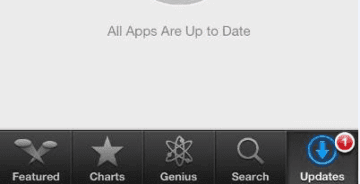
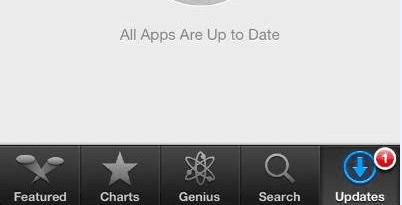
Several users have reported that the App Store has not been showing updates properly, meaning that, although a badge indicates that there are updates available, the App Store says “Apps Are Up to Date” How to fix:
You need to completely close the App Store app. To do that, double press your home button, tap and hold on the App Store icon, and then, when it starts to jiggle, tap the minus sign. Now hit the Home button again and open your App Store by tapping on the App Store icon.
App Store Updates Not Updating
This is a different type of issue that shows up when you press ‘Update All’ on the app store. When you tap on Update all, the app store should automatically update all your apps that require a new update. However many users find that either the automatic updates never go through or they are very slow to update.
If you are having this issue after a recent iOS update, here are a few tips that you can try to resolve this issue. Try each os these steps below and check if the issue gets resolved.
Here’s How To Fix App Store Not Updating
The first step that has often proved useful in most iPhone issues is the hard reset of your device. This is especially true after your device has been updated to the latest iOS. Perform a Hard Reset on your iPhone. You will not loose any data.
The next step if your apps are still stuck in the update mode is to try changing your DNS servers on your device. Update the DNS on your iPhone to 8.8.8.8 or 8.8.8.4 and choosing manual configuration
Signing out of the App Store and signing back in sometimes also resolves this issue
If it is related to Wi-Fi, you can try and toggle the Wi-Fi in Settings ON/OFF a couple times and then try and see if your apps start to update at a higher speed. Along the lines of a slow Wi-Fi connection, Resetting the Network connections on your iPhone can also be useful in this case.
Obsessed with tech since the early arrival of A/UX on Apple, Sudz (SK) is responsible for the original editorial direction of AppleToolBox. He is based out of Los Angeles, CA.
Sudz specializes in covering all things macOS, having reviewed dozens of OS X and macOS developments over the years.
In a former life, Sudz worked helping Fortune 100 companies with their technology and business transformation aspirations.
This suggestion above is a dumbass fix. Most of us are much more intuitive than this. I’m surprised they didn’t start showing how to turn your iPhone on!
I have the same problem, which started a few days ago. The badge says I’m up to 10 updates waiting, but when I open App Store I just get a blank screen instead of a list of the updates. I have a 4th generation iPad running iOS 6.1.3. In addition to closing the app in the manner stated above, I’ve also cold booted it, and I’ve tried it on 3 different networks (work, home, public). My iPhone 5 running iOS 6.1.4 is working fine and is receiving updates as usual, even over the same wireless networks as the iPad.
Glad I am not alone on this! I have tried the said fix multiple times (even before finding this thread) and it DOES NOT WORK! This issue has only come up for me in the past few days, what the heck is going on?!?
This does not work. I have been to the forums, and tried several different’fixes’, along with this one, and none of them seem to work. It seems many people are having this issue. So it is not an isolated issue. A fix would be greatly appreciated. I don’t even know which Apps have an update, or I would search for them and update them manually.











Thanks! It helpled.
I just want to update my phone and it was not updated
This suggestion above is a dumbass fix. Most of us are much more intuitive than this. I’m surprised they didn’t start showing how to turn your iPhone on!
I have the same problem, which started a few days ago. The badge says I’m up to 10 updates waiting, but when I open App Store I just get a blank screen instead of a list of the updates. I have a 4th generation iPad running iOS 6.1.3. In addition to closing the app in the manner stated above, I’ve also cold booted it, and I’ve tried it on 3 different networks (work, home, public). My iPhone 5 running iOS 6.1.4 is working fine and is receiving updates as usual, even over the same wireless networks as the iPad.
Glad I am not alone on this! I have tried the said fix multiple times (even before finding this thread) and it DOES NOT WORK! This issue has only come up for me in the past few days, what the heck is going on?!?
App Store updates are accumulating however when I go to Update my Apps nothing shows up. Please let me know how to fix this.
None of the fixes work. It says I have 4 updates, but none appear!
Same here. I even reset everything with no lock.
dWd
This does not work. I have been to the forums, and tried several different’fixes’, along with this one, and none of them seem to work. It seems many people are having this issue. So it is not an isolated issue. A fix would be greatly appreciated. I don’t even know which Apps have an update, or I would search for them and update them manually.
I am also having this same issue. Nothing seems to help. Badge indicates updates, and the rest of the App Store loads just fine. Please help.