iTunes gift cards, now officially branded as Apple Gift Cards, provide flexible funding for any purchase within Apple’s digital ecosystem including App Store apps, Apple Music, Apple TV Plus, iCloud storage upgrades, Apple Arcade, and in-app purchases across iOS and macOS applications.
The demand for these cards is substantial and the purchase channels available span official Apple retail, major authorized retailers, and dedicated digital gift card platforms. Understanding which channels offer the best combination of price, payment method flexibility, and redemption reliability is practical knowledge for regular Apple ecosystem spenders and for gift buyers who want to ensure the card they purchase works correctly for the recipient.
The Apple Gift Card has consolidated what were previously separate iTunes and App Store cards into a single product that works across Apple’s entire digital services portfolio. A balance added through an Apple Gift Card redemption sits in the Apple Account balance and draws down automatically whenever a purchase is made within any Apple digital service.
Apple Music subscription renewals, App Store purchases, iCloud storage plan upgrades, Apple TV Plus content, Apple Arcade subscription charges, and in-app purchase payments all consume from this balance before Apple charges any linked payment method.
This broad applicability makes Apple Gift Cards more versatile than service-specific prepaid options because the recipient’s balance serves whatever Apple service they use most actively rather than being locked to a specific application or service that may not be the primary spending priority.
For gift buyers who know the recipient uses Apple devices but are uncertain which specific Apple service they spend on most, this cross-service flexibility makes the gift practically useful regardless of the recipient’s specific current Apple service engagement pattern.
Payment Method Options For Online Purchase
The payment method landscape for buying Apple Gift Cards online varies across purchase channels in ways that matter for buyers in markets where standard international payment options like Visa and Mastercard create friction or carry additional costs.
Official Apple channels and major retail partners primarily accept credit and debit cards on international networks, which works well for buyers in markets where these cards are the standard but creates access barriers for buyers who rely primarily on regional digital wallets, bank transfer services, or local payment processors.
Buyers who want to buy itunes gift card online with local payment options can also find Apple Gift Cards on LootBar, which lists multiple regional denominations. The purchase does not require sharing your Apple ID credentials at any point.
Regional Compatibility: The Critical Check Before Any Purchase
Apple Gift Cards are region-specific and add balance only to Apple Accounts registered to the matching regional App Store. A US denomination Apple Gift Card cannot be redeemed by an account registered to the UK, Australian, or European App Store regardless of where the buyer or recipient is physically located at the time of purchase.
This region lock is the most important technical detail for any Apple Gift Card purchase, and it applies to both physical cards and digital codes equally.
The region of an Apple Account is determined at the time of account creation or at the most recent region change, not by the user’s physical location at the time of any specific transaction. A buyer who purchases a US Apple Gift Card for a recipient must be certain the recipient’s Apple Account is registered to the US App Store rather than a different regional store.
Confirming this detail before purchase rather than after prevents the frustrating experience of an invalid redemption and the complication of resolving a regionally mismatched gift.
Step-By-Step Redemption Process
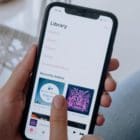
Redeeming an Apple Gift Card adds balance to an Apple Account through a process that takes under two minutes once the code is in hand. On iPhone or iPad, opening the App Store, tapping the profile icon in the top right corner, selecting Redeem Gift Card or Code, and entering the code through the camera scanner or manual entry option completes the redemption.
The camera scanner option is faster and more accurate than manual entry for codes with many characters, and it is the recommended redemption method when the code is accessible as a physical card or a clearly photographable digital display.
On Mac, redemption runs through the App Store application under the Account menu in the sidebar, with the same camera or manual entry options available. On Apple TV, the Redeem option appears within the App Store section of the device settings.
According to Apple’s official gift card redemption support page, balance added through redemption applies automatically to the Apple Account and is visible in the account payment section immediately after successful redemption.
Users who want to confirm their balance before making a specific purchase can check the account section of any App Store interface to see the current available credit.
Managing Balance Across Multiple Redemptions
Apple Account balance from multiple gift card redemptions accumulates without expiration, which makes advance purchasing during favorable pricing windows a practical strategy for regular Apple spenders.
Buying Apple Gift Cards at discounted prices during promotional periods and building a balance reserve for future subscription renewals or planned app purchases captures savings without creating pressure to spend immediately. The non-expiring accumulation policy means there is no penalty for holding a balance that exceeds immediate spending plans.
AppleToolBox is tech resource website that delivers informative content related to everything Apple. We’re one of the leading voices in providing insightful and authoritative how-tos, news, reviews and tips to Apple aficionados worldwide.








Write a Comment