It’s November, which means that Black Friday and Cyber Monday are just around the corner. It also means that you may have your eye on nabbing some great deals on Apple products.
The annual sales event may offer a good opportunity to get an Apple product at a discount or with additional perks. With that in mind, here are some general tips for Black Friday shopping and some tricks specific to getting discounted Apple gear.
Whether or not you’re specifically looking for Apple products, there are a variety of tips and tricks you should keep in mind as Black Friday approaches.
These won’t all apply to Apple devices, specifically. But depending on the retailer you’re eyeing, they could come in handy if you’re looking to get a great deal on Apple products.
1. Start early
Depending on when you’re reading this, Black Friday may still be a week or two away. But that doesn’t mean you can’t start shopping for great deals right now.
In recent years, more and more retailers have started offering “early” Black Friday sales far ahead of the actual event. In fact, the entire month of November is pretty much a month of deals on various items.
2. Plan ahead
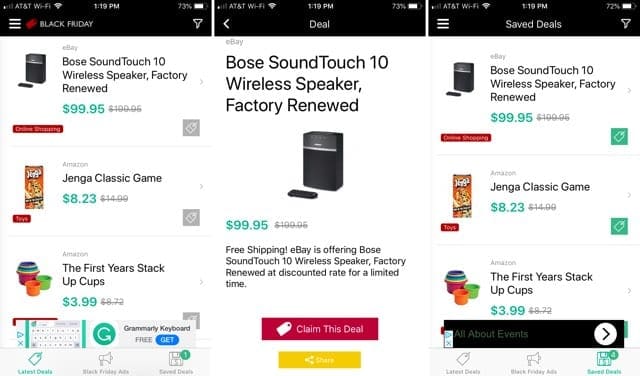
You can’t really expect to nab some great deals on Black Friday without a bit of preparation. We recommend looking over some leaked ads ahead of time — and there are some excellent resources online that’ll allow you to do so.
Many retailers offer deals and promotions exclusively to their rewards members or credit card holders. (Best Buy comes to mind, though there are others.) You’ll be a lot better off if you sign up for these in advance.
We also recommend looking at your existing options to offset the cost of new products on Black Friday. If you already have rewards points somewhere, consider shopping there. If you’re a Prime subscriber, look at Apple products on Amazon. You’ll get a discount and free shipping.
4. Check out the social pages
Retailers are increasingly using a social media strategy to get the word out about their Black Friday deals. We suggest you take advantage of that and follow all of your favorite stores and retailers on Instagram, Facebook and Twitter.
You may just find out about a deal on an Apple device you wouldn’t have spotted otherwise. More than that, many retailers will specifically reward customers who follow them online.
5. Ditch Black Friday for Cyber Monday
Unless you’re particularly committed to the idea of waking up really early to be the first in line at a store, you may want to forego Black Friday entirely. There are other options.
That includes Cyber Monday, which is the Monday following Thanksgiving. In fact, these days, the entire weekend of Black Friday is often its own sales event — particularly from the aforementioned online retailers.
Black Friday Apple Deals
Apple periodically holds its own Black Friday sales events. And while it doesn’t ever discount its own products, it has offered gift card “cash back” during the sales events.
While you may be able to find better Apple deals elsewhere, that won’t always be the case. Whether you’re shopping at Apple or at a third-party retailer, keep these tips in mind.
6. Don’t forget trade-ins
If you’re reading this and you’re looking at new Apple gadgets to buy, you likely have an older iPhone, iPad or MacBook Pro in your possession. Unless you need to keep it for some reason, we recommend taking a look at Apple trade-ins.
You may just be able to get even more marked off of an Apple product, as well as the more general rewards or discounts on Black Friday. Just make sure to back up all of your data and plan out how to transfer it first.
7. Look at your carriers
You may not think about your carriers much during the Black Friday shopping season, but you might want to start. Depending on what type of device you’re looking for, you may be able to get great promotional offers during the sales event.
This will typically only apply to iPhones, iPads or Apple Watches, however. So if you’re in the market for a new laptop or desktop Mac, you’ll want to look at electronics stores or Apple itself instead.
8. Use your Apple Card
We’re not financial experts, so we won’t recommend readers apply for the Apple Card if they don’t need it. But for users who already have the Apple-sponsored credit card, Black Friday may be a great option.
The card offers 3 percent cash back on any purchases from Apple, which can be quite a bit more than most other general cash back credit cards. Better yet, it’s Daily Cash. Using it, you’ll have the money back in your hands by the end of the day.
9. Don’t buy older products from Apple
If you do plan on purchasing Apple product directly from the company, try to opt for newer devices. Depending on how old a specific device is, you’ll probably be able to find better deals on them elsewhere.
Newer products, like the iPhone 11 Pro or the 16-inch MacBook Pro which just dropped, may be great options. You likely won’t find them heavily discounted anywhere else. And if you buy them from Apple, you may just get some special perks as a result.
10. Stack your gift cards
While we don’t know exactly what type of special offer Apple is going to debut this Black Friday, it will likely still be gift cards. A good tip is to simply keep the gift cards until next year’s Black Friday shopping event to offset the cost even more.
Apple gift cards don’t come with any terms or conditions and they don’t have an expiration date. So just keep them somewhere safe and make sure to ask Siri to remind you that you have them next year.
11. Know the retailers
When it comes to getting Black Friday deals on Apple products, there are a few retailers that you should keep in mind. This year, that includes Best Buy, Costco, Walmart and Target.
You may also find some good options at online retailers like B&H Photo or Amazon. The latter site, in particular, is well-known by now for its steep discount on even brand new Apple products.
What are some of the items in your wish list this year?
Mike is a freelance journalist from San Diego, California.
While he primarily covers Apple and consumer technology, he has past experience writing about public safety, local government, and education for a variety of publications.
He’s worn quite a few hats in the journalism field, including writer, editor, and news designer.












Write a Comment