Often referred to as “Siri AI,” Apple officially describes it as the new Siri powered by Apple Intelligence. Apple announced Siri AI at the Worldwide Developers’ Conference (WWDC) in June 2026. While not every Apple device will gain access to the full capabilities of the enhanced AI-powered assistant, most will get at least some functionality if they can upgrade to iOS 27 and access the internet.
The most anticipated features of Siri AI include a more conversational interface and greater levels of personalization, thanks to the ability to skim all the data on your phone, from emails to photos.
Take a look at these five features coming to Apple devices later this year, thanks to Siri AI.
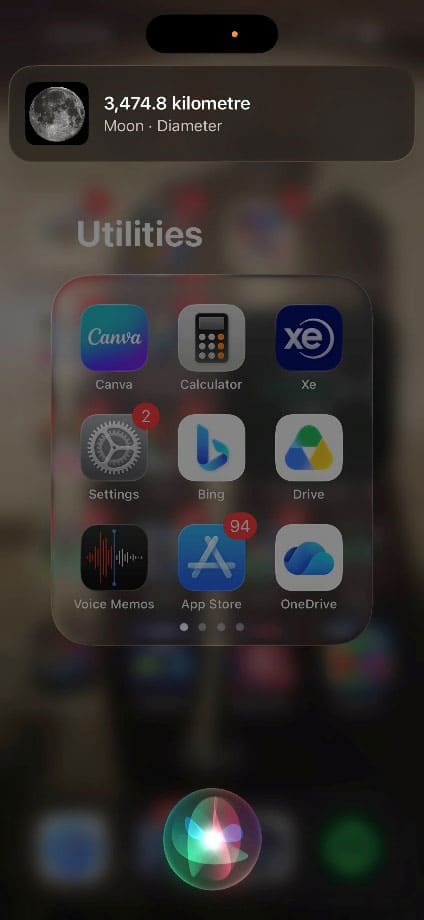
Currently, if you ask Siri a question, you may get a direct answer…
…or you may be referred to a web page that has the information you need.
Siri AI promises a more conversational interface, like that of existing AI chatbots such as ChatGPT or Claude.
Siri AI Feature 2: Personal Context Awareness
Siri AI skims your emails, messages, and photos to gain information about you to personalize its responses. It also responds based on what you’ve got on your screen at that moment, for more contextual and personalized answers.
Siri AI Feature 3: App for Revisiting Conversations
If you’ve ever forgotten what Siri told you and had to ask again, this one’s for you. Apple states that Siri AI will be able to maintain conversational context across follow-up requests, making interactions feel more natural.
Siri AI Feature 4: Generative AI capabilities
The new Siri AI will be able to draft an email, create a recipe, or edit your photos via verbal or written prompts. It can then add these items to relevant apps, such as an email app or notepad, so you can start using them right away.
Siri AI Feature 5: More Ways to Access Siri
You’ll still be able to say “Hey Siri” to activate the AI assistant. But iPhone users can also use their side button, and on iPad and Mac, Siri AI is built directly into Spotlight for AI-powered searches. Apple Vision Pro users can activate Siri AI by simply speaking inside their virtual interface. On Mac, Siri can be activated through keyboard shortcuts, voice, or the menu bar, while Spotlight also gains new AI-powered capabilities through Apple Intelligence.
How to Switch AI Services Off
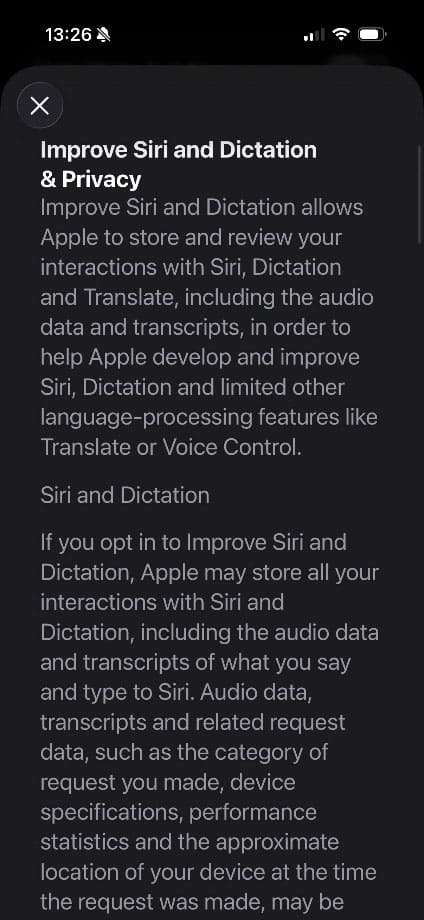
Siri AI is good at personalization because it takes information directly from your mail, messages, and even photos to inform how it speaks to you. Apple is quite open about the fact that, if you consent, the company stores your interactions with Siri, including recordings of your actual voice as well as transcripts.
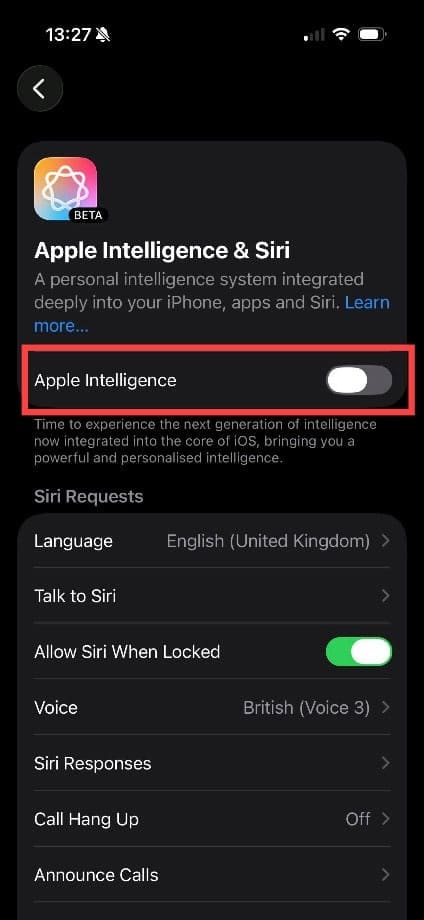
If privacy is a concern to you, you can switch your Apple device’s AI services off. Head to Settings > Apple Intelligence & Siri and switch Apple Intelligence to “Off.” Note: When iOS 27 launches, these menus may be different, and there may be a separate setting for Siri AI.
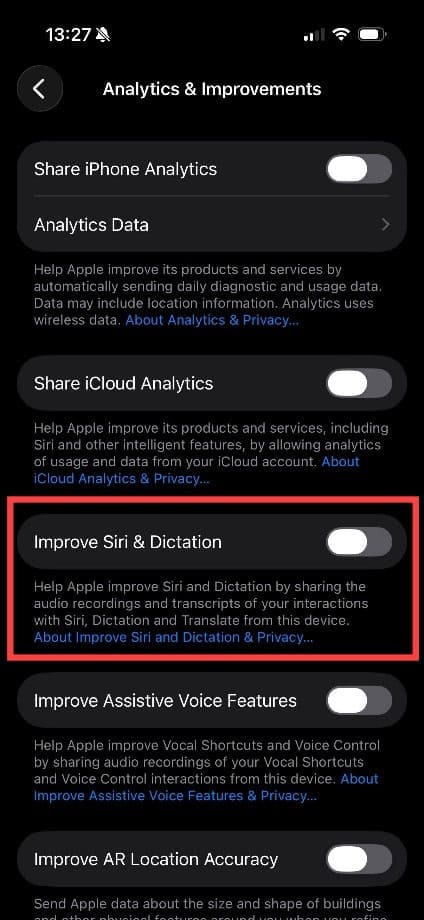
You can also ensure your Siri transcripts and audio conversations are not sent to Apple via the “Analytics & Improvements” menu. Go to Settings > Privacy & Security > Analytics & Improvements, and deactivate “Improve Siri & Dictation.”
As an avid gamer, I’ve run into my fair share of error codes and weird faults that have forced me to find fixes to problems I never anticipated. That gave me a passion for sharing those fixes with others so we can all game without feeling like our hardware is rebelling against us.













Write a Comment