The App Store is absolutely fantastic as it truly turns our iPhone and/or iPad into a portable powerhouse. However, just about every one of those apps went through a rigorous beta test process before it ever saw the light of day.
That includes the likes of Twitter, Instagram, OmniFocus, Things, Spark Mail and many of your favorites. Today, we’re going to share with you what it means to beta test applications, and you can do so from your iPhone or iPad.
When it comes to applications, there are a few different steps in the process that you may not have known about. First, the app has to actually come to fruition and be turned into something by the developer. From there, the app goes through rigorous testing in somewhat of a pre-alpha phase.
The “alpha” phase of testing is to work out any major bugs, ensure that the proper integration is working, and other tasks for the developer. Then we get the to fun part — beta testing. This is where folks like you and me can come in and really help out in the app development process.
Developers “offer” beta testing to select users for the purpose of putting the app in the hands of more people. Doing so makes puts more eyes on the app in an effort to find any issues that slipped through the cracks. Reporting these bugs will help the developer identify where the holes are before releasing the app to the App Store.
After an application has already been released to the masses, beta testing is still extremely useful. Developers use it to test out new upcoming features, while also finding out what new features users want.
What is the iPhone Beta testing process like?
Once you have been accepted into a beta testing program, there is more to it than just having access to an unreleased application. Throughout the life of a beta application, there are likely issues that will arise that need to be brought to the attention of the developer.
Additionally, developers likely will ask questions of you to get a better idea of how you use the app. Sometimes, these will be multiple-choice questions, maybe an email or the developer could reach out via social media.
While testing, it’s extremely important to submit feedback throughout. This is especially true for instances where you come across a bug that causes the app to crash or something to go haywire.
When providing feedback, it’s important to not “hold back” your opinion. The developer chose you to test their application so you will want to be as truthful and forthcoming with your opinion as possible. Just be real and you will be rewarded in future releases.
What is Testflight?
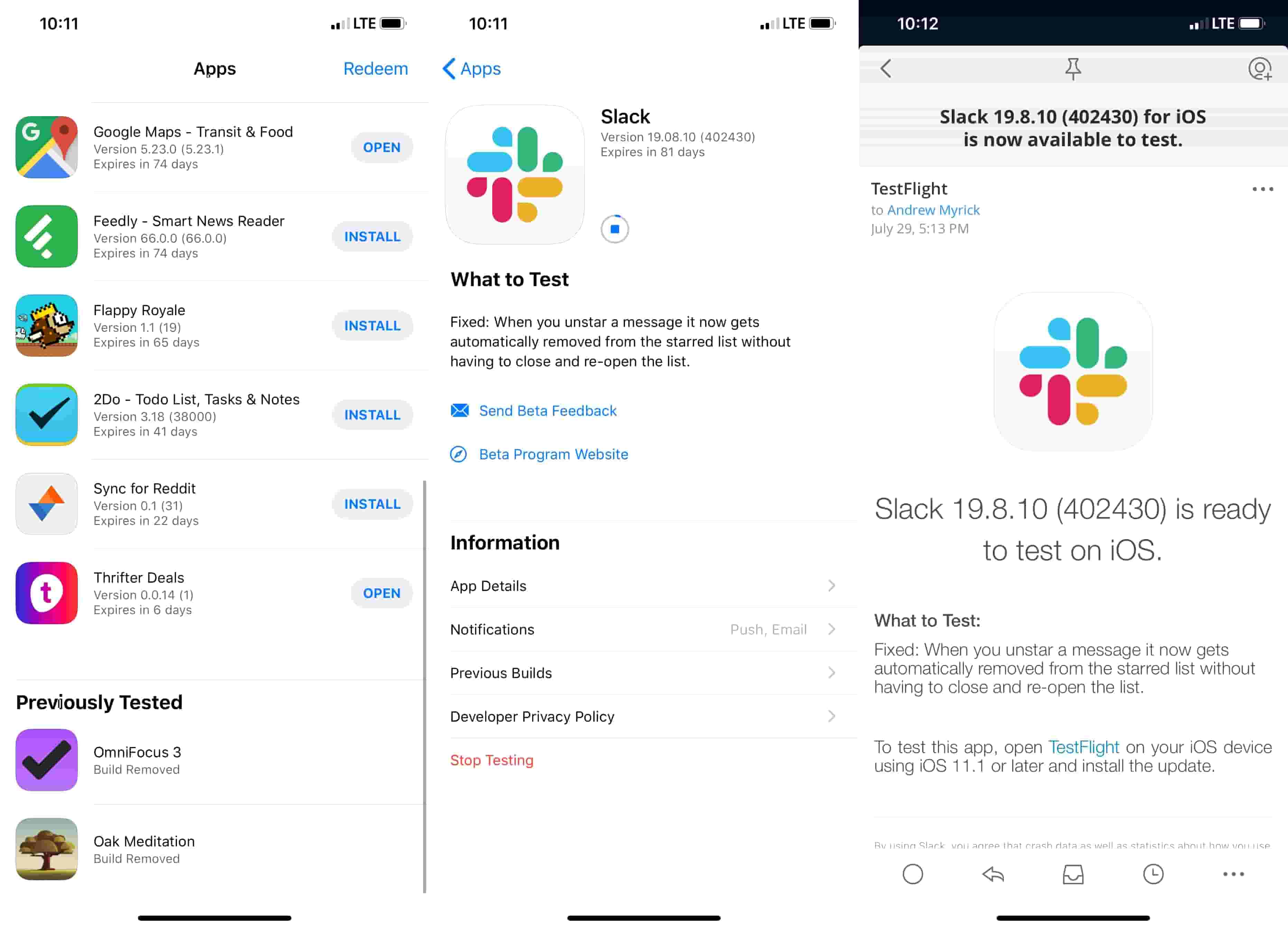
As for the actual testing process, many iOS developers rely on the framework provided by Testflight. This application was created by Apple and allows for beta testers to install beta applications onto their phones.
Unlike the Google Play Store, you can not opt into beta application testing directly from the iOS App Store. Instead, you will need to receive an invite from the developer and download the app from the Testflight application.
Here are a few quick hitters about what Testflight does for developers:
Allow up to 25 internal testers for members of their development team
Invite up to 10,000 external testers after it has gone through the initial review by Apple
With iOS 13, testers can send feedback directly by simply taking a screenshot
Works with iOS, watchOS, tvOS, and iMessage applications
Beta test apps remain active for 90 days after upload
Up to 100 apps can be tested at a time
Testflight is an important tool for developers to get folks using their apps before the final release. This is critical for major app updates and major software releases, like iOS 13 or iPadOS.
How do I get invited to Testflight?
Developers have a couple of different methods for inviting users to beta test apps with Testflight. Here’s a breakdown of each:
Email – Developers will email an invitation with a link to install the app and start to beta test. The most effective way to share beta versions with a specific group of users.
Public Links – Development teams can share the Testflight link with the public and up to 10,000 testers can sign up. This link can be shared via social media, email, or other messaging platforms.
If there is an application that you want to beta test, you will usually find a way to contact the developer on the apps landing page. Occasionally, there will be social media posts that provide the link or give you specific instructions on joining the beta test process.
Another useful way to find apps is to head over to r/TestFlight, r/iOSbeta, r/iOSapps, or r/iOSgaming on Reddit. Various developers are always looking for testers, and who knows, maybe you’ll find the next diamond in the rough.
Can you beta test apps outside of Testflight?
Not every beta application needs to be tested via Testflight. There are some applications or suites of apps, that can be tested through first-party methods.
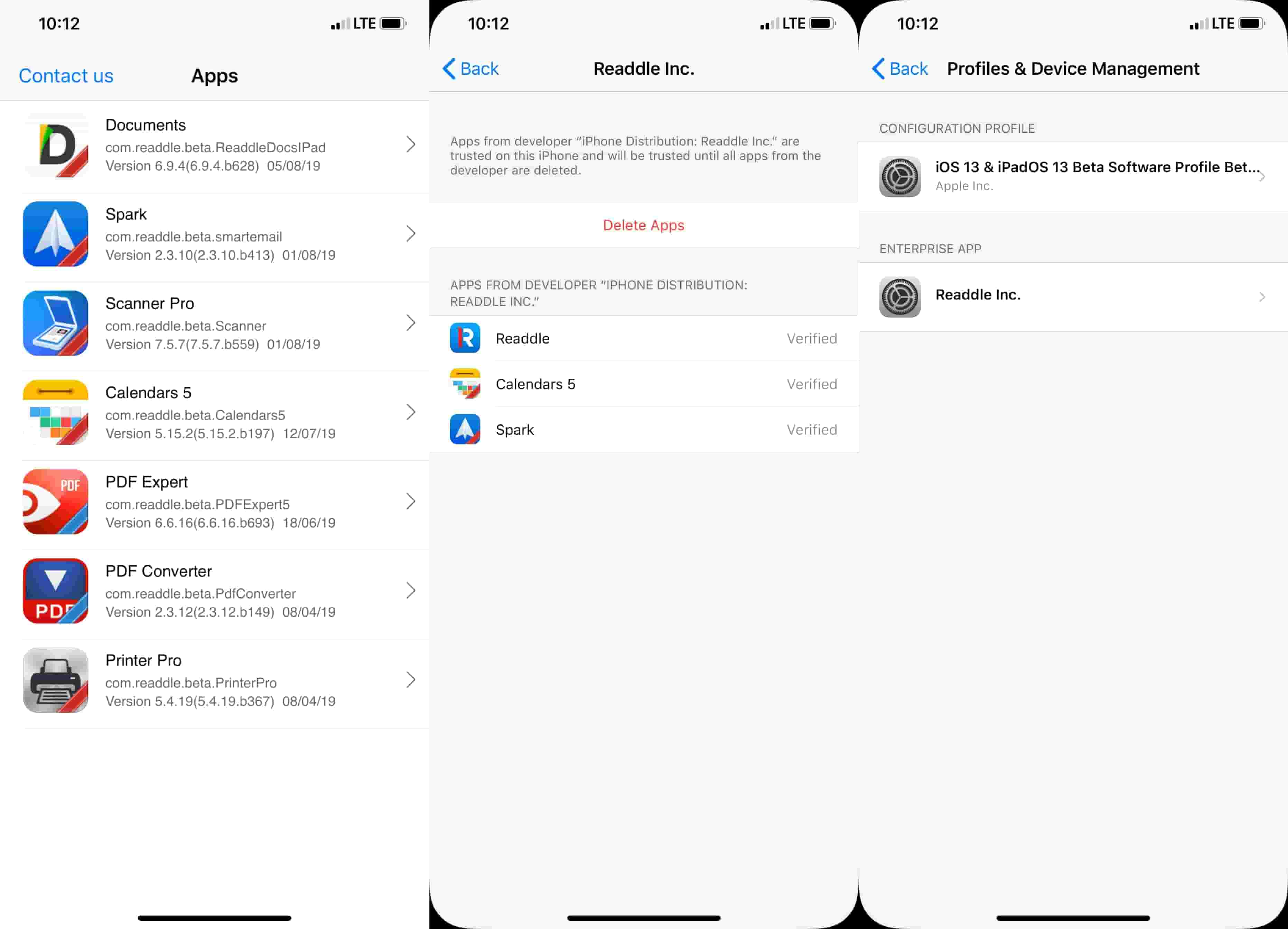
Usually, this means that you will have to install a Device Management Profile on your iPhone, giving you access to applications that aren’t available elsewhere. This method can be a bit risky, as there are some pieces of information that can be shared from your phone to the developer without Apple there to keep an eye on things.
As we stated before, it’s important to be careful about which beta test programs you join if the developer doesn’t use Testflight. An unknown profile will be installed on your iOS device so that the developer is provided with the necessary information in the event of bug fixes or crashes.
Conclusion
Having the ability to beta test your favorite applications is awesome. However, it’s imperative that if you go down this path, you help the developers by submitting proper feedback.
Let us know if you have any more questions about the beta testing process. Also, sound off in the comments and let us know what your favorite applications are.
Andrew Myrick is a freelance writer based on the East Coast of the US. He enjoys everything to do with technology, including tablets, smartphones, and everything in between. Perhaps his favorite past-time is having a never-ending supply of different keyboards and gaming handhelds that end up collecting more dust than the consoles that are being emulated.











Write a Comment