Wouldn’t it be great if you always knew where your friends were? That’s the idea behind Find My Friends, part of the Apple Find My app. Using location services, your iPhone (or other Apple device) can see where your friends are on a map. This is handy if you’re trying to find each other in a crowded place, or you forgot to specify a meeting point.
Unfortunately, there are times when you might notice Find My Friends not working as it should. Follow the steps below to get Find My Friends working again and stay in touch with the people that matter to you.
Why Is Find My Friends Not Working: Location Services
The most common reason that you can’t see your friends is that you or they don’t have location services switched on. First, you need to switch your general location services on. Then, you need to share your location in the Find My app. Here’s how.
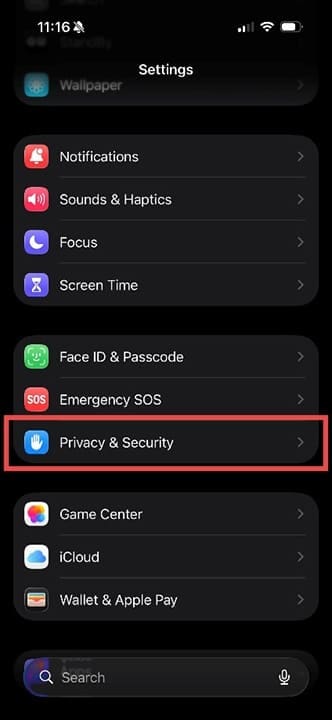
Step 1. On your iPhone (or iPad), head to Settings > Privacy & Security.
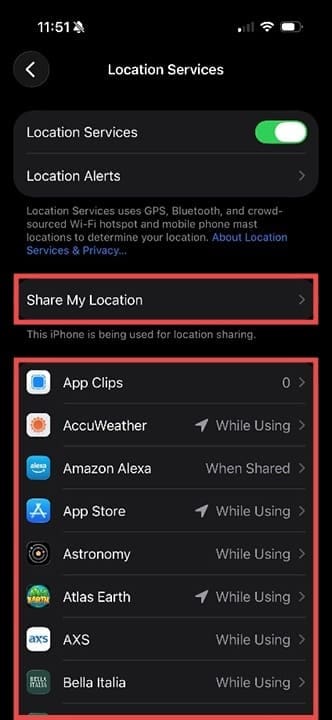
Step 2. Tap on Location Services, which is usually a blue square with an arrow in it.
Step 3. On the next screen, tap the toggle button next to Location Services to switch it on. You can now see a list of apps on your phone and whether they will use location data or not.
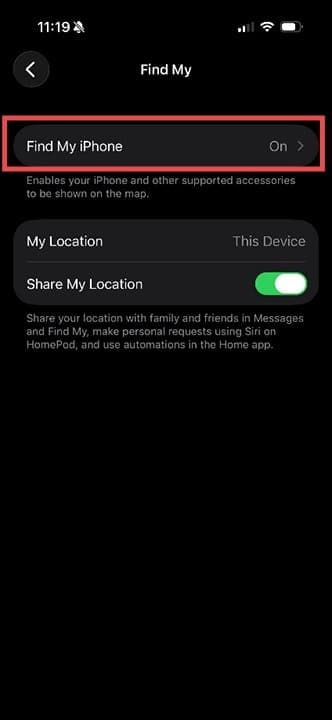
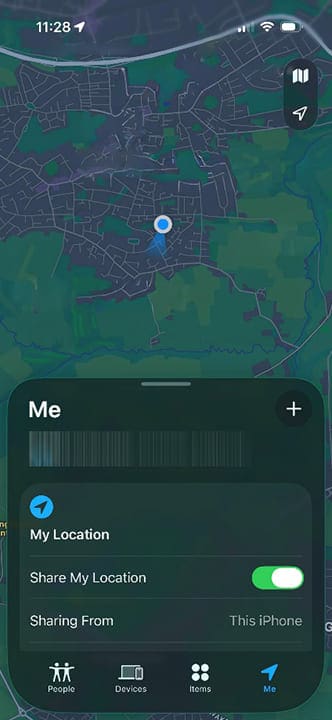
Step 4. Tap on Share My Location. Make sure that Find My iPhone is marked as On, and that Share My Location is toggled to green. Without this, you won’t be visible in the Find My app. If your friends aren’t visible, get them to check the same settings.
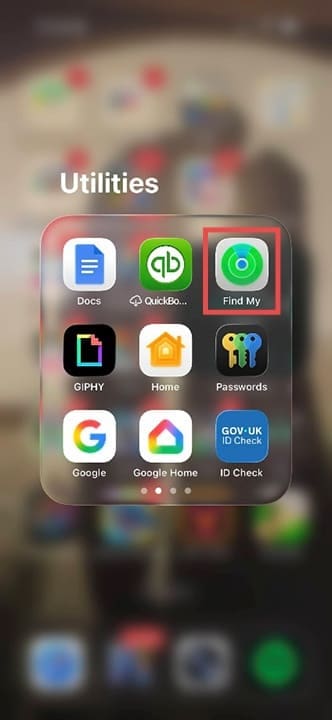
Step 5. Open the Find My app. The icon is a green circle with a blue streak, similar to a radar symbol.
Step 6. Check if you’re now visible on the map. Once your friends are nearby, you should start to see them too. You can also adjust your location sharing settings from directly within the Find My app.
Why Is Find My Friends Not Working: Troubleshooting
If adjusting your and your friends’ location settings doesn’t help, make these checks:
Is your Wi-Fi or cellular data switched on?
Do you have a signal currently?
Has your iPhone had any data restrictions recently?
Are the date and time on your device accurate?
If you’re still having trouble with Find My Friends not working, try restarting your device, and then restarting the cellular connection by switching mobile data off and on again. The simplest way to do this is to swipe down from the top of the screen, select Airplane Mode, and then deselect it after 30 seconds.
As an avid gamer, I’ve run into my fair share of error codes and weird faults that have forced me to find fixes to problems I never anticipated. That gave me a passion for sharing those fixes with others so we can all game without feeling like our hardware is rebelling against us.













Write a Comment