Obsessed with tech since the early arrival of A/UX on Apple, Sudz (SK) is responsible for the original editorial direction of AppleToolBox. He is based out of Los Angeles, CA.
Sudz specializes in covering all things macOS, having reviewed dozens of OS X and macOS developments over the years.
In a former life, Sudz worked helping Fortune 100 companies with their technology and business transformation aspirations.
Until today, I was able to save JPEG photo email attachments on my IPad by going to the icon with the arrow, clicking on it and selecting “save image”. I would then go to my Photos and the image was there. Why isn’t this working for me now?
Trying the same thing and was getting frustrated BUT it will apparently be filed by date taken, so if it was taken a while back you may have to go deeper into the photo library to that date to find it!
Sorry to hear about those problems with email and photos.
Let’s try a couple of things:
1. Force close the Mail app by double pressing the home button and swiping the Mail app off the top of your screen
2. Restart your device by powering down, waiting a minute, and powering back on. This action clears your iPad’s cached data and performs iOS and device system optimization
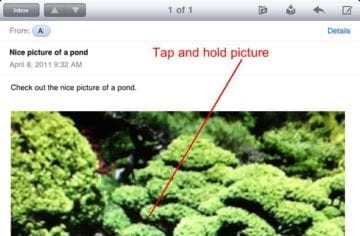
Once restarted, open the Mail app and that email. Then, press and hold the photo until an on-screen menu appears and tap Save Image.
Hello
I have this little issue that’s really drive me crazy any I need you help please
When I receive photo attachment and download them, the photo program it will number my photos like 1 of 100 it erase the original name of the file, now what can I do to prevent that from happening. Please help this is really urgent












Until today, I was able to save JPEG photo email attachments on my IPad by going to the icon with the arrow, clicking on it and selecting “save image”. I would then go to my Photos and the image was there. Why isn’t this working for me now?
Trying the same thing and was getting frustrated BUT it will apparently be filed by date taken, so if it was taken a while back you may have to go deeper into the photo library to that date to find it!
When trying to Save a picture within an email, when I tap and hold the picture I do not get the Save option, any clues what a I can do please?
Thanks
Hi Julie,
Sorry to hear about those problems with email and photos.
Let’s try a couple of things:
1. Force close the Mail app by double pressing the home button and swiping the Mail app off the top of your screen
2. Restart your device by powering down, waiting a minute, and powering back on. This action clears your iPad’s cached data and performs iOS and device system optimization
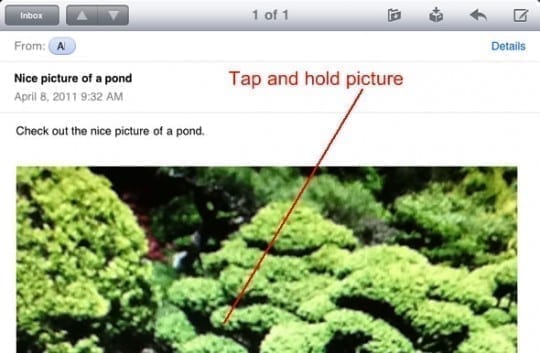
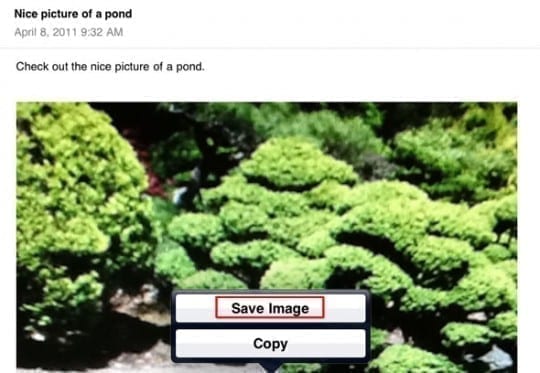
Once restarted, open the Mail app and that email. Then, press and hold the photo until an on-screen menu appears and tap Save Image.
Hope this works for you.
If the problem persists, let us know
Liz
When I touch the photo to be saved, I only get the word, “copy”. I click on it and nothing happens. This is on my iPad. How come?
What is the name of the app to save photos from email attachments? When I hit the download app area, a hotel app pops up.
Hello
I have this little issue that’s really drive me crazy any I need you help please
When I receive photo attachment and download them, the photo program it will number my photos like 1 of 100 it erase the original name of the file, now what can I do to prevent that from happening. Please help this is really urgent