• Skip to primary navigation
  • Skip to main content
  • Skip to primary sidebar
  • Skip to footer

AppleToolBox

Tools and Fixes for Mac, iPad, iPhone & iWatch

Search posts

  • About
  • Contact

CONNECT WITH US

CATEGORIES

  • iPhone
  • iPad
  • iPod
  • Apple Watch
  • Mac/MacBook
  • AirPods
  • Apple TV
  • News
  • Apple Services
  • HomePod
  • Reviews

SITE

  • Home
  • About Us
  • Contact
  • Advertise

Search posts

You are here: Home / Mac / What the Gemini Desktop App Will Bring to Mac

What the Gemini Desktop App Will Bring to Mac

By Louis Roundtree 0 comments Last updated May 20, 2026

Things to Know
  • The Gemini Desktop App is not the first AI desktop assistant for Mac, but it is still up to the task.
  • The app integrates with the OS, providing shortcut popups and context menu additions.
  • It can also perform all the regular functions of its browser counterpart.

It’s taken long enough, some might say, but Apple has finally brought the power of Google Gemini to its desktop in the form of a downloadable app. No longer will Apple users have to open their browsers to access Google’s AI. In this article, we’ll be exploring the Google Gemini Desktop App and what it brings to your Mac.

Contents

  • Late to the Party, But Up to the Challenge
  • What the Google Gemini Desktop App Brings to Your Mac
    • Pop-Up Assistant
    • Share Window
    • Create Image, Video, and Music
  • All the Regular Gemini Features

Late to the Party, But Up to the Challenge

What the Gemini Desktop App Will Bring to Mac 1

Unlike its competitors, Apple has decided not to lead the charge in AI development, but rather take a more measured approach, one that focuses on privacy, device integration, and AI that works on-device rather than online.

Apple has also formed partnerships with Anthropic and Google to help develop these systems, such as the backside development of Siri and the suite of AI tools called Apple Intelligence.

Google’s Gemini, despite its user base of over 750 million, has been slow to release a desktop app, with OpenAI already quite at home on Mac. Now, however, it’s available on Windows and Mac too.

What the Google Gemini Desktop App Brings to Your Mac

What the Gemini Desktop App Will Bring to Mac 2

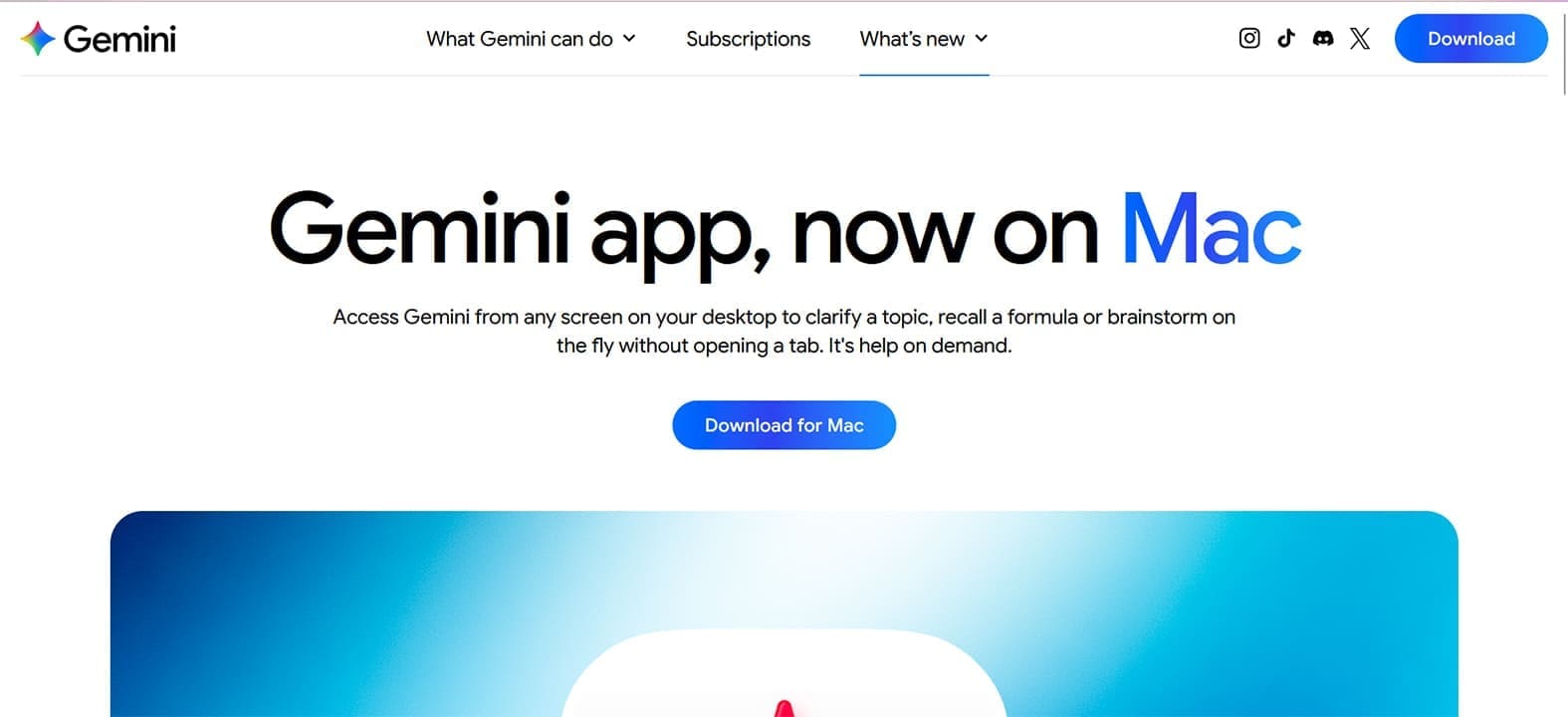
Providing your Mac can support Google Gemini and has macOS Sequoia 15.0 or later, you’ll be able to download the Google Gemini Desktop App from the App Store and install it on your machine. The desktop app works through integration, much like Copilot on Windows, and allows you to do all the things you would expect, but with less hassle.

Let’s take a closer look at the main features.

Pop-Up Assistant

Pressing the shortcut (Option + Space) will bring up the Google Gemini pop-up, which allows for text and voice input, not to mention any file uploads you want to include. In look and function, it feels very similar to Spotlight and is there to assist when needed.

Share Window

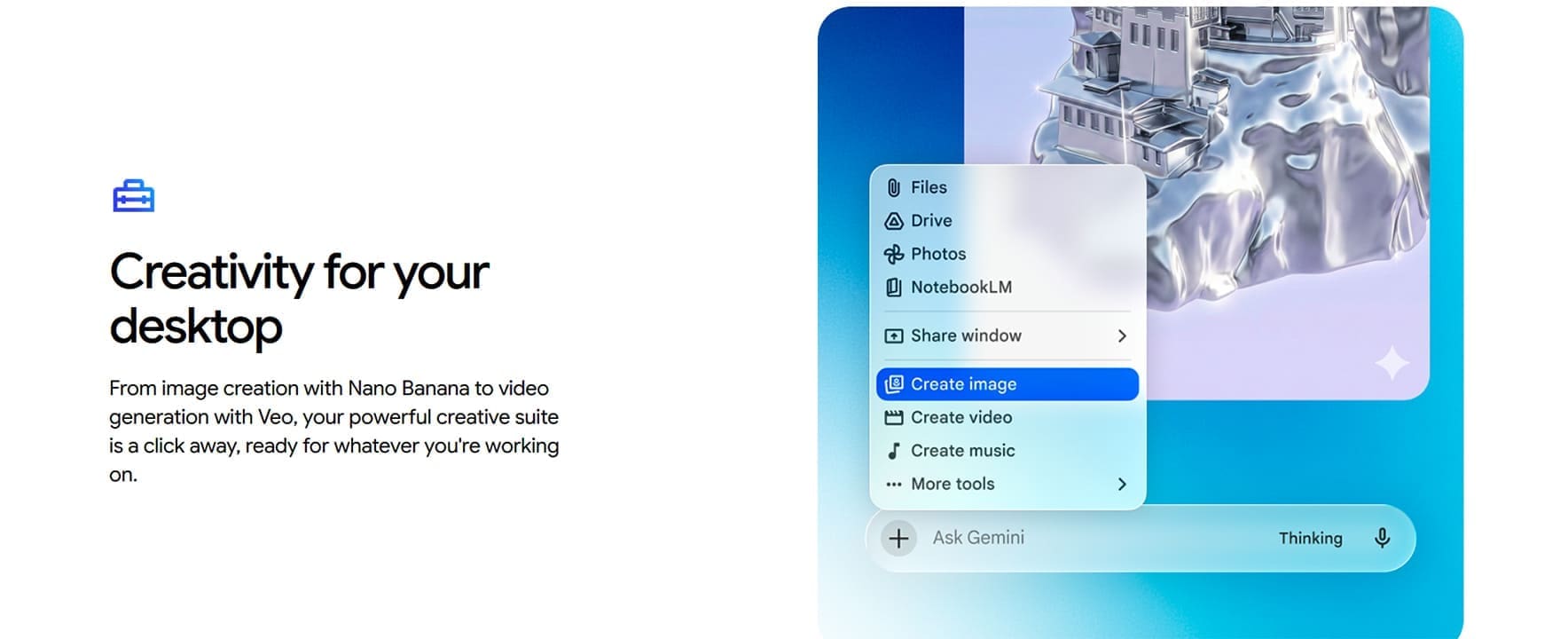
Besides the pop-up, the Gemini Desktop App also integrates into the context menu. A simple right-click brings up a range of options. The first is the “Share window” function, which allows your screen and its contents to be shared with Gemini for analysis. This goes for files, webpages, and open apps. Gemini will contextualize and analyze what’s on screen for your convenience.

Create Image, Video, and Music

Below the “Share window” option, you’ll see the option to generate content. Gemini uses Nano Banana and Veo Tools to generate images and video, much like the browser version would. There’s even an option to generate music.

All the Regular Gemini Features

The above functions make the Google Gemini Desktop App easy to use, but don’t forget that Gemini can still perform all the same functions you’ve come to expect from its online counterpart. As such, the desktop app can still:

  • Automate tasks
  • Perform Google searches through natural language input
  • Translate text and files
  • Summarize and analyze data and files
  • Generate content, from poetry to emails
  • Analyze and identify content, be it photos, videos, or documents

Related Posts:

  • gemini app for iphone
    Tired of Siri? Learn About the Advantages of Using…
  • how to sync data from other browsers to safari
    How to Sync Data From Other Browsers to Safari
  • iPad mini showing battery icon on screen.
    What to Do if Your iPad Mini Is Not Charging or…
  • WWDC 2021 Hero
    WWDC21 Recap: Everything You Missed In Apple's 2-Hour Event
  • Empty Apple Store
    Apple Monopoly Accusations: How Apple Is Moving Forward
  • 2023 Mac Studio lifestyle - 1
    macOS Could Not Be Installed, How-To Fix
  • 2022 Mac Mini with Studio Display and Accessories
    Mac Tips For New Users In 2023
  • 0E4A6A0B-65E8-4184-B0C9-16C2179A1256
    The Best Weight Loss Apps For iPhone In 2021
  • Browser Icons
    iOS Browser Privacy Compared: Safari vs Firefox vs…
Louis Roundtree
Louis Roundtree

As an avid gamer, I’ve run into my fair share of error codes and weird faults that have forced me to find fixes to problems I never anticipated. That gave me a passion for sharing those fixes with others so we can all game without feeling like our hardware is rebelling against us.
Reader Interactions

Write a Comment Cancel reply

Primary Sidebar

Recent Posts

  • How to Manage Your iPhone Call Log
  • Are Apple’s Safety Precautions Enough for AirTags?
  • How to Hide Username and Photo on the Mac Lock Screen
  • Microsoft Resume vs. Apple Handoff – Which Wins for Cross-Device Work?
  • How to Export iTunes Library to New Computer
  • What the Gemini Desktop App Will Bring to Mac

Connect with us

Footer

ABOUT

  • About Us
  • Contact us
  • Advertise
  • Privacy
  • Terms of Use

GUIDES

  • iOS & iPadOS
  • Apple ID
  • iCloud
  • App Store
  • iTunes
  • FaceTime
  • iMessage
  • Siri
  • Books and iBooks
  • Game Center
  • AirPlay

CONNECT

  • Facebook
  • Twitter
  • FeedBurner
  • YouTube

© Copyright 2010-2024 Guiding Tech Media · All Rights Reserved

This site and its content are in no way affiliated or endorsed by Apple, Inc. · Reproduction without explicit permission is prohibited

Last Updated on May 22, 2026 by Louis Roundtree