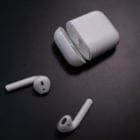
AirPods can be a nifty way to listen to music and video, replacing the old conventional wired headphones with the wireless AirPods. However, due to their ability to just stick in your ear, they’re also quite easy to lose. And it’s easy to lose just one. They might fall out while listening to them or you could simply just leave them somewhere. In some cases, the buds themselves might also break. Luckily, you can get a replacement for your AirPod, but with some caveats, which we’ll explore below.
Can You Get a Replacement AirPod?
First, don’t panic. See if you can locate your lost AirPod. There are actually a few ways you can try to find your lost AirPods such as using the Find My app or iCloud’s website. You can read how to do this in our guide on finding lost AirPods.
But using these methods is no guarantee, and your AirPods might be well and truly lost. Like taken by the AirPod gnomes lost. Then you’ll need to order a new AirPod or two. But luckily, you can get just one if you need it. You don’t have to order a whole new set complete with the case if you don’t want it.
It’d be nice to simply upgrade your AirPod when you lose an old one. It might be tempting to see if you can get an AirPod Generation 2 or AirPod Pro if you lost one Generation 1 AirPod. But if you lost just one AirPod, you will need to order the same type of AirPod as the one you already have. The AirPods have to be paired together. That’s why you can’t simply upgrade only one AirPod Generation 1 with a 2 or Pro.
Further, the replacement AirPod must match the existing model and case, which means you’ll have to find your AirPod serial number. According to Apple’s support page, you can find the serial number in a few different ways.
You can find your AirPods’ serial number on your iPhone itself. You would just:
Go into the Settings option by tapping the cogwheel on your phone’s main screen.
Select Bluetooth from the list.
In the Bluetooth menu, you can find your AirPod on the list, which may be labeled something like [Your Name]’s AirPods.
Tap the More Info button next to the AirPods listing, represented as a blue i in a circle.
Under About you can view the serial number on your AirPods.
You can also find the serial number printed on the underside of the lid of your AirPod case.
If you’re the kind of person who hangs onto everything and you kept the packaging the AirPods came in, you can even find the serial number next to the barcode on the packaging. It’s also listed on the receipt or invoice.
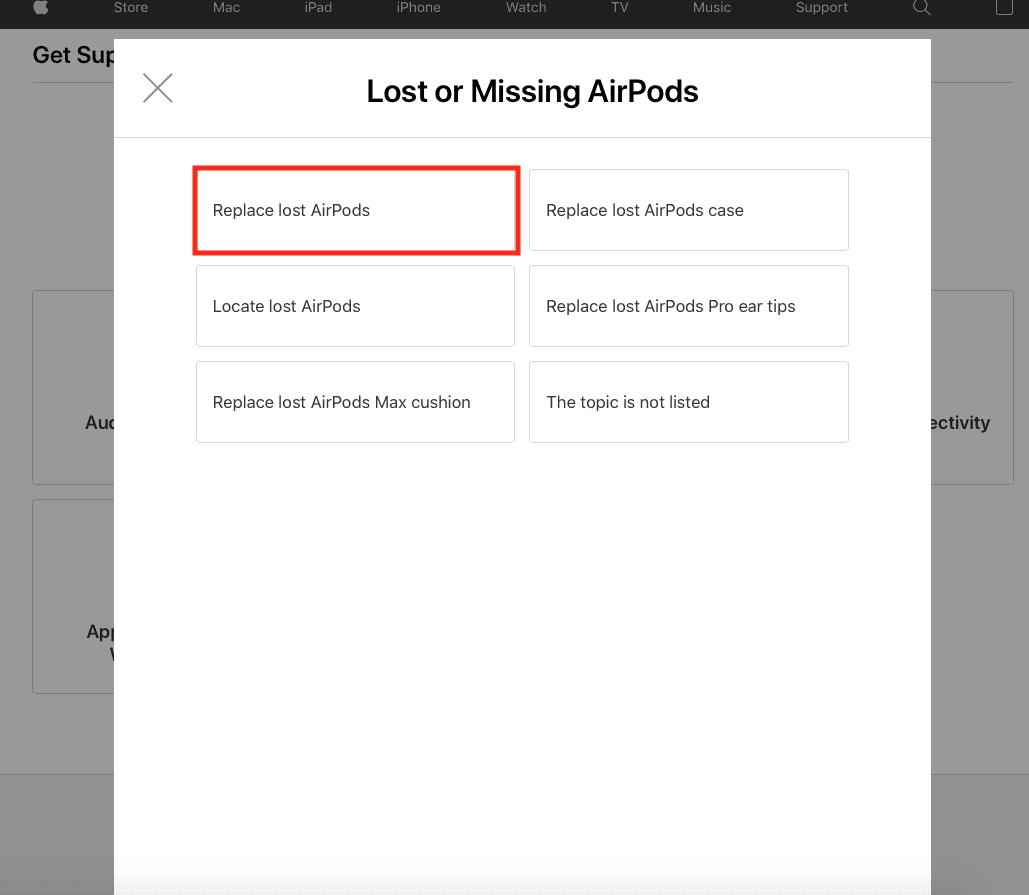
Once you have your serial number, you can go to Apple Support’s page to replace lost or missing AirPods. Apple has some simple prompts that can help you. The first screen has several options and you would select Replace lost AirPods:
From there the page helps you select how you want to proceed, such as with chat, call, scheduling a visit to an Apple store, ordering online or finding pricing information.
How Much Does it Cost to Replace a Lost AirPod?
You will of course have to pay for replacing the lost AirPod. At the time of writing, Apple Support lists lost AirPods replacement at $69 each. The basic charging case is also an additional $59, if you also lost that, as you can see below:
Also, take note of the $6.95 shipping fee.
If there is an issue with the AirPod itself performance-wise, replacement may be covered under the Apple One Year Limited Warranty. AppleCare+ might also cover things like accidental damage protection. You may still have to pay a fee, but it will be less than without the additional coverage. Be sure to review the terms of any active warranties or if you purchased AppleCare+.
Additionally, Apple found that Airpods Pro units made before October 2020 were defective and affected listenability, such as issues with crackling or static and issues with the Active Noise Cancellation feature. If these issues apply to you, Apple will replace one or both pods free of charge as part of the AirPods Pro Service Program for Sound Issues.
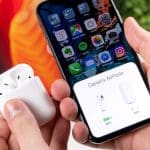
When you do get your replacement AirPod, you will also need to pair that replacement with the AirPod you still have. You can learn how in our guide on pairing Airpods.






Write a Comment