No Apple device functions quite as well outside the Apple ecosystem as within it. Apple Intelligence makes seamless communication between devices and accessories a breeze, so much so that you might even dread ever leaving it.
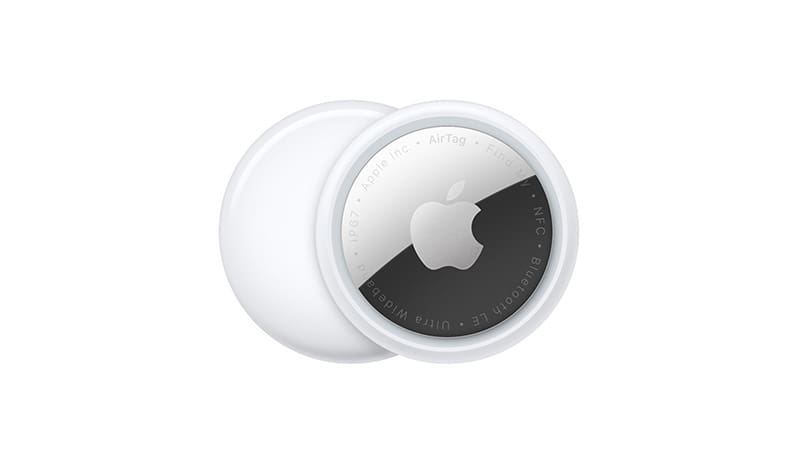
Case in point, AirTags. In today’s article, we’ll be looking at whether or not they work with Android devices. The answer is indeed “Yes,” but with several caveats. Let’s look into them.
Right off the bat, yes, they do, but not as well or as comprehensively as they do on Apple devices. The key app that AirTags function with (“Find My”) isn’t available on Android.
Let’s quickly look at the ways they can work:
Detecting AirTags
AirTags are convenient, but can also pose a security risk. There have been a number of crimes committed with AirTags (and other such tags) being used as tracking devices. For this, and for the convenience of finding friendly tags, Android does have the ability to detect them, but can’t give additional into about the owners and location history.
So, how is this done? With Apple’s help and a cross-platform app, of course. The “Tracker Detect” is an app for Android, free to download and use, that helps you detect unknown AirTags in your vicinity. This comes with the caveat of only being able to detect a tag that’s been separated from its owner for more than 15 minutes. In addition, you can signal the tag to emit a sound to locate it.
Besides “Tracker Detect,” there are a number of other third-party scanning apps out there that also serve the same function. Apps like “XFI Locator,” “AirGuard,” and “Chipolo.”
Report a Lost AirTag
If you find a lost AirTag with your Android device, and it has the Near Field Communication feature (NFC), then you can scan it and see if it’s been marked as lost. If so, you’ll be taken to the webpage that has the owner’s contact details to help return the tag.
What Can’t Android and AirTags Do?
Unfortunately, this list is a bit longer and includes several key functions. If you only have an Android device, you might be better off not investing in Apple AirTags. Let’s look at the restrictions:
Set-up – You need an Apple device, plus an Apple ID, to set up and pair your AirTags. Sadly, Android can do neither.
Advanced Tracking – While you can detect the presence of an AirTag with Bluetooth on your device, you can’t track location history, updates, or owners of the tag, due to the lack of the “Find My” app, amongst other things.
Marking Lost AirTags – If a tag goes missing, you might be able to locate it in the immediate vicinity, but you can’t mark it as lost. You must rely on the owner to do so.
Go With Android Tags
If you’re more out of the Apple ecosystem than in it, it might be worth investing in trackers that aren’t AirTags. Tile Trackers, Chipolo One, and Samsung SmartThings are all viable alternatives that enjoy much more app support on Android.
As an avid gamer, I’ve run into my fair share of error codes and weird faults that have forced me to find fixes to problems I never anticipated. That gave me a passion for sharing those fixes with others so we can all game without feeling like our hardware is rebelling against us.











Write a Comment