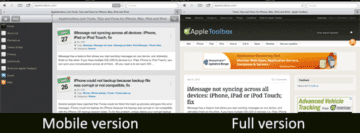
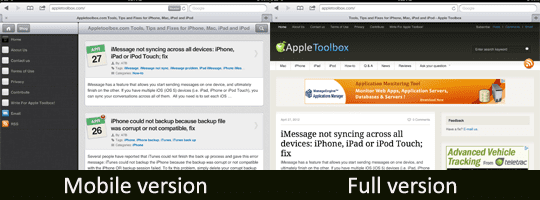
Many web sites have a full version and a mobile version of their content. A mobile version is optimized for small screens that let visitors easily view it on their mobile devices such as on their iPhone.
The iPad will automatically display the mobile version of the webpage. It may be annoying to some that websites force the iPad to a mobile (and sometimes not working or unsuitable) version of the site since iPad has a large screen that makes it possible to use the full version of the site.
Mobile versions of the web sites usually have a link available at the bottom of the page letting you switch to the full version. However you may want a more permanent solution. Is there a way to change the default browser from identifying itself as iPad or mobile browser so that you can view the full version?
First off all you can not do this on iPad using Safari browser because Apple won’t allow Safari to be recognized as a desktop version. What you can do is use other alternatives to Safari to browse the web.
iCab Mobile
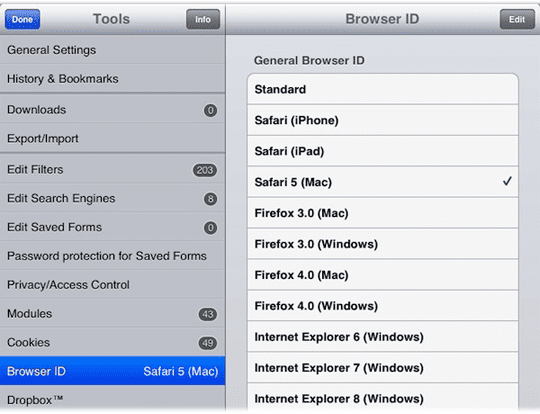
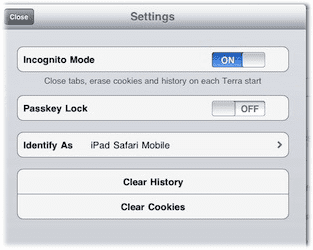
One alternative is iCab. iCab offers more functionality than Safari. With iCab, if you select “Safari (Mac)” as ID; iCab will identify itself as Safari browser on a Mac computer and this will let you view full version of web pages. iCab costs $1.99 and is available at app store.
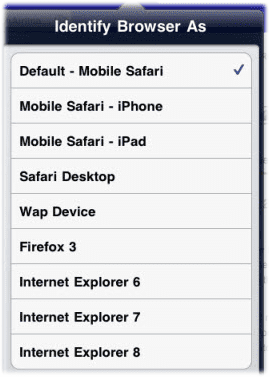
Another option is Atomic web browser. Atomic has a feature as “Identify Browser As” allowing you to set the browser to pretend to be Desktop Safari, Firefox etc. Atomic has two versions: Lite which is free and full version which is $0.99. Note that this “Identify Browser As” feature is not available in Lite version.
Obsessed with tech since the early arrival of A/UX on Apple, Sudz (SK) is responsible for the original editorial direction of AppleToolBox. He is based out of Los Angeles, CA.
Sudz specializes in covering all things macOS, having reviewed dozens of OS X and macOS developments over the years.
In a former life, Sudz worked helping Fortune 100 companies with their technology and business transformation aspirations.
I just got the iPhone 6 (not 6s) and my photos, videos and contacts were transferred, but nothing else was transferred to my new phone. I can’t remember my AOL password, so I haven’t been able to check my AOL mail. I also cannot get the App Store icon to appear on this phone, so I can’t open any apps (including Google). I do not know how to access my backup on iCloud. If I have to, I’ll plug the phone into my MacBook Pro (which I rarely use) and get the last backup from there (about a month ago). I’d appreciate any help I can get! Thanks!!





I just got the iPhone 6 (not 6s) and my photos, videos and contacts were transferred, but nothing else was transferred to my new phone. I can’t remember my AOL password, so I haven’t been able to check my AOL mail. I also cannot get the App Store icon to appear on this phone, so I can’t open any apps (including Google). I do not know how to access my backup on iCloud. If I have to, I’ll plug the phone into my MacBook Pro (which I rarely use) and get the last backup from there (about a month ago). I’d appreciate any help I can get! Thanks!!
I downloaded Atomic successfully but how do i find identify browser as because i couldn’t find it in settings
That explanation was enormously helpful. I noticed exactly this issue and wanted to know what my options were to elect a default web version view.