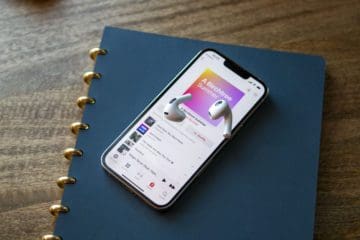
Spotify is no longer the biggest music streaming service available, as Apple Music has grown into a formidable opponent. There are pros and cons to each streaming service, but it’s clear that these are the two best options, regardless of which mobile platform you use.
For a few years now, Spotify, Apple Music, and YouTube Music have been curated playlists and info-graphs for its users. These are user-specific playlists that populate your most-listened-to songs over the past year. Then, without you needing to do anything yourself, the playlist is created and shown off in your Spotify app. You can either save the playlist to your favorites or find it under the “Made For You” section of your Spotify library.
Apple Music has recognized the popularity of these year-end recap playlists and started doing something of its own.
Given the continued success and improved popularity of Apple Music, it would only make sense for them to have some fun. And what better way to do that than by checking out Apple Music Replay 2022.
At its core, Apple Music Replay is a recap of your favorite songs that you have listened to over and over again. The service takes all of your playback data and rolls it into the perfect playlist to recap the year. In fact, this may be the best playlist to play during that New Year’s Eve or New Year’s Day party.
If you think this is a new idea, you might want to think again, as Spotify does something similar with its year-end Wrapped playlist. But the benefit of Apple Music is that it doesn’t just stop keeping track of what you’re listening to when 2022 ends.
With Replay, the list will constantly be updated, so that you can view your favorite songs throughout the year. This will also prove useful in providing various bits of data like how many hours you’ve listened to while keeping the best songs saved.
How to Find Apple Music Replay 2022
As should be expected, there are a few requirements before you are able to get access to Replay. And here they are:
Sign in with the same Apple ID that is subscribed to Apple Music
Click the Get started button.
Click Get Your Replay Mix
It’s important to note, that for the time being, the only way to access Apple Music Replay is through the beta web client. That’s right, Apple has made a new web client for its Music streaming services. This is almost as fully featured as the new Music client on your Mac and iOS device.
Once you have it loaded up, you can add it to your playlists and then access it from any other Music client. Once it has been added, it will aptly be named “Replay 2022, Apple Music for YOUR NAME”. This makes it easy to find and gives you access to it all the time, even if you aren’t at a computer.
After being added, you can share it just like any other playlist that you have in your library. And if you really want to have some fun, you can take advantage of Sharing. With this, you can share your Replay playlist with a friend or two, and your Replay stats will update for them as it does for you.
Conclusion
We LOVE to see Apple Music continuing to work to improve and provide a better experience for its subscribers. It has certainly come a long way from the initial release, and we are excited to see what is to arrive in the future.
Sound off in the comments below and let us know what your Music Replay looks like for 2022 and what your top songs are. If you are feeling even more adventurous, leave us a link to your Replay playlist and we’ll do the same!
Andrew Myrick is a freelance writer based on the East Coast of the US. He enjoys everything to do with technology, including tablets, smartphones, and everything in between. Perhaps his favorite past-time is having a never-ending supply of different keyboards and gaming handhelds that end up collecting more dust than the consoles that are being emulated.
Screw this shit. Apple Store completely messed up ID settings on multiple devices and I do not want to enter the reset password hell just to get this “service”. WHY IN THE HELL CAN YOU NOT HAVE IT COME UP ON MY Apple Music automatically. Sometimes Apple makes things so damn difficult their things go unused. Maybe that is the point? Claim to offer things but them make it such a royal pain in the ass that you do not have to actually provide them.









Screw this shit. Apple Store completely messed up ID settings on multiple devices and I do not want to enter the reset password hell just to get this “service”. WHY IN THE HELL CAN YOU NOT HAVE IT COME UP ON MY Apple Music automatically. Sometimes Apple makes things so damn difficult their things go unused. Maybe that is the point? Claim to offer things but them make it such a royal pain in the ass that you do not have to actually provide them.