Apple has released the iPhone 12, and with it comes the introduction of MagSafe wireless charging for iPhone. But can you use MagSafe accessories if you have an older model iPhone?
The answer’s a little complicated, so we’ll get into all the details below.
Every iPhone since the iPhone 8 has worked with Qi wireless charging, a popular charging standard common across a range of devices. Since Apple’s MagSafe Charger is Qi compatible, that means you can use it to charge older iPhones as well as the new iPhone 12.
However, there’s a small catch in that the MagSafe adapter won’t latch on.
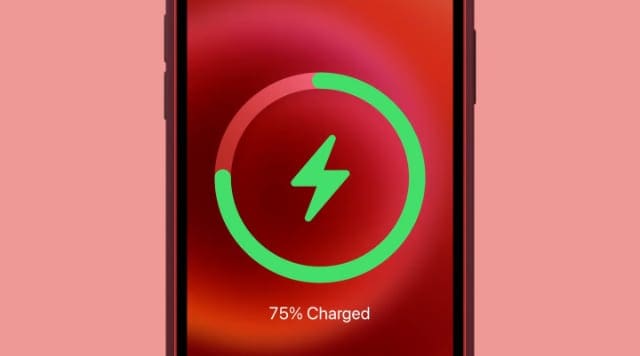
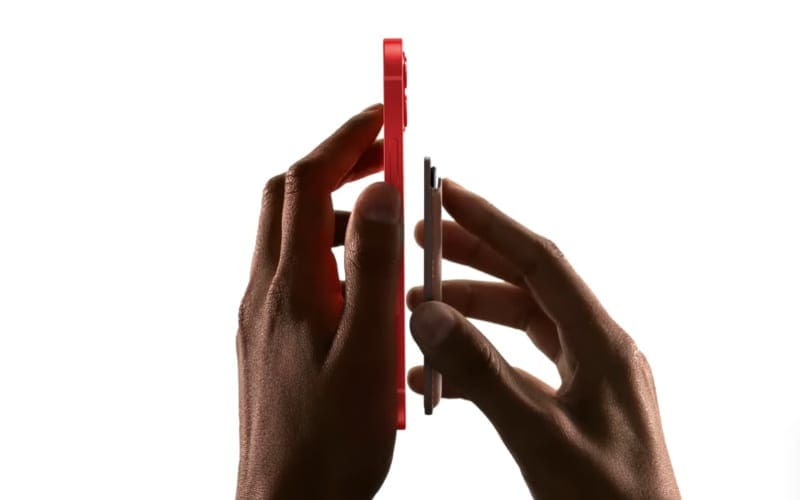
As you can tell from the name, the big selling point of MagSafe is that it uses magnets to snap to your iPhone. This helps the wireless charging coils perfectly align for efficient charging. For this to work, your iPhone needs to have matching MagSafe magnets built into its enclosure. But that’s only the case for the iPhone 12.
Only the iPhone 12 snaps to the MagSafe charger using magnets.
So while you can still use a MagSafe charger to charge an older iPhone, it won’t use magnets to snap into place. This just means you need to carefully place your iPhone onto the MagSafe charger to make sure it’s lined up properly. It then charges your iPhone like any other Qi charging pad would.
Most MagSafe Accessories Don’t Work With Older iPhones
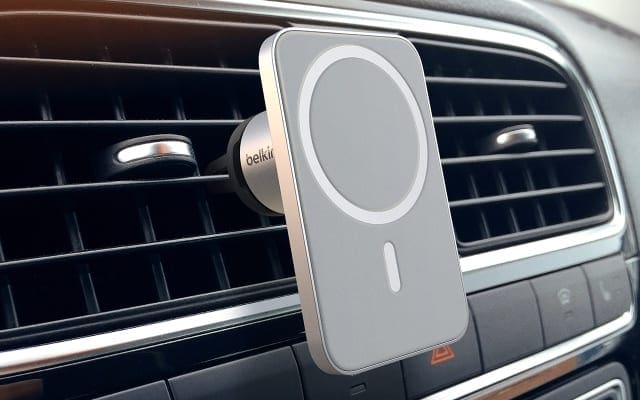
Some of the most exciting MagSafe accessories — like Apple’s Leather Wallet or Belkin’s Car Vent Mount PRO — use MagSafe magnets to snap into place on the back of an iPhone 12.
Older iPhone devices don’t have MagSafe magnets built into the enclosure. This means there is no way to attach these accessories to an older iPhone.
So you can’t use Apple’s Leather Wallet or Belkin’s MagSafe car mount unless you have an iPhone 12.
Belkin’s car mount only works with the MagSafe connector on the iPhone 12.
The only way around this issue is to find a way to add MagSafe magnets to your older iPhone, which might be possible with new third-party cases.
Keep a Look Out for MagSafe Cases
Apple released a range of MagSafe-compatible cases for the iPhone 12, which snap to the iPhone using magnets and let you attach another MagSafe accessory onto the outside.
Of course, these MagSafe cases are designed to fit the new shape of the iPhone 12. So they don’t work with older iPhone devices.
However, it’s only a matter of time before third-party manufacturers start to release new cases for older iPhones, which feature MagSafe magnets built into the case.
Hypothetically, these cases would let you attach MagSafe chargers and accessories perfectly into place on the back of an older iPhone, even if the iPhone itself doesn’t feature MagSafe.
A third-party case with MagSafe built in should work with other MagSafe accessories.
None of these cases are available just yet, but it’s only a matter of time until they start appearing. When that happens, be sure you buy from a reputable brand to make sure it’s safe and secure.
Is It Worth Upgrading an Older iPhone for MagSafe?
If you want the best MagSafe experience, you should upgrade to an iPhone 12. That way you can use MagSafe with or without a case. And you don’t need to rely on third-party cases to do so.
Every model of iPhone 12 has a lot of extra features to offer alongside MagSafe as well: 5G, all-new designs, and powerful new A14 Bionic chips.
Still not sure whether it’s worth upgrading? Take a look at our comparison of the iPhone 11 Pro versus the iPhone 12 Pro to see how the new iPhone measures up.
Dan writes tutorials and troubleshooting guides to help people make the most of their technology. Before becoming a writer, he earned a BSc in Sound Technology, supervised repairs at an Apple Store, and even taught English in China.










Write a Comment