A Mac represents a significant investment, but offers value in terms of longevity and reliability. Yet like all pieces of hardware, Macs don’t last forever. Eventually, Apple will stop supporting older models, and you may find that your Mac runs slowly as more advanced apps require RAM that your Mac simply doesn’t have.
Read on for four signs that you may need a new Mac sooner than you think.
You Need a New Mac if… Your Battery Health Is Poor
If your battery runs out quicker than you’d expect, that could be a sign that it’s time to get a new Mac soon. Macs have a handy way to check on battery health:
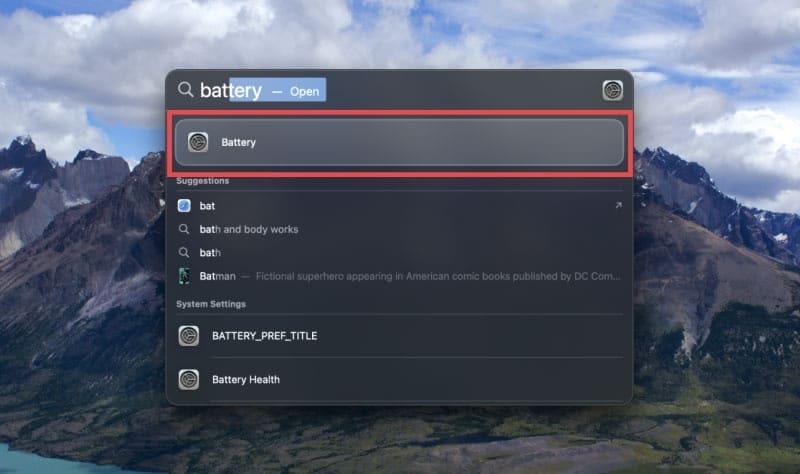
Step 1. Open the Battery section in Settings. The easiest way to do this is to press Command + Space and search.
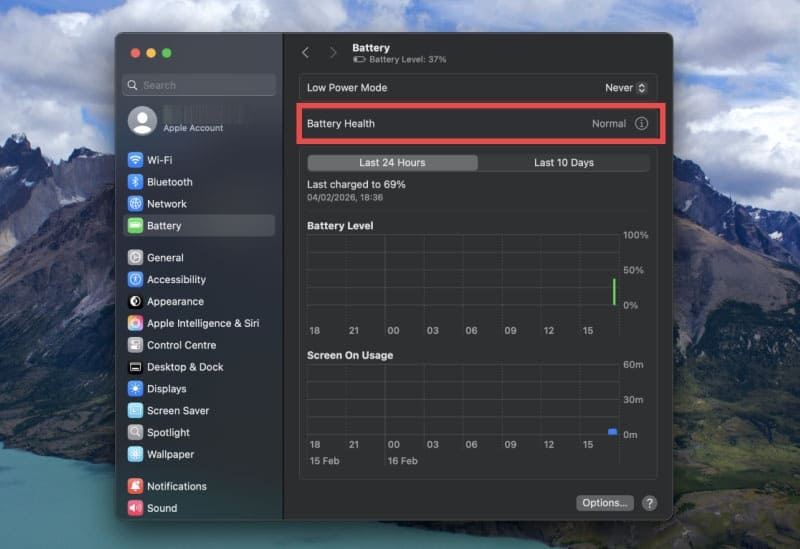
Step 2. Check the Battery Health section. On this Mac, it’s normal, but if there’s a problem, you’ll see it highlighted here. You can also use this menu to choose when your Mac should use Low Power Mode, which could prolong your battery life.
You Keep Running Out of Storage
Your Mac has a finite amount of onboard storage, although you can utilize iCloud and other cloud-based storage solutions to free up space. Follow these steps to check if your internal storage is causing a problem:
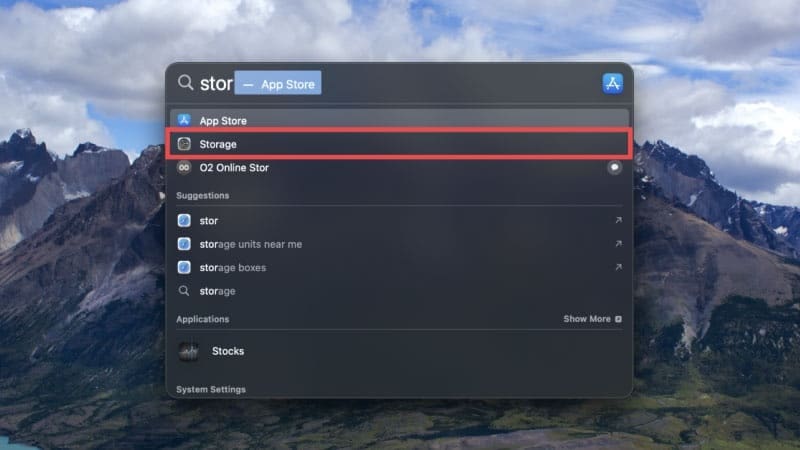
Step 1. Search for “Storage” or find it in Settings > General > Storage.
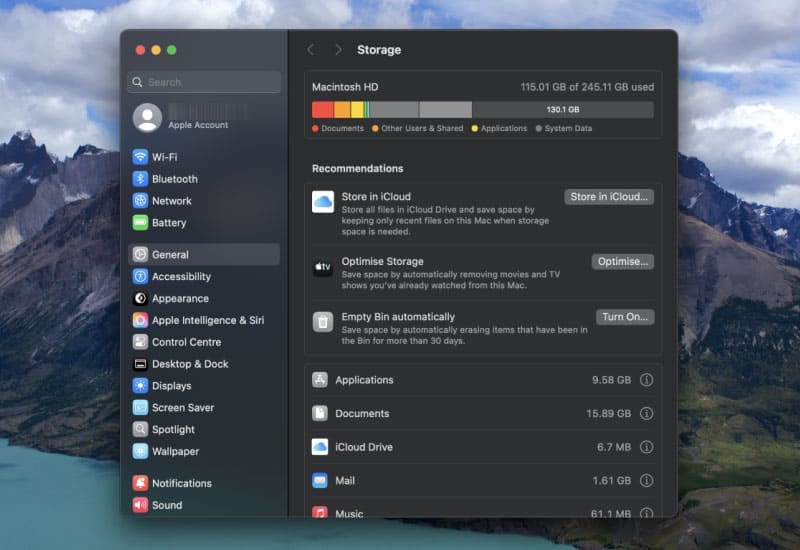
Step 2. Check how much free space you have. Anything under 1-2 GB means you’re dangerously short of space. You could try uploading some files to a cloud-based service, or it could be a sign that you need a new Mac soon.
Apps Use Too Much RAM
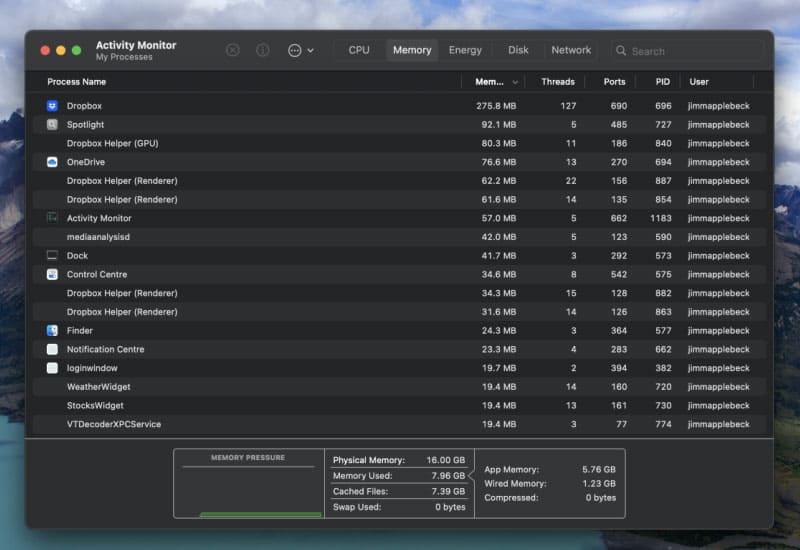
By this, we mean that your apps are using too much random access memory, or real-time memory. You’ll likely experience this as apps that run slowly or not at all. You can check the memory usage of apps with the Activity Monitor:
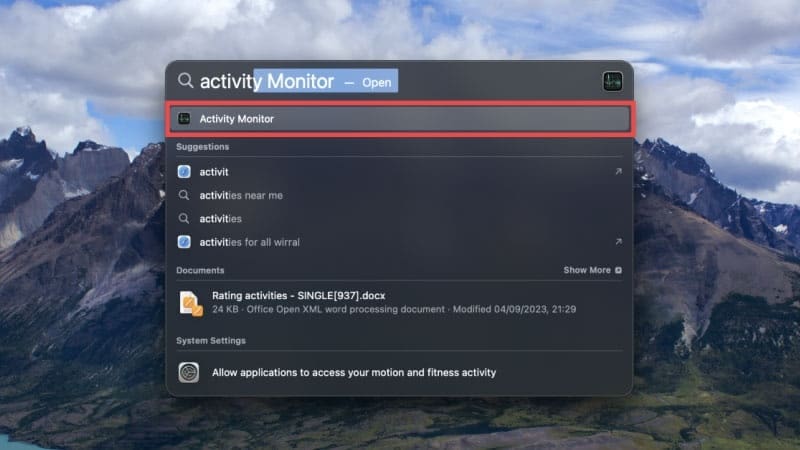
Step 1. Search for Activity Monitor.
Step 2. Open the Activity Monitor and click on the Memory tab. Pay particular attention to the Memory Pressure graph at the bottom. If it veers into amber or red, it indicates that your Mac isn’t up to the task of running your open apps.
Your Mac No Longer Receives Updates
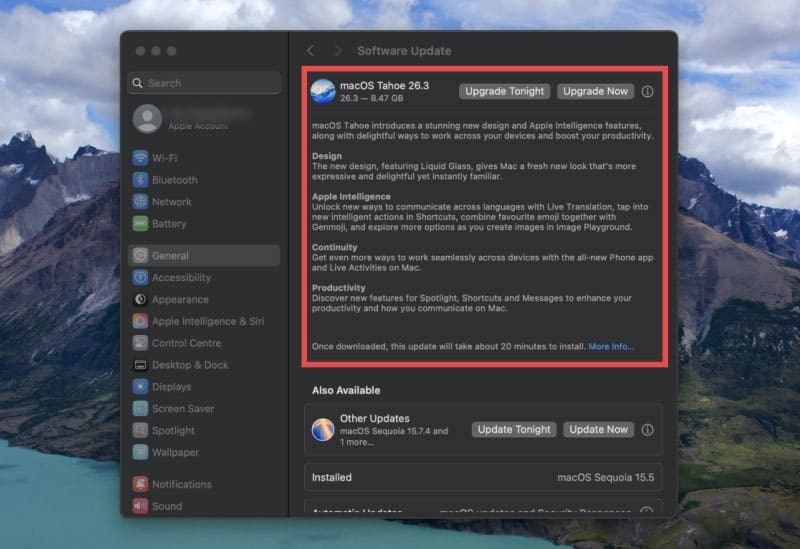
One of the biggest indicators that you need a new Mac is that it no longer updates to the latest software. Older Macs may not be able to handle the latest software, which, as of February 2026, is macOS Tahoe. Here’s how to check if you’re up to date:
Step 1. Head to Settings > General > Software Update, or simply search for “software update.”
Step 2. If an update is available, your Mac will let you know. Remember, Macs don’t automatically upgrade your software by default, so any glitches may be fixed with a software update. Click “Upgrade Tonight” to schedule the software update for later or “Upgrade Now” if you’re not busy using your Mac. Top tip: Keep your Mac plugged in and on charge while the update completes. If you don’t see any option to update your Mac and it’s not running the most recent software, it could be a clear sign that you need to get a new Mac soon.
As an avid gamer, I’ve run into my fair share of error codes and weird faults that have forced me to find fixes to problems I never anticipated. That gave me a passion for sharing those fixes with others so we can all game without feeling like our hardware is rebelling against us.












Write a Comment