Apple offers a one-year warranty on all new iPhones. Basically, the warranty covers absolutely all the defects in workmanship and materials that are imputable to Apple. However, certain actions and events may void your warranty.
As you all know, repairing Apple products can be very expensive. Sometimes, buying a new iPhone is more convenient than repairing a broken device. So, what exactly voids Apple’s warranty? Let’s find out!
Jailbreaking your iPhone. If you jailbreak your iOS device, you’ll instantly void its warranty. As Apple explains, the warranty doesn’t cover damage “to an Apple Product that has been modified to alter functionality or capability without the written permission of Apple“.
Removing or defacing the serial number. Don’t scratch the serial number off your iPhone. Doing so voids the warranty.
Third-party unauthorized repairs. If you need to have your iPhone serviced, always book a Genius Bar appointment or go to an Apple Authorized Service Provider. Apple doesn’t cover damage caused by unauthorized service providers.
As a quick reminder, the Apple warranty applies only to new iPhones purchased in official Apple packaging.
What Is Not Covered by the Apple Warranty?
Cosmetic damage. The warranty does not cover cosmetic damage, such as scratches, broken ports, dents, and so on.
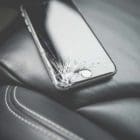
Damage caused by accidents. If you accidentally drop your iPhone and the screen cracks, you can’t use the Apple warranty to replace the screen.
Damage from using another product. For example, dirt and sand may sometimes get trapped between your case and your iPhone scratching your phone’s back cover.
Liquid contact. Damage caused by exposure to water or other liquids is not covered by the Apple warranty. iPhones are equipped with Liquid Contact Indicators that turn red in contact with water or a liquid containing water.
Fire. If you damage your iPhone due to fire exposure, get ready to shell out a lot of money to have your device serviced or replaced.
Earthquakes or other external causes. The Apple warranty doesn’t cover iPhone damage caused by earthquakes and other natural disasters.
Theft. If someone stole your iPhone, Apple won’t offer you a new device for free.
To learn more about your iPhone hardware warranty, go to Apple’s support page. Well, if your device is not eligible for warranty service, you can always pay for an Out-of-Warranty Service.
On a side note, Apple’s Self Repair Service now allows tech-savvy iPhone users to repair their devices using genuine Apple parts. Rest assured, making a repair yourself won’t void your iPhone’s warranty.
Conclusion
All new iPhones come with a one-year Apple warranty that covers defects in workmanship and materials. Unfortunately, jailbreaking your iPhone, scratching off the serial number, and third-party repairs will instantly void the warranty. Additionally, the Apple warranty doesn’t cover damage caused by accidents, water, fire, or normal wear and tear.
Have you ever used your Apple warranty to have your iPhone serviced? How did everything go? Tell us more about your experience in the comments below.
Madalina has been a Windows fan ever since she got her hands on her first Windows XP computer. She is interested in all things technology, especially emerging technologies — AI and DNA computing in particular.










Write a Comment