Looking to get more organized? There’s an app for that. In fact, there are thousands, which is why we’ve created this guide to iPhone organization apps that actually work. These apps help you do more around the house, book work meetings, schedule your time, and reorganize your photos.
Read on for five of the best iPhone organization apps you can download for free right now.
Many consider Trello to be the best daily organizer app for iPhone devices, especially for prioritizing and tracking tasks. Trello, a part of Atlassian, uses the Kanban methodology, where tasks are on cards and cards are assigned to boards. The idea is that you have all the details about any one task on the card, and simply archive the cards or the board once all tasks are complete.
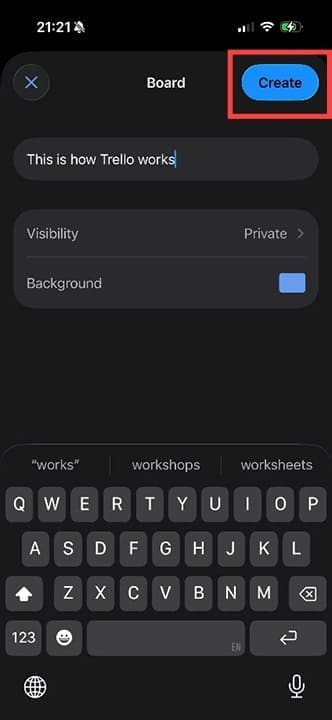
Start by creating a board:
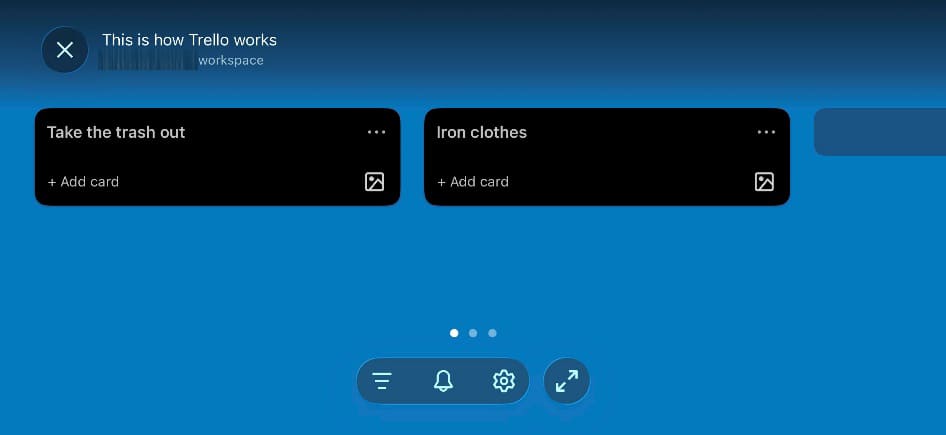
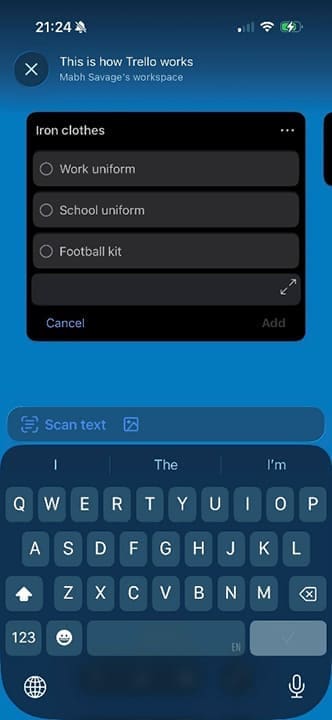
Add items and cards:
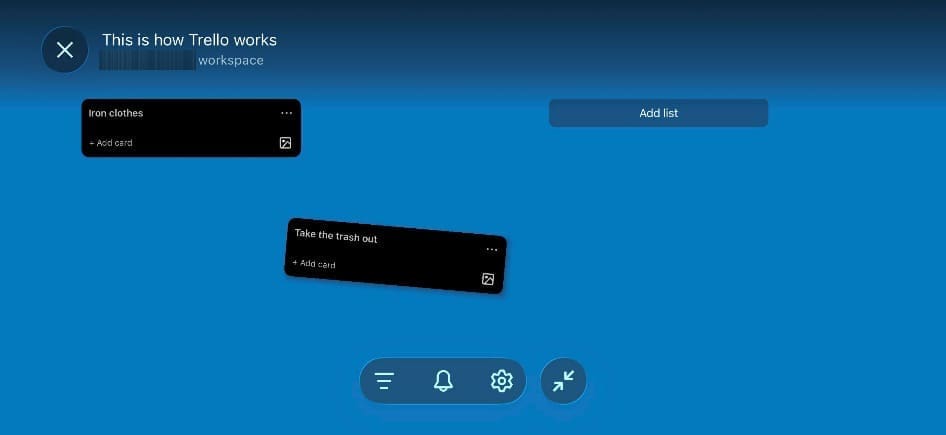
Hold and drag cards around to reorganize them:
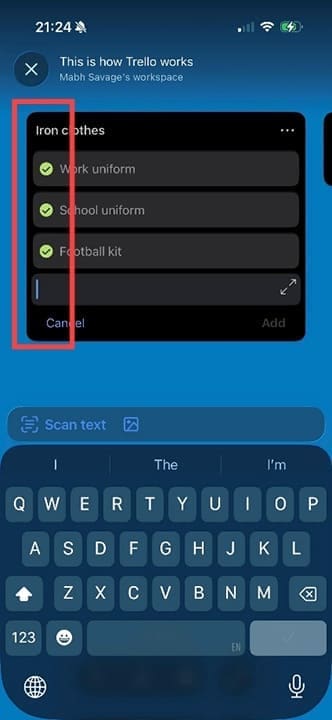
Add detailed lists to cards to create prioritized tasks:
Simply tick them off as you’re done:
Best App for Lists: Google Keep
Google Keep is one of the many free tools available to Google users. You do need to set up a Google account if you don’t already have one. Create as many lists as you like and add details like checkboxes to make it easier to organize yourself.
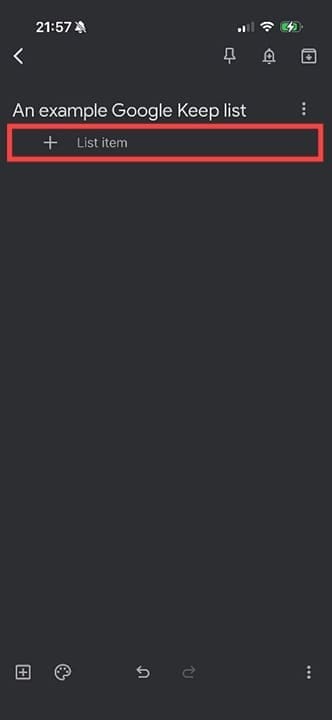
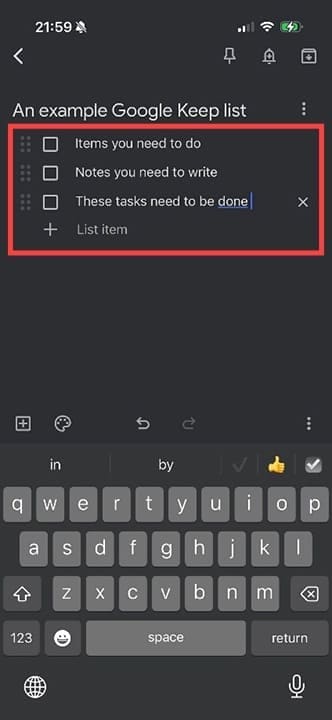
Step 1. Start by creating a list and naming it.
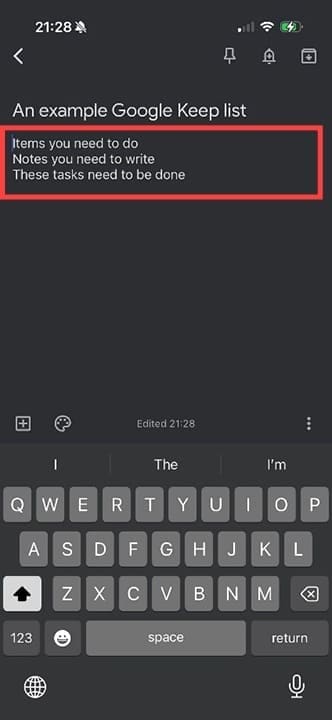
Step 2. Now add content.
Step 3. Use the + icon to add tickboxes.
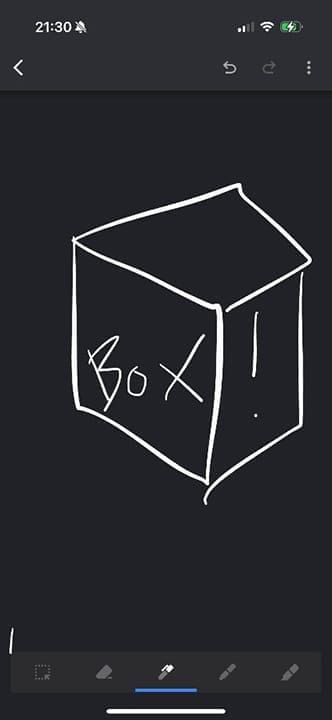
Or add photos, recordings, or even drawings.
Best Free Scheduling App: Calendly
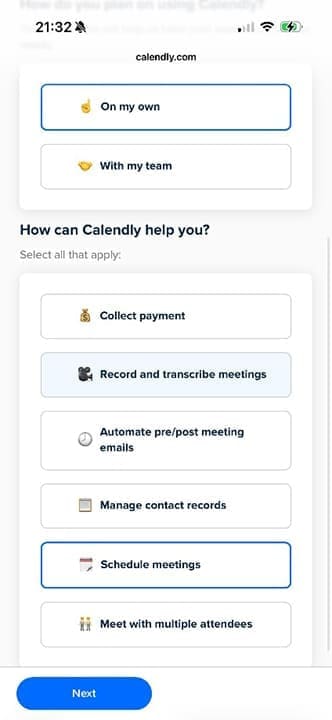
If you need to regularly schedule meetings, either for work or personal reasons, Calendly could be the app for you. Calendly connects directly with your existing calendars and offers assistance with scheduling, reminders, transcription, and more.
You can use Calendly to set your available hours, so you don’t book meetings at inconvenient times:
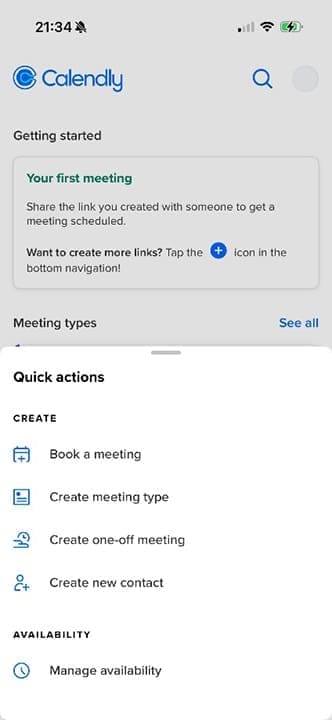
Once set up, you can create meetings, meeting types, and add contacts. Everything you do in Calendly will automatically sync to your chosen calendar.
Best Photo Organizer App iPhone: MyPics
The full name to search for on your App Store is MyPics: A Powerful PhotoAlbum. That “power” comes from the ability to secure photo albums with passwords, sync directly with Dropbox, and edit photos right in the app.
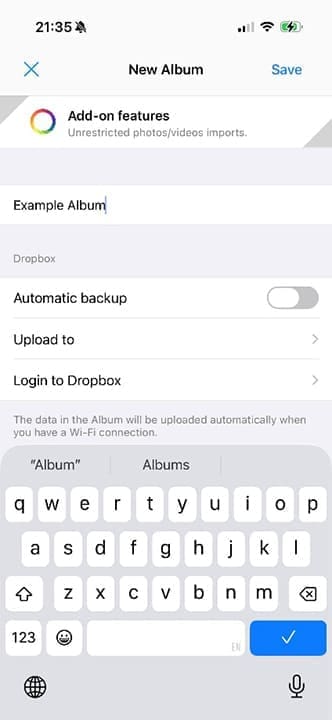
You can create albums in the app.
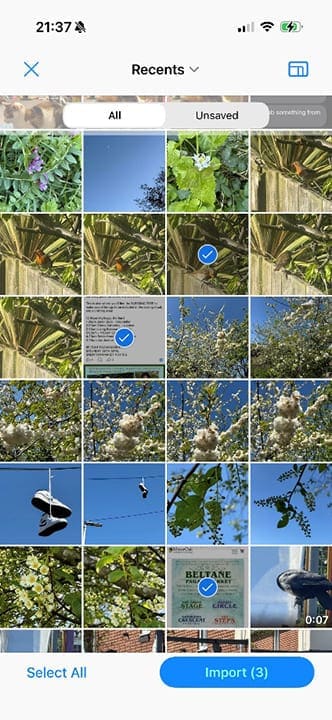
Once created, you can add as many photos as you like.
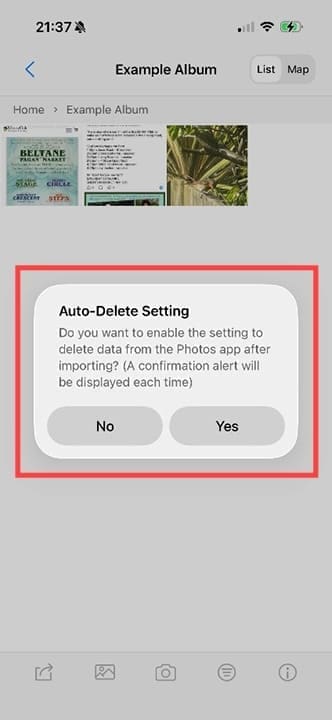
The app can auto-delete photos you’ve organized.
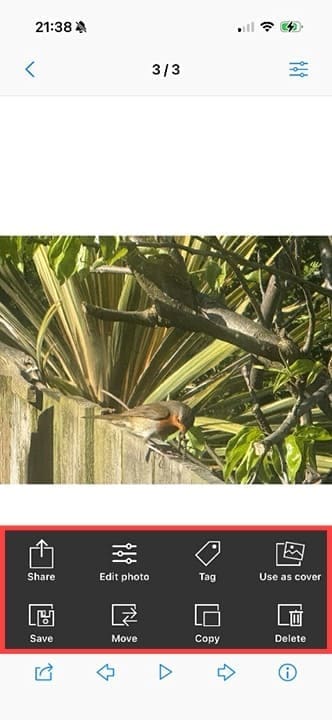
And each photo has a range of options for editing and moving.
Best Chore Management App: Dubbii
Created with neurodivergent people in mind, this app – the best daily organizer app for iPhone for this group – offers a technique called body doubling to help you get more done. The concept is that if someone does the chore alongside you, it makes it easier, so you do it quicker and get more done.
Explore a range of videos of common household tasks.
Join scheduled live sessions where people do household tasks together, in real time.
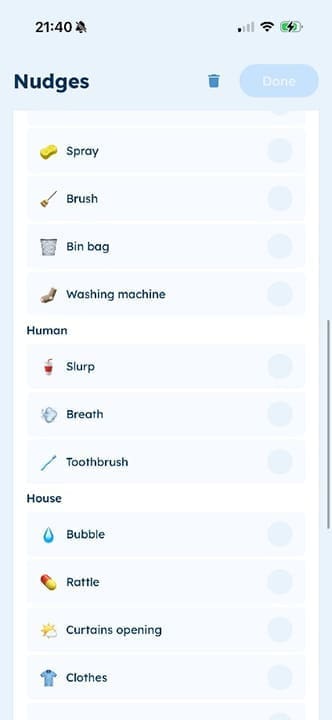
Create “Nudges” which are non-demanding reminders to clean, drink, eat, or even open the curtains.
As an avid gamer, I’ve run into my fair share of error codes and weird faults that have forced me to find fixes to problems I never anticipated. That gave me a passion for sharing those fixes with others so we can all game without feeling like our hardware is rebelling against us.











Write a Comment