This week, Apple launched iOS 10.2 for the iPhone and iPad. In addition to new Music features and Emoji’s, iOS 10.2 includes a new ‘TV’ app, replacing the traditional ‘Videos’ app found on iOS devices for almost a decade.
The new app launches alongside the indentically named TV app for the Apple TV, a new hub for removing the app factor from your television experience to make it all about the content.
The TV app goes beyond the traditional content library originally found on your iPhone. Previously, the Videos hub was where you would find all of your iTunes TV Shows and Movies, as well as personal content imported from iTunes.
TV is much more than that. While the app still includes all of your purchased iTunes content, it is now a centeral hub for all content on your device, completed through a number of partnerships with content providers in the United States.
That United States point is important. All of these new content pushes from Apple are focused on the United States, and are not likely to move abroad any time soon. This is likely becaue Apple has tried in the past and still hopes to compete with content providers in the US head on in the future.
In addition to the new TV app, iOS 10.2 includes a new ‘Single Sign-On feature’, also borrowed from the Apple TV, which allows users to sign into their cable provider once and automatically unlock access on all apps they pay for content on.
The service only works with an incredibly limited range of providers as of writing, however works well. A DIRECTV user could, for example, go into settings, log into their account, and then when they download the TBS or FXNOW apps, automatically be granted access to content.
Going back to the TV app, upon launch you will enter your library. Here, you’ll see a list of all shows you are currently watching that you have either purchased or subscribed for access. So, for example, I launched to see large icons of South Park, Survivor, The Simpsons, and Seinfeld, all shows that I’ve added to my library.
Right below you’ll see Movies. This works the same way; you’ll see movies you’ve purchased or rented on iTunes alongside movies from third-party content providers you’ve added to your library.
The next tab is ‘Watch Now’. This will shows you TV shows you are in the midst of watching, and give you access to the latest episode or allow you to pick up where you left off.
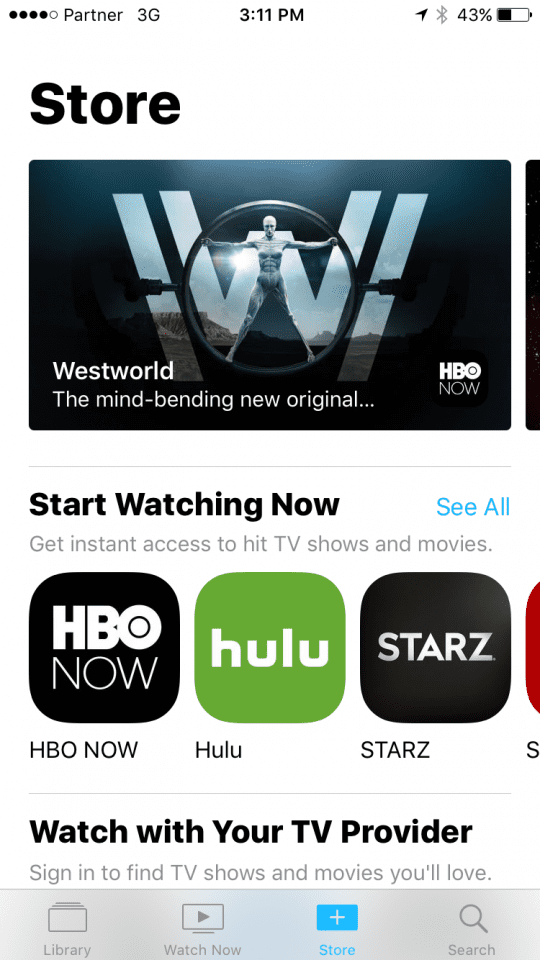
The third tab is the Store. Here, you can browse through categories of content, find new shows to watch, and see which apps provide content to the TV app that you may not already have.
The last tab is Search, which allows you to find TV shows and Movies on-demand. Clicking on the tab will reveal a search box, alongside lists of currently trending Movies and TV Shows.
The search box will search through all content providers, not just iTunes, and show you were they are available. A search for ‘Spongebob Squarepants’ showed me a list of every episode, all of which were either available for purchase on iTunes, streamable on Hulu, or both. Clicking on an episode available on both showed to giant buttons, one to buy it directly from iTunes in the app and one to open it in Hulu. Opening in Hulu pushes you directly into the episode.
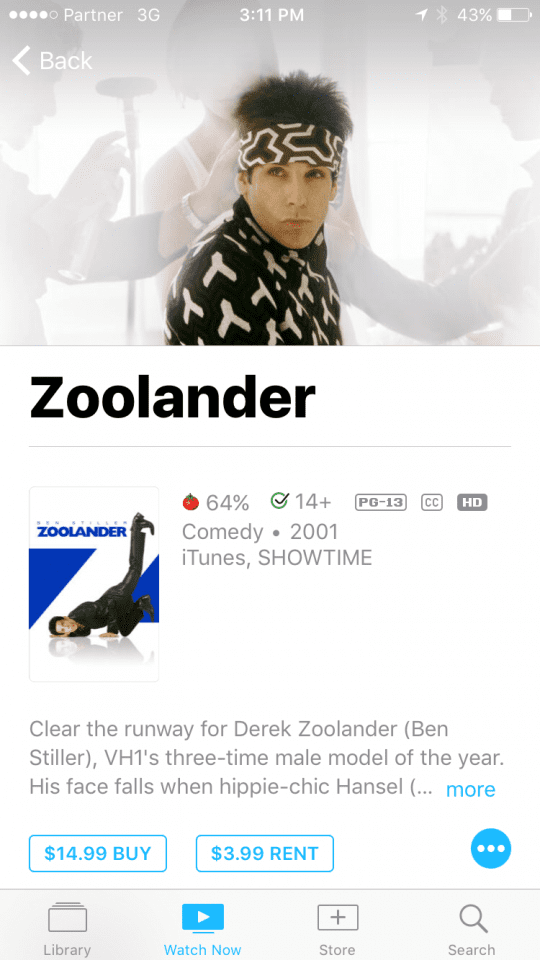
Movies work similarly. Searching for ‘Zoolander’ revelaed it was available on iTunes and on Showtime, and allowed me to watch trailers and read reviews of the movie.
Overall, the new TV app is a major step up from the previous Videos app, allowing users a centeralized environment for content over a prioritized iTunes environment. The new app is automatically installed on all devices running iOS 10.2, which is available now.












Where are the descriptions of movies that you can set in iTunes? I typically populate this when I rip a movie so that I can see the IMDb plot summary.