During its most recent Time Flies event, Apple showed off some new hardware. Surprisingly (or not), there was not even a single mention of the iPhone, as that will be coming in another event sometime in October.
Instead, the focus of this even was on new iterations of the Apple Watch and iPad. The Apple Watch is truly a revolutionary product, and the Cupertino giant continues to push the envelope.
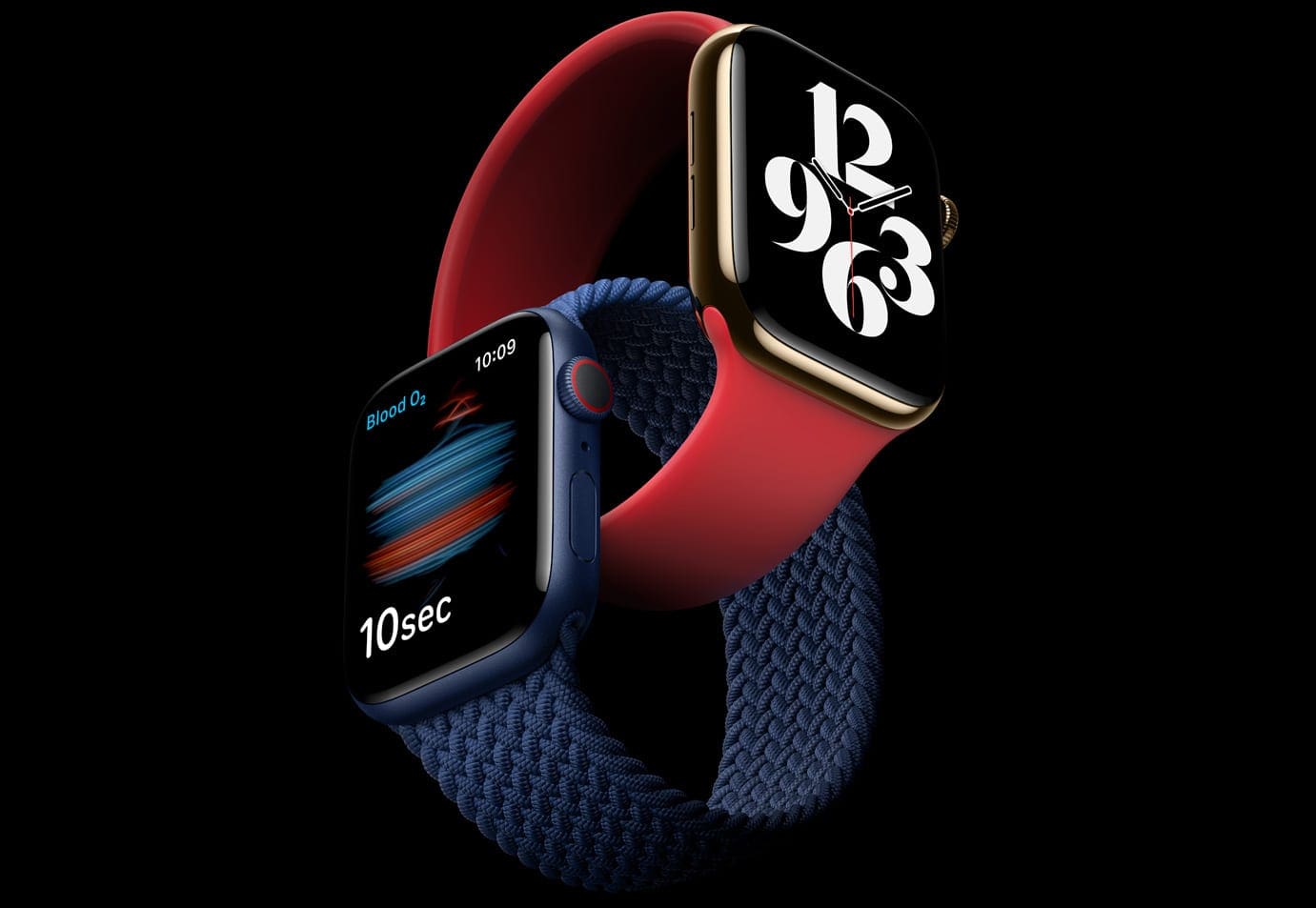
The Apple Watch Series 6 sports the same display size as the Series 5, coming in with a resolution of 368 x 448. However, the biggest benefit here is in brightness, as Apple claims the Series 6 is two and a half times brighter than last year’s model. This also applies to the Always On Display, which could be difficult to view for some users.
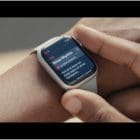
There are two sizes to choose from, along with the same Aluminum, Stainless Steel, and Titanium material options. Looking at the sensors, again, Apple packed in all the same features from the Series 5, however, there’s one major addition in this category. For the first time, Apple has included a built-in Blood Oxygen Sensor, which is capable of providing your SpO2 levels in just 15 seconds.
Sizes: 40mm / 44mm
Display: 368 x 448 pixels
Case Materials: Aluminum / Stainless Steel / Titanium
Processor: S6
Battery Life: Up to 18 hours
Other Sensors:
GPS
Compass
Barometric altimeter
Accelerometer
Gyroscope
Ambient light
Heart Sensor: Blood Oxygen Sensor w/ ECG
Water Resistance: Up to 50m
The Apple Watch Series 6 starts at $399 for the Wi-Fi 40mm variant and $429 for the 44mm model.
Apple Watch SE
The Apple Watch SE which is similar to the iPhone SE of the group (makes sense). The SE uses the same display from the new Watch Series 6, with the same brightness levels and battery life.
The biggest difference here, and an obvious one to help with cost, is the inclusion of the S5 processor. You don’t have to worry about losing out on features, as all of the same sensors are present, save for the new SpO2 sensor, as that’s been reserved for the Series 6.
Sizes: 40mm / 44mm
Display: 368 x 448 pixels
Case Materials: Aluminum
Processor: S5
Battery Life: Up to 18 hours
Other Sensors:
GPS
Compass
Barometric altimeter
Accelerometer
Gyroscope
Ambient light
Heart Sensor: Optical Heart Sensor
Water Resistance: Up to 50m
The Apple Watch SE starts at $279 for the 40mm variant and $309 for the 44mm model.
Braided Solo Loop & Solo Loop
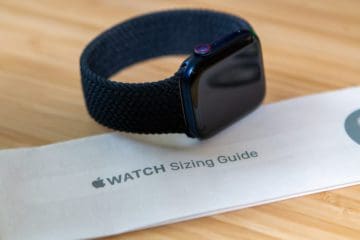
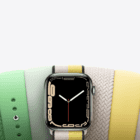
Apple also introduced the new Solo Loop bands. But in addition to the basic Silicone option, there’s a new Braided Solo Loop. These are made from a combination of soft silicone and braided yarn, but don’t feature buckles or clasps.
Instead, you’ll have to measure your wrist in order to make sure that you are getting the right size. Thankfully, Apple provides a nifty tool on its site, and there are nine different lengths for the Solo Loop.
How to find the right Apple Watch Band size
Since neither the standard Solo Loop nor Braided Solo Loop are adjustable, you need to order the correct size. But with the state of the world, it’s not like you can just waltz into the Apple Store, get sized up, and order the band you want. Or maybe you don’t have an Apple Store nearby, but want one of these new bands. Apple has provided a few tools on its site in an effort for you to find the right Apple Watch band size.
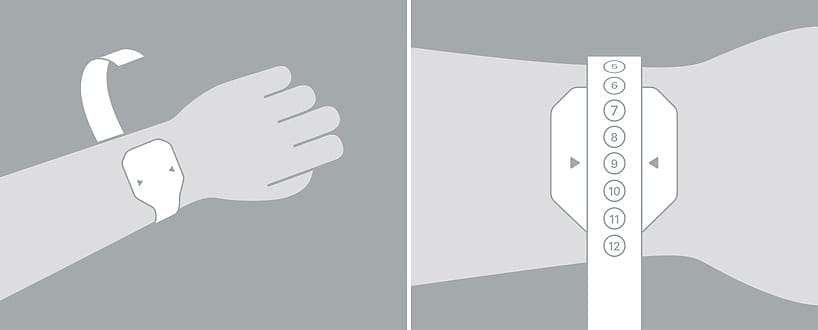
Cut the tool so that you can wrap it around your wrist.
Wrap the tool around your wrist, but make sure it’s not too tight.
Note the number that falls between the arrows.
That’s the size you may want to purchase.
What if you don’t have a printer?
Not everyone has a printer at home, and you don’t want to really have to go to the library or a local Staples/Office Depot just to print this off. Apple thought about that and has a few instructions for those who don’t have a printer.
When you open the “Size Guide”, tap Household Objects. For those who have a measuring tape, click the Got it. What’s next? button and follow the instructions.
Those who don’t have a measuring tape, you can still find the right Apple Watch Band size.
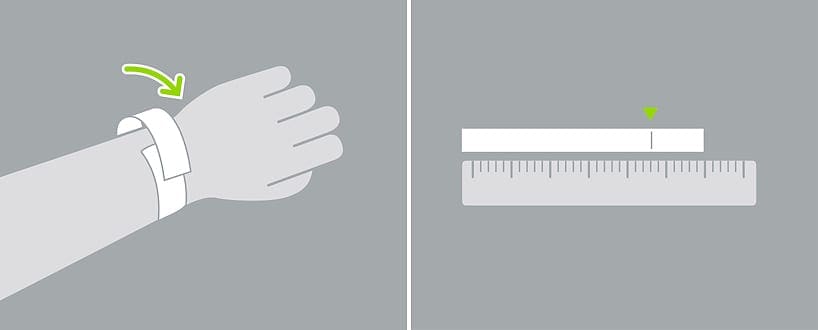
Grab a piece of paper, a pen, and a ruler.
Use the length of the paper to cut out a 1/2″ wide strip.
Wrap the strip of paper around your wrist until it feels comfortable.
Use a pen to mark where it first overlaps.
Place the strip next to the ruler and measure the distance between the end and the pen mark.
Make sure you get the right band
Because I didn’t order the Apple Watch right after the event, I waited and saw that Apple was not shipping the Watch with Braided Loop until October. Instead of taking a chance on waiting too long, I was able to order one from my local Apple Store.
There’s one more thing to touch on here. After doing some research, and then getting fitted for one of these bands at my local Apple Store, you may not want to get the exact number. For example, my wrist measured in at a 12, but the 11 actually fit better.
If you go with the size that you measure, you may end up with a looser band. This can mean your Apple Watch will move around at will, and won’t provide accurate health readings. Meanwhile, going one size down will provide the snug fit you are trying to achieve.
In the event that you go into an Apple Store, the process for being fitted is rather simple. Before going, be sure to make an appointment through the Apple app, or you may not be able to get in that day. After arriving, the Apple employee will be able to show you the different bands, along with providing a tool that you can take home and haven’t been used before.
Andrew Myrick is a freelance writer based on the East Coast of the US. He enjoys everything to do with technology, including tablets, smartphones, and everything in between. Perhaps his favorite past-time is having a never-ending supply of different keyboards and gaming handhelds that end up collecting more dust than the consoles that are being emulated.







Write a Comment