• Skip to primary navigation
  • Skip to main content
  • Skip to primary sidebar
  • Skip to footer

AppleToolBox

Tools and Fixes for Mac, iPad, iPhone & iWatch

Search posts

  • About
  • Contact

CONNECT WITH US

CATEGORIES

  • iPhone
  • iPad
  • iPod
  • Apple Watch
  • Mac/MacBook
  • AirPods
  • Apple TV
  • News
  • Apple Services
  • HomePod
  • Reviews

SITE

  • Home
  • About Us
  • Contact
  • Advertise

Search posts

You are here: Home / Mac / How to use Snapchat on Mac

How to use Snapchat on Mac

By Michelle Honeyager 0 comments Last updated December 29, 2022

The popular instant messaging app Snapchat was once only available on mobile devices. Now, there is a browser-based version that you can even use on the Mac. Below we’ll go into how to use Snapchat on the Mac.

Using Snapchat on the Mac

To start off, you’ll need the latest version of the Chrome browser for Mac use. Snapchat for Web is not supported on other browsers.

Initially, Snapchat for Web was only available to Snapchat+ subscribers when it launched in July of 2022, but it has recently been rolled out to the general public.

On the web version, you can chat and make calls like on the mobile version.

Using Chrome, simply go to https://web.snapchat.com

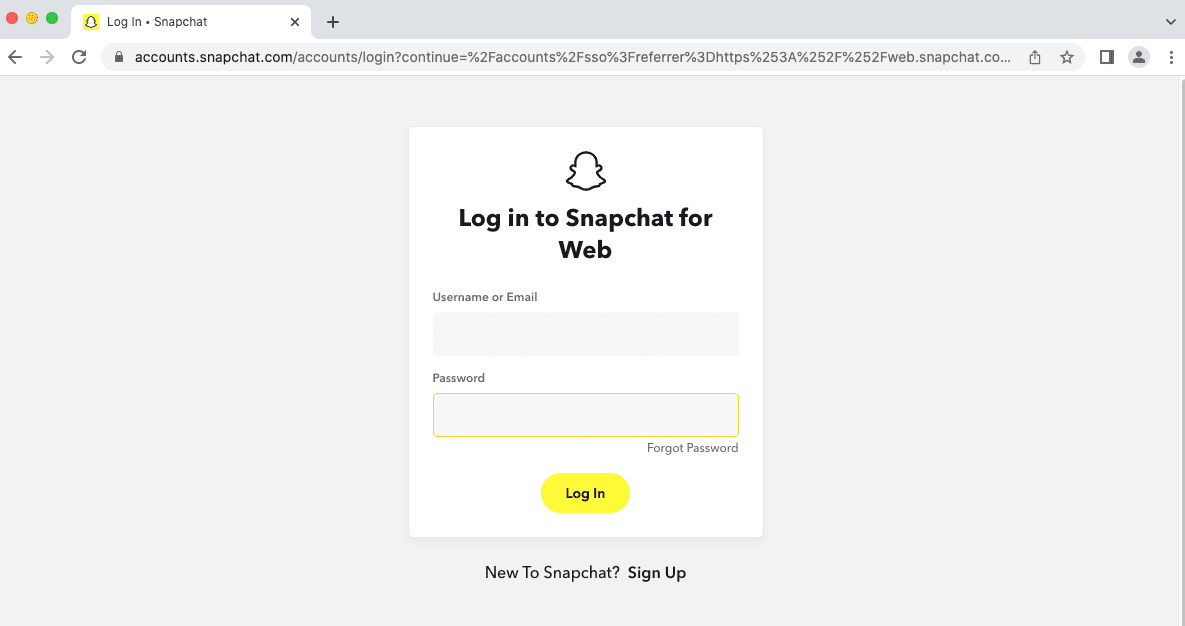
You’ll see a login screen that looks like this:

You can either log in or click the Sign Up link at the bottom of the screen to create an account. The website will then lead you through a few prompts to get the features set up on your Mac.

Once set up, calls and chats are synched across mobile and web, so you can pick up right where you left off if you were using the mobile app.

Related Posts:

  • How to Install Windows 11 on Mac
    Want iMessage on Your Windows PC? How-To
  • Delete Chrome From Your Mac and Enjoy the Increase in Speed Hero
    How to Install Chrome Extensions Manually
  • Best Mac browser logos over colorful background
    Comparing the Best Web Browsers for Mac
  • how to sync data from other browsers to safari
    How to Sync Data From Other Browsers to Safari
  • Delete Chrome From Your Mac and Enjoy the Increase in Speed Hero
    Delete Chrome From Your Mac and Enjoy the Increase in Speed
  • Google Chrome App Icon iPhone 13 Pro
    How to Use Chrome as a Password Manager on iPhone and iPad
  • Close up of Safari browser icon on iPhone screen
    Comparing the Best Web Browsers for iPhone or iPad
  • How to use ChatGPT on iPhone and iPad - Hero
    How to Use ChatGPT on iPhone and iPad
  • Google Chrome App Icon iPhone 13 Pro
    How to Unlock Google Passwords with Fingerprint…

Reader Interactions

Write a Comment Cancel reply

Primary Sidebar

Recent Posts

  • How to Export iTunes Library to New Computer
  • What the Gemini Desktop App Will Bring to Mac
  • What to Do When Windows 11 Won’t Detect Your iPad
  • Outlook Outage 2026: iPhone Fixes for Sign-In Chaos
  • Guide to Changing iMessage Backgrounds on iPhone and Mac
  • Has Apple Killed Vision Pro? (Insane Sales Flop Explained)

Connect with us

Footer

ABOUT

  • About Us
  • Contact us
  • Advertise
  • Privacy
  • Terms of Use

GUIDES

  • iOS & iPadOS
  • Apple ID
  • iCloud
  • App Store
  • iTunes
  • FaceTime
  • iMessage
  • Siri
  • Books and iBooks
  • Game Center
  • AirPlay

CONNECT

  • Facebook
  • Twitter
  • FeedBurner
  • YouTube

© Copyright 2010-2024 Guiding Tech Media · All Rights Reserved

This site and its content are in no way affiliated or endorsed by Apple, Inc. · Reproduction without explicit permission is prohibited

Last Updated on December 29, 2022 by Mitch Bartlett