This short article describes how to turn Genius for Apps on or off. This is a feature that will help you discover new apps based on app purchases you’ve made for folks using iOS 6 and below.
With the introduction of iOS 7, Apple no longer offers the Genius feature
Instead, iOS 7 uses a similar feature called Near Me to help discover new iOS apps in the App Store.
Using iOS 8, 9, or 10?
For folks running iOS 8, 9, or 10, look at your Top Charts or Explore tabs to find interesting and recommended apps.
And for folks using iOS 11 or 12
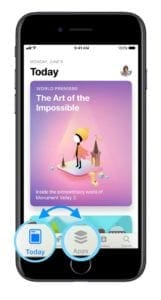
Check out the Today and Apps Tabs for recommendations and discover apps you’ve never heard of or tried before! Apple’s Genius, Near Me, or Today/Apps feature is especially useful considering there are millions of apps available.
Discover Apps in iOS 11/12
Tap Today to see featured stories and apps
Choose Games or Apps to see new releases, top charts, or browse by category
Tap Search to use a keyword to find an app
While the Near Me, Top charts, Explore, and Today/Apps features are always enabled, the Genius feature of iOS 6 and below is something you can enable or disable.
To enable Genius for Apps on your iPad, iPhone or iPod touch:
Launch App Store
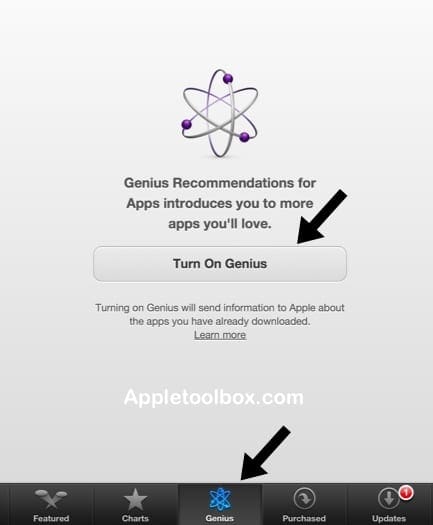
Tap the Genius tab
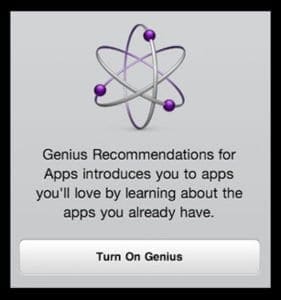
Tap Turn on Genius’
Apple prompts you to enter your Apple ID password. After you will be asked to agree to Apple terms and privacy conditions. Scroll down and tap Agree
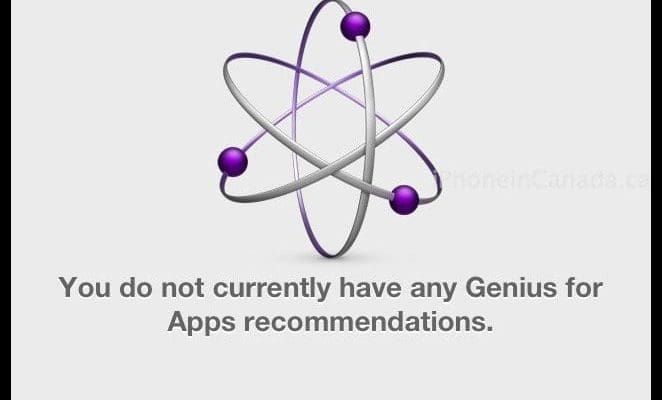
Now you turned on Genius, the Genius tap shows you app recommendations
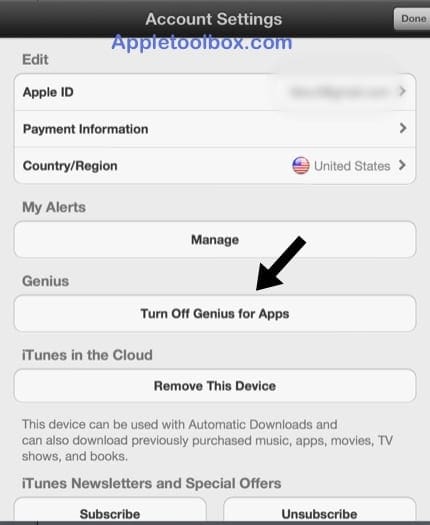
To Disable Genius for Apps on your iPad, iPhone or iPod touch:
Launch App Store
Tap the Featured tab
Scroll down to the bottom
Tap your Apple ID and select View Apple ID where you can manage your Apple ID settings.
Obsessed with tech since the early arrival of A/UX on Apple, Sudz (SK) is responsible for the original editorial direction of AppleToolBox. He is based out of Los Angeles, CA.
Sudz specializes in covering all things macOS, having reviewed dozens of OS X and macOS developments over the years.
In a former life, Sudz worked helping Fortune 100 companies with their technology and business transformation aspirations.
There is no genius tab on my iPod touch, so this advice is not helpful. Is there any other information available to help me find genius on my newest generation iPod (not sure what generation it is – purchased in 2018)?
Apple changed the App Store since this article was originally released. If you’re using iOS 11, check out the Today and Apps tabs (at the bottom of the App Store page) to find recommendations and suggestions.
If using iOS 10, look for the tab Top Charts.
There is no longer an App Store Genius feature in iOS 11 (or 10)
Hi, I do think this is a great blog. I stumbledupon it 😉 I may revisit once again since i have book-marked it.
Money and freedom is the greatest way to change, may you be rich and
continue to guide other people.
How can I have it work if the App Store won’t let you do anything at all after turning on the genius app? This has been my problem after appearing the “You have successfully turnen on the genius application…” and already clicked on the DONE button many times but still it won’t go away! Now my app store is hanged like I cannot do anything. What shall I do?











I’ve gone into app. Can’t find genius button
There is no genius tab on my iPod touch, so this advice is not helpful. Is there any other information available to help me find genius on my newest generation iPod (not sure what generation it is – purchased in 2018)?
Hi Zahra,
Apple changed the App Store since this article was originally released. If you’re using iOS 11, check out the Today and Apps tabs (at the bottom of the App Store page) to find recommendations and suggestions.
If using iOS 10, look for the tab Top Charts.
There is no longer an App Store Genius feature in iOS 11 (or 10)
Please help
My App Store is dead slow and I do not find an option called genius for app anywhere
Is there anyway to speed up my app store
Hi, I do think this is a great blog. I stumbledupon it 😉 I may revisit once again since i have book-marked it.
Money and freedom is the greatest way to change, may you be rich and
continue to guide other people.
THANK YOU THANK YOU THANK YOU!
How can I have it work if the App Store won’t let you do anything at all after turning on the genius app? This has been my problem after appearing the “You have successfully turnen on the genius application…” and already clicked on the DONE button many times but still it won’t go away! Now my app store is hanged like I cannot do anything. What shall I do?
hi jackie
got the same issue here ,, did you get sorted ,, if so can you help me
cheers
guy’s what i did is. i just turn off my ipad and turn it on again and follow the above steps on how to turn off the genius features.
Did yout figure out how to sort your problem with genius it has made my app store freeze I u can’t use it