Leading up to WWDC 2023, there was a lot of speculation about whether Apple would actually update the Mac Studio. The device has been perceived as a “stop gap” for professionals who were waiting for the Apple Silicon-powered Mac Pro.
Much to our surprise, the Mac Studio did get a spec-bump refresh, while also being announced alongside the all-new Mac Pro, 15-inch MacBook Air, and everything else introduced during the Keynote. On paper, it might not seem as though the 2023 Mac Studio offers much more than its predecessor, but let’s dive a bit deeper to see if that’s the case.
2023 Mac Studio: Nothing New in the Design Department
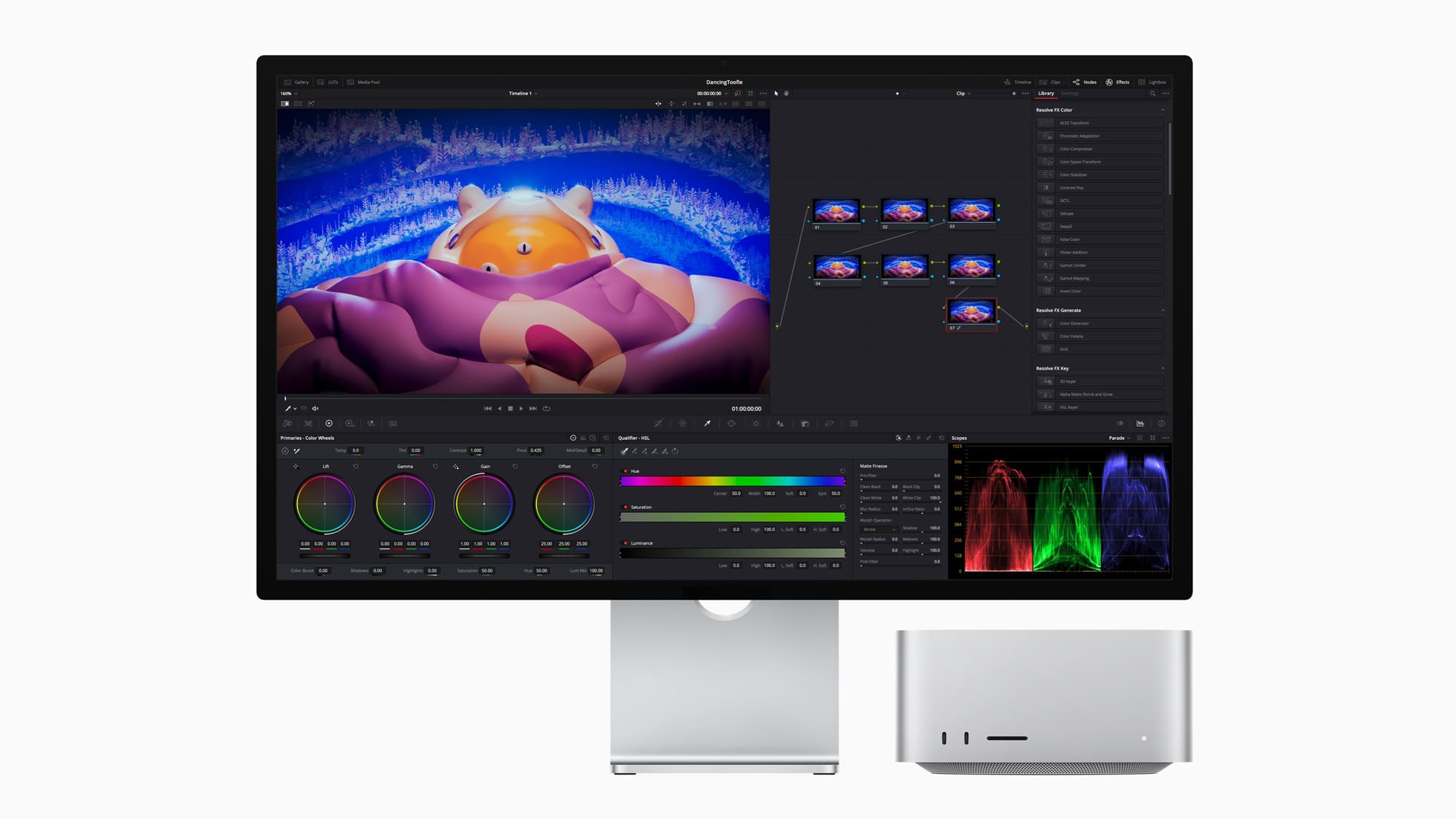
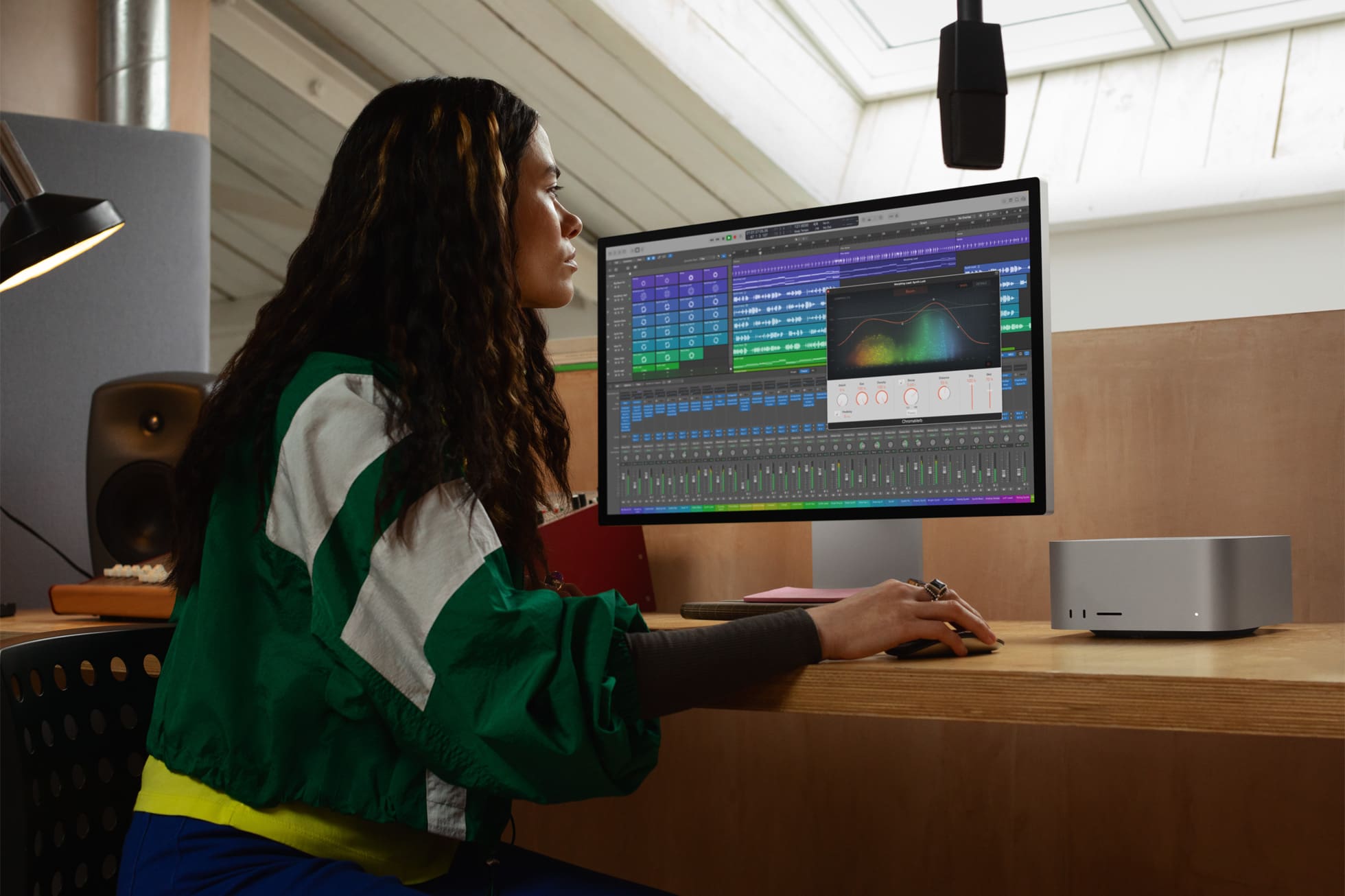
Getting the boring stuff out of the way first, the 2023 Mac Studio is identical to the 2022 iteration from a design perspective. It still looks like a chunkier version of the Mac Mini, but also still includes many more ports than what you’ll find on a Mac Mini.
This includes four Thunderbolt 4 ports on the back, along with two USB-C ports on the front if you get the M2 Max version or two Thunderbolt 4 ports on the front with the M2 Ultra. There’s also an SDXC card reader on the front, along with the power LED indicator in the bottom right corner.
In addition to the Thunderbolt 4 ports on the back, you’ll also get dual USB-A ports, an HDMI port, a 10Gb Ethernet jack, a 3.5mm headphone jack, and the power adapter plug. And of course, there’s a Power Button placed right next to the headphone jack so you can turn your Mac Studio on and off.
Lastly, if you’re worried about the dimensions and weight, the 2023 Mac Studio measures in at 3.7-inches high, 7.7 inches wide, and 7.7 inches deep. The only difference is that the M2 Max Mac Studio weighs 5.9 pounds, while the M2 Ultra variant comes in at 7.9 pounds. This is simply due to the larger heat sink that Apple uses with the M2 Ultra compared to the one found on the M2 Max.
2023 Mac Studio: It’s All About M2 Max and M2 Ultra
Okay, so enough about the looks, what about performance? Well, to put it simply, you shouldn’t expect “world-changing” improvements across the board, even with the M2 Ultra. Apple claims that the M2 Ultra is “up to 3x faster than the previous-generation Mac Studio with M1 Ultra.” And those who don’t want to sell a kidney to get one of these, will enjoy up to 50% faster performance with the M2 Max chip compared to the M1 Max processor in the 2022 Mac Studio.
Here are some other highlights provided by Apple about the M2 Max:
Empowers motion graphics designers using After Effects to render up to 50 percent faster.
Enables developers to build new versions of apps with Xcode at blazing speed, with up to 25 percent faster performance.
And for the M2 Ultra:
Empowers 3D artists using Octane to render up to 3x faster.
Enables colorists using DaVinci Resolve to see up to 50 percent faster video processing than before.
But the fun doesn’t stop there, as Apple has even upgraded the external display capabilities of the Mac Studio powered by an M2 Ultra. According to Apple, the M2 Ultra can power up to six Pro Display XDRs, “driving over 100 million pixels – allowing for a vast amount of screen real estate for pro workflows.” Thanks to the inclusion of HDMI 2.1, the 2023 Mac Studio also has higher bandwidth, as it now supports displays with up to an 8K resolution, along with those with up to 240Hz refresh rates.
2023 Mac Studio: Price and Availability
We can imagine that you might be wondering just how much this 2023 Mac Studio will set you back, even with the Mac Pro now looming above. Well, Apple didn’t change anything in this department, as the base model M2 Max Mac Studio with 32GB of RAM and 512GB of storage is priced at $1999. This gets bumped up to $2599 for the 38-core GPU model with 64GB of RAM, and if you want 96GB of RAM, you’re looking at $2999.
M2 Max
12-core CPU, 30-core GPU, and 16-core Neural Engine
32GB unified memory, 512GB storage: $1999
64GB unified memory, 512GB storage: $2399
12-core CPU, 38-core GPU, and 16-core Neural Engine
64GB unified memory, 512GB storage: $2599
96GB unified memory, 512GB storage: $2999
M2 Ultra
24-core CPU, 60-core GPU, and 32-core Neural Engine
64GB unified memory, 1TB storage: $3999
128GB unified memory, 1TB storage: $4799
192GB unified memory, 1TB storage: $5599
24-core CPU, 76-core GPU, and 32-core Neural Engine
64GB unified memory, 1TB storage: $4999
128GB unified memory, 1TB storage: $5799
192GB unified memory, 1TB storage: $6599
As you can see in the list above, there’s quite a substantial jump in price between the M2 Max and M2 Ultra models. For once, you can’t get the M2 Ultra Mac Studio paired with 32GB of RAM or 512GB of storage. Instead, the base configuration is equipped with 64GB of RAM and 1TB of storage for $3999. And if you want the more powerful M2 Ultra with a 76-core GPU, you’ll be looking at $4999.
The best part of all of this is that you don’t have to wait until later this year to get the new 2023 Mac Studio powered by M2 Max or M2 Ultra. All configurations are available to order from Apple and select third-party retailers now. The only “hiccup” is that if you plan on configuring your own Mac Studio, you can only go through Apple and might have to wait a little while before it arrives.
Andrew Myrick is a freelance writer based on the East Coast of the US. He enjoys everything to do with technology, including tablets, smartphones, and everything in between. Perhaps his favorite past-time is having a never-ending supply of different keyboards and gaming handhelds that end up collecting more dust than the consoles that are being emulated.













Write a Comment