WYSIWYG stands for “What You See Is What You Get“, which means that the editing display closely corresponds the appearance of the page displayed to the end-user.
WYSIWYG is especially popular for web designing professionals and amateurs because it allows you to work directly on the website’s design as it displays on the screen.
Such editors are especially useful if you have no or little coding, HTML or CSS experience or knowledge. And they’re also good for folks that want an editor that helps you create web pages quickly. You don’t have to understand HTML at all to make engaging, high-quality, and professional content!
One thing we know is that you don’t need to pay for a good HTML editor–they are still some excellent free options, even for Mac users!
Not to get ahead of ourselves or anything, here’s what we think is important
Keep HTML markup invisible but offer a way to edit the HTML
Shows you exactly (or near to) what ends up on your web page
Simplicity in design so anyone can use it!
Offers a distraction-free writing mode like using a word processor
Functionalities and formatting options like changing alignment, bold and italic text, various headers sizes, copy and paste, undo and search
Offer different fonts, sizes, and colors
Makes tables, lists, blockquotes
Embed images, videos, or other media
Add links to other internal or external pages
Easily switch between HTML and WYSIWYG content viewers
Here are the best WYSIWYG web editors for macOS and Mac OS X
We think the current best free macOS/Mac OS X WYSIWYG HTML Editor is SeaMonkey, part of the lovely free and open source Mozilla Project.
First, it’s a completely free WYSIWYG editor and is part of a larger suite that includes its composer, an Internet browser, email & newsgroup client with an included web feed reader, HTML editor, IRC chat and web development tools.
What’s great about SeaMonkey is that you can test your site with ease. Plus, SeaMonkey offers FTP features too!
SeaMonkey Composer
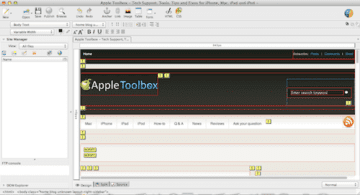
SeaMonkey is an Internet suite meaning that it consists of a web browser, an e-mail and news client program, and an HTML editor (SeaMonkey Composer).
Amaya
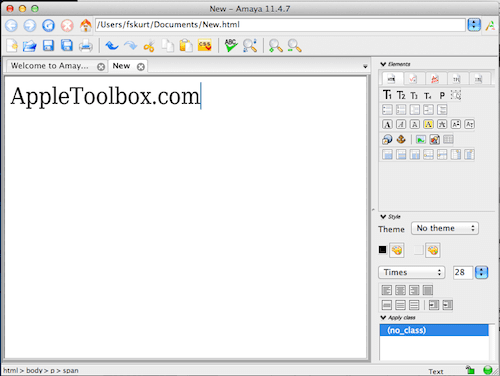
Amaya is also a free and open source WYSIWYG (X)HTML editing tool. This tool also includes browsing abilities.It supports CSS, MathML, SVG, RDF, and XPointer.
BlueGriffon
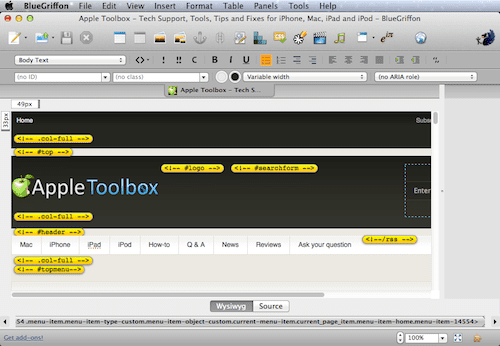
BlueGriffon is a WYSIWYG content editor and it complies with the W3C’s web standards and it is free to download.
Like KompoZer? Sorry, it’s NO LONGER AVAILABLE
KompoZer was an open source WYSIWYG web/HTML editor. KompoZer also allowed direct code editing and a split code-graphic view.
Too bad it’s no longer an option!
Wondering what happened, check out this article from Drop in Blog.
Love text editors?
There are a lot of HTML and text editors out there, especially for folks looking to code HTML directly, without WYSIWYG.
For our money, we love Sublime Text or TextWrangler for Macs and NotePad for Windows
What’s your WYSIWYG Editor of choice?
Like something else that we haven’t mentioned? Quite a few readers recommend Atom (made by the folks Github) and Google Web Designer. Both are free as well.
Share with us your experiences and thoughts in the comments.
Obsessed with tech since the early arrival of A/UX on Apple, Sudz (SK) is responsible for the original editorial direction of AppleToolBox. He is based out of Los Angeles, CA.
Sudz specializes in covering all things macOS, having reviewed dozens of OS X and macOS developments over the years.
In a former life, Sudz worked helping Fortune 100 companies with their technology and business transformation aspirations.
The premise is I am a programmer, or, want to program. I don’t any more. I want to download my Mac app and run the damned thing. Does that make sense to you?
WYSIWYG app for Mac. When will we have a good one?
I downloaded SeaMonkey to my MacOS Catalina 10.15 system and it will install but will not run. I get the message that MacOS cannot verify the developer and it gives me no options to just trust it.
( I also tried to open it from the application folder rather than launch pad and received the same message)
Right-click or control-click on SeaMonkey.app, then select Open. MacOS will then give you the option to open it even though it’s from an unverified developer.











I was using SeaMonkey with very good results until …
MAC OS Ventura 13. They seem not to be compatible.
The premise is I am a programmer, or, want to program. I don’t any more. I want to download my Mac app and run the damned thing. Does that make sense to you?
WYSIWYG app for Mac. When will we have a good one?
I downloaded SeaMonkey to my MacOS Catalina 10.15 system and it will install but will not run. I get the message that MacOS cannot verify the developer and it gives me no options to just trust it.
( I also tried to open it from the application folder rather than launch pad and received the same message)
Please advise.
Right-click or control-click on SeaMonkey.app, then select Open. MacOS will then give you the option to open it even though it’s from an unverified developer.
Yes, this worked for me on 10.15.7. Thanks Adam!
none of these run under 10.15.7! got any that can run under catalina?
Also, although it’s free to download, version 3 costs a lot. And versions prior to 3 are buggy to the extent that some menu items are in Russian!
Blue griffon does have a few problem, it doesn’t have fonts, and it doesn’t allow you to copy and paste when in source code?.