• Skip to primary navigation
  • Skip to main content
  • Skip to primary sidebar
  • Skip to footer

AppleToolBox

Tools and Fixes for Mac, iPad, iPhone & iWatch

Search posts

  • About
  • Contact

CONNECT WITH US

CATEGORIES

  • iPhone
  • iPad
  • iPod
  • Apple Watch
  • Mac/MacBook
  • AirPods
  • Apple TV
  • News
  • Apple Services
  • HomePod
  • Reviews

SITE

  • Home
  • About Us
  • Contact
  • Advertise

Search posts

You are here: Home / Apple Watch / How to Get the Peanuts Watch Face in watchOS 10

How to Get the Peanuts Watch Face in watchOS 10

By Danny Maiorca 0 comments Last updated June 23, 2023

Peanuts is one of the most loved comic strips in US history, and you’ve almost certainly seen the likes of Snoopy, Charlie Brown, and Woodstock on all kinds of memorabilia. In addition to the comic strips, the characters have appeared in books and many other forms of media.

Related Reading:

  • How to Download watchOS 10
  • What’s New in watchOS 10?
  • Which Apple Watches Are Compatible With watchOS 10?
  • How to Use Mirroring With Your Apple Watch
  • The Best Apple Watch Tips and Tricks

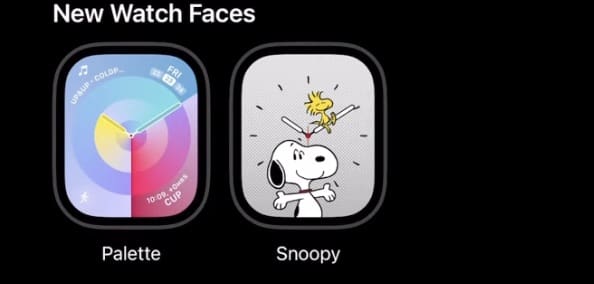
At WWDC 2023, Apple announced that it would release a new Peanuts watch face when watchOS 10 is released. And if you want to find out how to get it, you’re in the right place; that’s precisely what we’ll cover today.

How Can I Get the watchOS 10 Peanuts Watch Face?

To get the Peanuts Apple Watch face, you’ll first need to download watchOS 10. After doing that, you can follow these instructions.

    1. Get your iPhone and open the Apple Watch app.
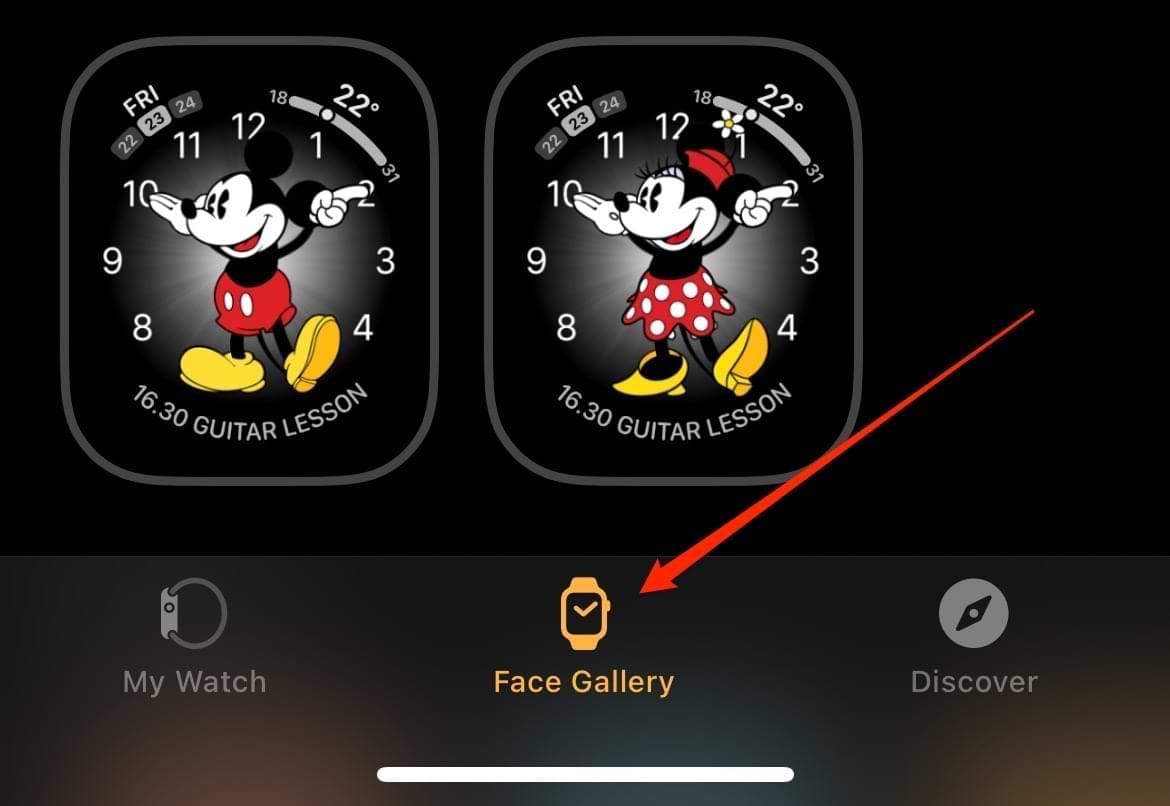
    2. At the bottom, you’ll see three tabs: My Watch, Face Gallery, and Discover. Click on Face Gallery. Face Gallery Tab in the Apple Watch iPhone App
    3. Look for the Peanuts Watch face within the Face Gallery.

      The Peanuts Watch Face in watch OS 10
      Credit: @CaydenExplainsApple/YouTube
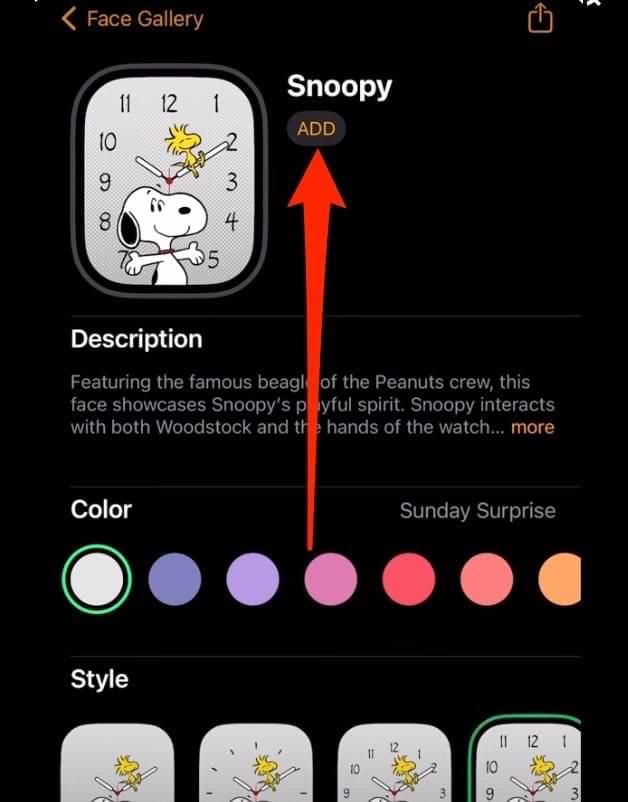
    4. After customizing the colors and whatnot, tap on Add.
      watchOS Face Customization for Peanuts

Your new watchOS 10 Peanuts face will then be downloaded onto your Apple Watch. After completing the steps above, scroll through your device until you see the new watch face that you want.

Getting the Peanuts Watch Face in watchOS 10 Is Simple

The Peanuts face in watchOS 10 will undoubtedly be popular with those who are big fans of the comic strip, along with people who want to relive their childhoods. You can customize your Apple Watch face with various colors, and the new Peanuts face is completely free.

Once you’ve customized your watchOS face, you can always change it to something else later if you want. On top of that, you can create all kinds of other interesting Peanuts Watch face customizations within your iPhone’s Apple Watch app.

Related Posts:

  • How to Watch a Charlie Brown Christmas on Apple TV hero
    How to Watch 'A Charlie Brown Christmas' for Free on…
  • pexels-erik-mclean-6654173
    The Best Comic Book Apps For Organizing Your Collection
  • Missing Books Header
    How to Fix Apple Books Missing on iPhone, iPad, and Mac
  • Photo showing a pile of books on a table
    Apple Books Not Downloading on iPhone or iPad: How to Fix
  • Apple Books Reading Nowi Phone-Tips
    Tips and Tricks for Using Apple Books in iOS 17 and…
  • photo of an iphone and ipad next to one another
    Apple Books or iBooks Missing After the Latest…
  • pexels-tima-miroshnichenko-6860464
    How To Start Using Regex With The Shortcuts App
  • apple-watch-ultra-in-gravel
    How To Use Apple Watch Mirroring
  • Apple Watch Ultra Tips and Tricks
    Apple Watch Tips and Tricks for 2023
Danny Maiorca

Danny has been a professional writer since graduating from university in 2016, but he’s been writing online for over a decade. He has been intrigued by Apple products ever since getting an iPod Shuffle in 2008 and particularly enjoys writing about iPhones and iPads. Danny prides himself on making complex topics easy to understand. In his spare time, he’s a keen photographer.

Reader Interactions

Write a Comment Cancel reply

Primary Sidebar

Recent Posts

  • How to Set Up iCloud Passwords on a Windows PC?
  • How to Turn Off Apple Music’s Dark Mode
  • How to Disable Predictive Text in iOS 26
  • How to Stop Sharing Analytics in iOS 26
  • How to Manage Your iPhone Call Log
  • Are Apple’s Safety Precautions Enough for AirTags?

Connect with us

Footer

ABOUT

  • About Us
  • Contact us
  • Advertise
  • Privacy
  • Terms of Use

GUIDES

  • iOS & iPadOS
  • Apple ID
  • iCloud
  • App Store
  • iTunes
  • FaceTime
  • iMessage
  • Siri
  • Books and iBooks
  • Game Center
  • AirPlay

CONNECT

  • Facebook
  • Twitter
  • FeedBurner
  • YouTube

© Copyright 2010-2024 Guiding Tech Media · All Rights Reserved

This site and its content are in no way affiliated or endorsed by Apple, Inc. · Reproduction without explicit permission is prohibited

Last Updated on June 23, 2023 by Mitch Bartlett