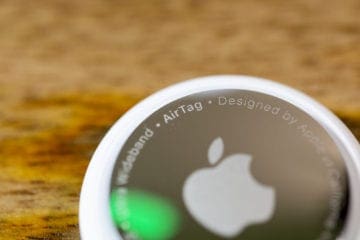
Apple’s AirTag has revolutionized the way we keep track of our belongings. These small, coin-sized devices can be attached to keys, bags, or anything else you might misplace, allowing you to locate them using the Find My app on your Apple device.
But what if you want to share an AirTag with someone else? In this blog post, we’ll explore how to share an AirTag, why you might want to do so, and why you might think twice before sharing.
If you and another person jointly own an item, such as a car or a set of house keys, sharing an AirTag can be incredibly convenient. Both parties can track the item, reducing the risk of misplacement.
Family Use
For families, sharing an AirTag attached to a common item like a TV remote or a pet’s collar can be a practical solution. Everyone in the family can keep tabs on the item, ensuring it’s always findable.
Temporary Lending
If you’re lending something valuable to a friend, attaching a shared AirTag can provide peace of mind. You’ll know that the item is safe and where it’s supposed to be.
Why You Might Not Want to Share an AirTag
While sharing an AirTag can be useful, there are some considerations to keep in mind:
Privacy Concerns
Sharing an AirTag means sharing location information. If the AirTag is attached to something personal, you might not want to share that information with others.
Potential Misuse
If the relationship with the person you’re sharing the AirTag with changes, they’ll still have access to the AirTag’s location until you revoke the sharing. This could lead to potential misuse.
Limited Control
Once an AirTag is shared, you have limited control over the recipient’s ability to view the location. You can stop sharing, but you can’t set time limits or other restrictions.
How to Share AirTag on iPhone with iOS 17
Sharing an AirTag on your iPhone opens up new possibilities for collaboration and joint tracking of valuable items. Whether it’s a shared car key or a family-owned gadget, knowing how to share an AirTag allows multiple users to locate the item, enhancing convenience and peace of mind. And here’s how you can get everything set up:
Make sure that your iPhone is running the latest version of iOS 17.
Download and install any updates, if necessary.
Open the Find My app on your iPhone.
Tap the Items tab in the bottom toolbar.
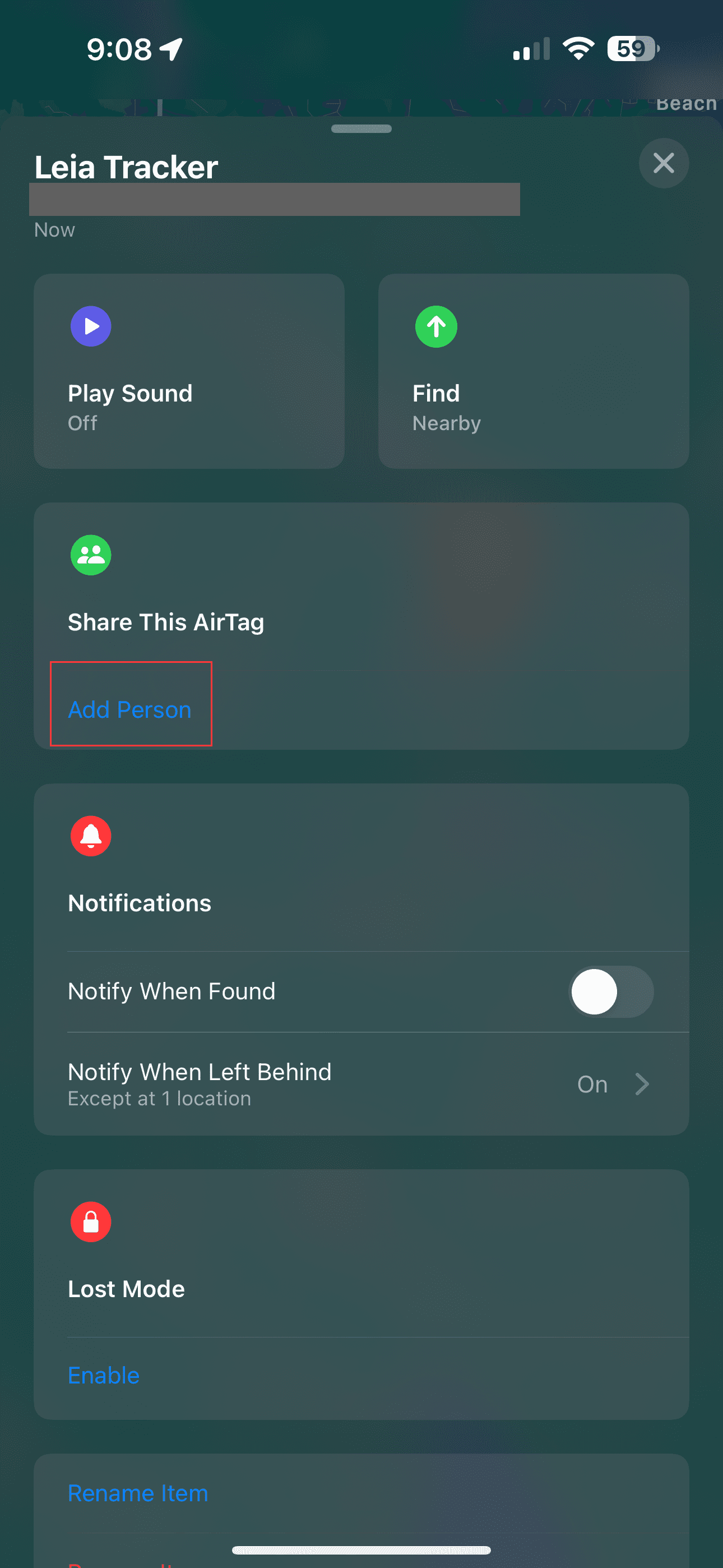
Locate and select the AirTag that you want to share.
Swipe up to view all of the options for the AirTag.
Under the Share This AirTag section, tap the Add Person button.
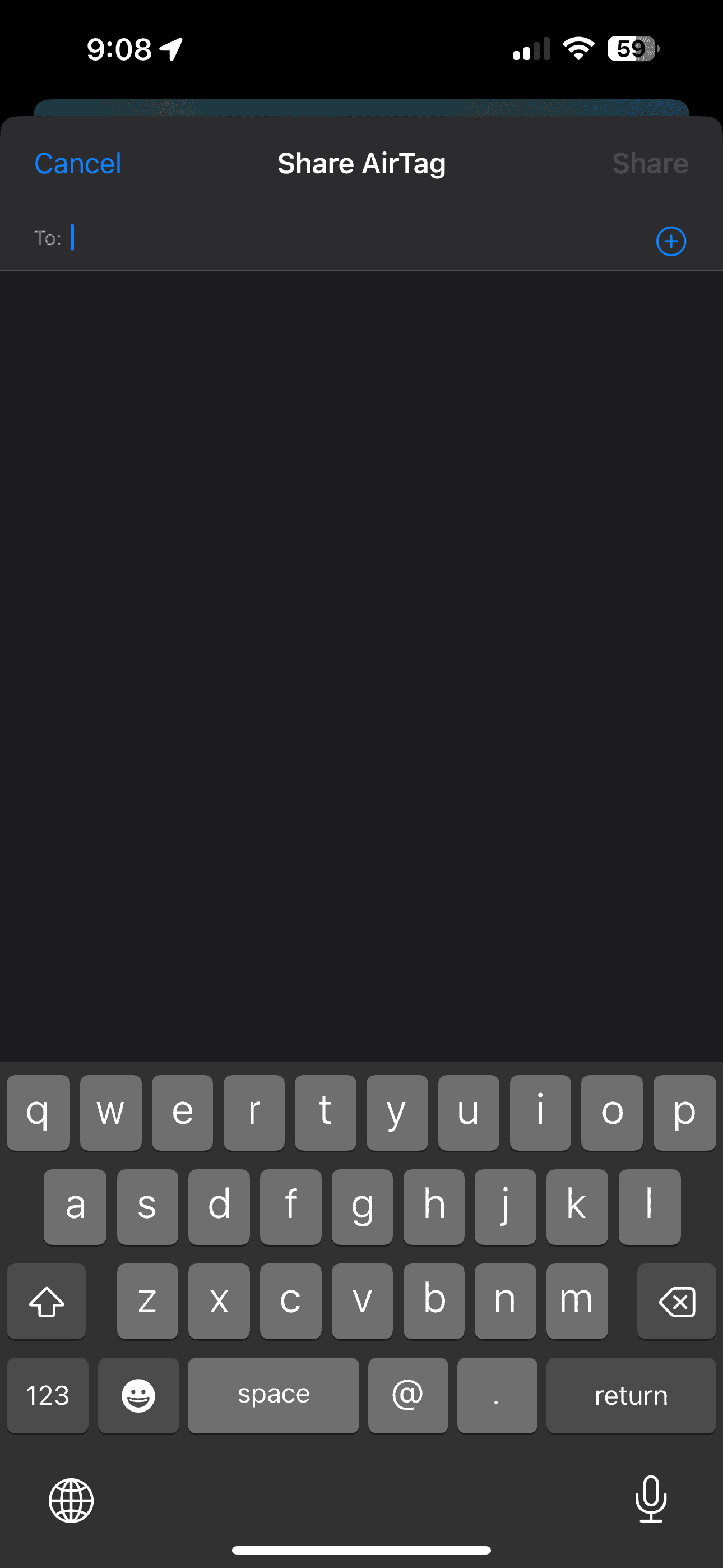
From the Share This AirTag page, tap the Continue button.
Enter and select a contact that you want to share the AirTag with.
Once selected, hit the Send button to send the invitation to share the AirTag.
The biggest catch here is that in order to share an AirTag with another person from your iPhone, both parties will need to be running iOS 17. At the time of this writing, iOS 17 is only available in the form of either a Developer or Public beta. We are expecting Apple to release the final version of iOS 17 to the masses sometime in September. Until then, you won’t be able to share an AirTag with another user.
How to Stop Sharing AirTag on iPhone
Stopping the sharing of an AirTag on your iPhone is a simple yet crucial process, especially if you want to maintain control over the location information of your tagged item. Whether you’ve shared an AirTag with a family member, friend, or colleague, knowing how to revoke that access ensures that your privacy and security remain intact.
Open the Find My app on your iPhone.
Tap the Items tab in the bottom toolbar.
Swipe up to view all of the options for the AirTag.
Tap the Stop Sharing button.
Conclusion
Sharing an AirTag can be a powerful tool for collaboration, family use, or temporary lending of items. It’s a feature that extends the utility of AirTags beyond personal use, fostering connectivity and convenience.
However, it’s essential to approach sharing with caution, considering privacy and control factors. By understanding both the benefits and potential drawbacks, you can make an informed decision about whether sharing an AirTag is right for you.
Andrew Myrick is a freelance writer based on the East Coast of the US. He enjoys everything to do with technology, including tablets, smartphones, and everything in between. Perhaps his favorite past-time is having a never-ending supply of different keyboards and gaming handhelds that end up collecting more dust than the consoles that are being emulated.










Write a Comment