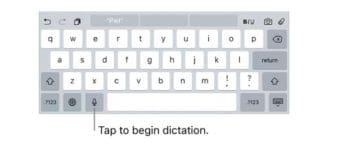
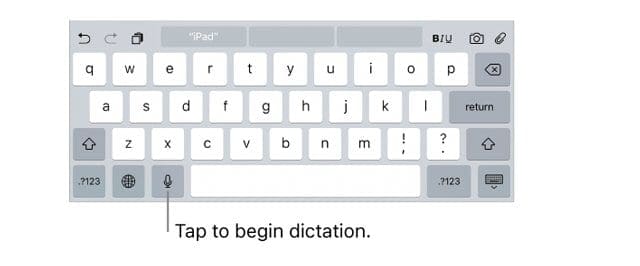
Your iPad has a secret tool that most people never heard of! It’s that small microphone icon on your keyboard, just next to the space bar, that you just pass by. Well, that microphone is actually a very powerful ally. It’s Dictation: iOS and iPads, Apple’s pretty reliable voice-to-text tool. And it’s perfect for people who find typing a bit of a challenge. But everybody can use Dictation! Plus it works on all iDevice and Apple Watches.
Dictation is a powerful feature that’s too often left unnoticed when it’s superstar cousin, Siri, is nearby. But make no mistake, Dictation is one of the most fabulous Accessibility features available on your iPad or another iDevice. This feature lets you dictate text instead of typing. For instance, you use your voice to dictate an email message, compose a text, even create presentations in Keynote.
For those needing help or unable to type on the iPad’s small keyboard, a rockstar dictation feature is the deal-breaker when purchasing a tablet or phone. Thankfully, Apple cares, even prides itself, about its accessibility features. So iOS’s voice dictation handles a lot of requests for large content and even special punctuation.
iOS Dictation Requirements
The primary requirement for most iPads is an Internet connection. Like Siri, voice dictation uses Apple’s servers to perform the speech recognition for you. For iPad Pro models, dictation is available when you’re not connected to the Internet. Also on iPhone 6s, iPhone 6s Plus, iPhone 7, iPhone 7 Plus, iPhone 8, iPhone 8 Plus, iPhone X, and iPhone SE, you can use dictation when you’re not connected to the Internet.
To use Dictation on your iPad, you need to enable it
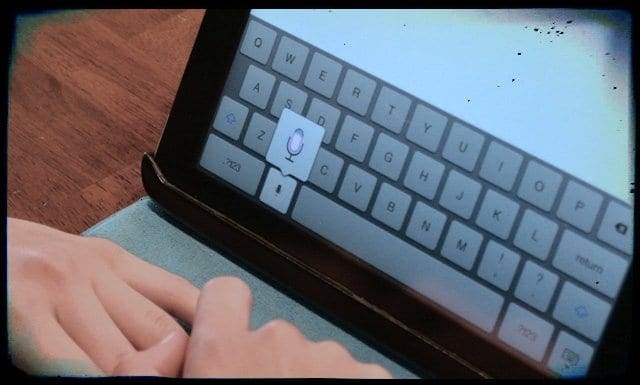
Tap Settings > General > Keyboard > Dictation and turn on dictation. To Dictate text just Tap on the micrphone symbol on your on-screen keyboard (to the left of the spacebar,) then speak whatever you want. When you finish, tap Done.
Need to Change the Language?
Update your Dictation language by pressing and holding the globe or emoji symbol, and then select your language from the pop-up menu. Only languages previously downloaded appear in this pop-up. To add an additional language, go to Settings > Keyboard > Keyboards > Add New Keyboard
If you want to add more text
Inserting text is easy too! To insert, tap your insertion point first then add your text by tapping the microphone again and continue dictating. You can also replace selected text by dictating.
What About punctuation or formatting?
Our iPad’s know their stuff! To add punctuation, just call out the name of the punctuation or format. For example, “Mom comma I’m coming over for dinner tomorrow night not today exclamation mark” becomes “Mom, I’m coming over for dinner tomorrow night not today!” Punctuation and formatting commands include:
Common punctuation and formatting commands include:
quote … end quote
new paragraph
new line
cap—to capitalize the next word
Caps on … caps off
all caps
period
no space
question mark
no space on … no space off
all caps on … all caps off
exclamation point
comma
no caps on … no caps off
colon
semi-colon
ellipsis
slash
asterisk
ampersand
at sign (for web addresses–the @ symbol)
smiley—to insert 🙂
frowny—to insert 🙁
winky—to insert 😉
Need to enable dictation with a smart keyboard?
At the far right of the ‘mini bar’ that pops up at the bottom of your iPad’s screen, look for a downward-facing arrow. Press and hold that arrow, and the software keyboard pops up, including the microphone dictation button.
Considerations for Dictation: iOS and iPads
Our experience is that this feature does not always work.
Dictation requires a Wi-Fi connection. Make sure that your iPad is connected to the Internet because you are sending your data to Apple servers.
Dictation is available in the many languages and growing–check Apple’s site for the latest list
If dictation does not work, make sure that you set the keyboard for the language you are using (Settings > General > Keyboard).
If you use Slow Keys or Sticky Keys as Accessibility preferences, the default keyboard shortcuts for dictation might not work. If you need to use those features, create a custom dictation shortcut by choosing “Customize” from the Shortcut menu in Dictation & Speech preferences.
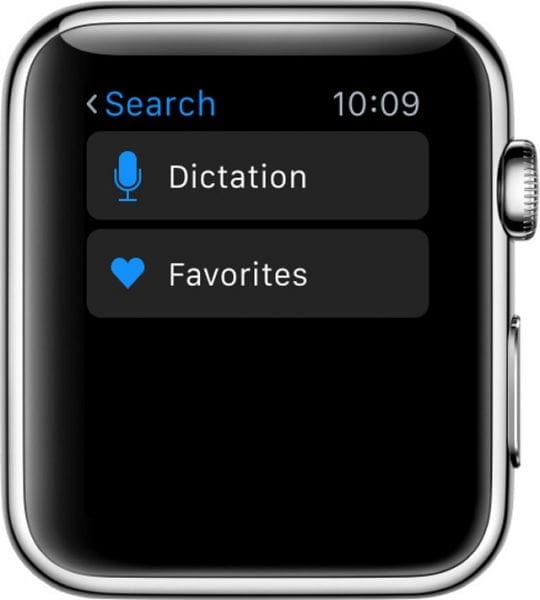
Dictation on Apple Watch
When you use Dictation in an app on your Apple Watch, the dictation language matches the keyboard language for that same app on your paired iPhone. So if you dictate a message on your Apple Watch, the language matches your iPhone’s Messages app language. If you update the keyboard language on your iPhone for an app, the dictation language also changes on your Apple Watch.
Turn Dictation on or off on Apple Watch
To turn Dictation on or off on your Apple Watch, you must go through the paired iPhone. Go to Settings > General > Keyboard > Enable Dictation > On or Off
A Final Word on Privacy
When you use Dictation and connect to the Internet to use Apple Servers, all the things you say and dictate are recorded and sent to Apple for processing. Apple uses this information to support you. Apple encrypts all your data so no one at Apple can see it or hack into it. This encryption key is tied to your particular iPhone or another iDevice.
During dictation (and Siri,) your iDevice also sends other information like your name and the names of your contacts, the name of all your apps on the device, your photo album names, the names of songs in your music collection, and any home-kit enabled device names. This information helps your device, Dictation, and Siri make more informed decisions about what you are saying. To learn more about Apple’s privacy policies, including those for Dictation and Siri, see this page.
Obsessed with tech since the early arrival of A/UX on Apple, Sudz (SK) is responsible for the original editorial direction of AppleToolBox. He is based out of Los Angeles, CA.
Sudz specializes in covering all things macOS, having reviewed dozens of OS X and macOS developments over the years.
In a former life, Sudz worked helping Fortune 100 companies with their technology and business transformation aspirations.
“Need to enable dictation with a smart keyboard?
At the far right of the ‘mini bar’ that pops up at the bottom of your iPad’s screen, look for a downward-facing arrow. Press and hold that arrow, and the software keyboard pops up, including the microphone dictation button.”
Now try it with google docs. It’s like a budget hotel, no mini-bar’.
“Update your Dictation language by tapping Reply or Search, then firmly press the screen, ”
Doesnt make sense my keyboard has neither.
So just “press and hold the globe or emoji symbol, and then select your language from the pop-up menu” instead












“Need to enable dictation with a smart keyboard?
At the far right of the ‘mini bar’ that pops up at the bottom of your iPad’s screen, look for a downward-facing arrow. Press and hold that arrow, and the software keyboard pops up, including the microphone dictation button.”
Now try it with google docs. It’s like a budget hotel, no mini-bar’.
And no I haven’t found a solution.
“Update your Dictation language by tapping Reply or Search, then firmly press the screen, ”
Doesnt make sense my keyboard has neither.
So just “press and hold the globe or emoji symbol, and then select your language from the pop-up menu” instead
It worked without a hitch on my iPod Touch. Not sure how a microphone would factor into this app. Does it?