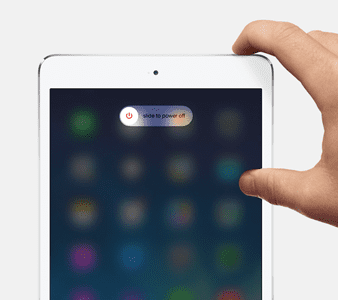
Turn off your device normally by pressing and holding the side or on/off button for a few seconds until the red slider appears, then slide the slider
Remember to wait for the device to turn off entirely, then power back up
If restarting didn’t do the trick, check out our additional solutions below.
Tips to Solve the Activation Error “we’re sorry, we are unable to continue with your activation at this time.”
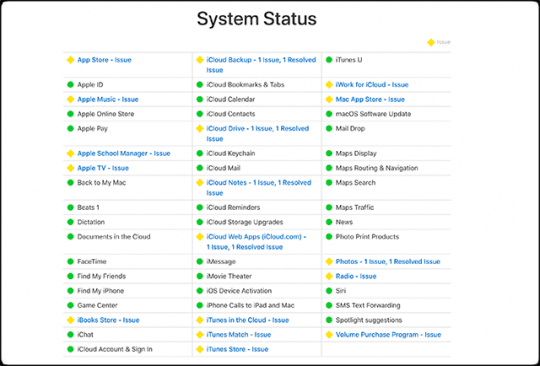
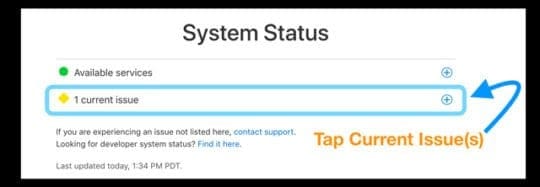
Busy Apple Servers?
If you just received a new device, along with a zillion other people during launch week or on holidays like Christmas, it’s possible that Apple is just plain flooded with traffic requests!
The best course of action is to wait until later in the day or the early morning hours when traffic organically drops.
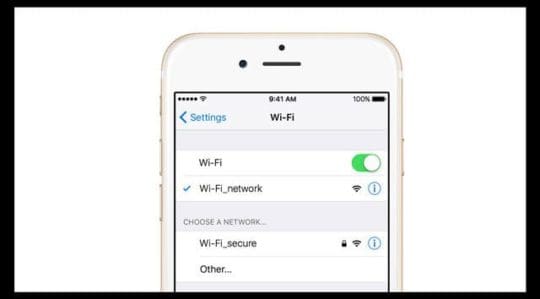
If you have more than one WiFi network available, try using a different 2.4 GHz network
For folks with LTE data, try connecting via cellular data instead of WiFi (turn WiFi off temporarily)
Visit a friend or a local business that offers WiFi and try there
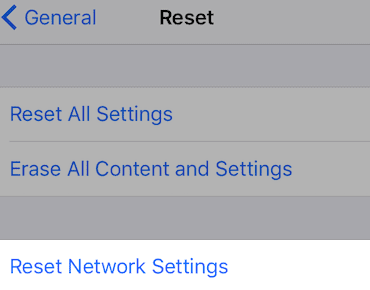
Reset Network Connections
This option resets all your network connection options and sets your device’s network settings back to the factory defaults. Clears your current cellular (if applicable) and WiFi networks, including saved networks, WiFi passwords, and VPN settings.
Before you reset your network’s settings, be sure have your WiFi network name and passwords available for re-entry.
Another viable option is to reset your network
Go to Settings > General > Reset > Reset Network Settings
You need to sign in again with your password to WiFi networks
Activate Via iTunes Instead of OTA (Over-The-Air)
How do I activate my iPhone through iTunes?
All you need is access to a computer with iTunes–it doesn’t have to be your computer
Connect your device with your lightning cable (original if available) and open iTunes
Turn your device on
Wait while iTunes detects and activates your device and follow the on-screen prompts
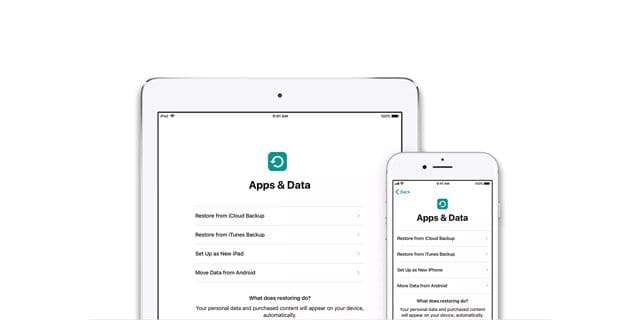
If iTunes shows, “Set up as New” or “Restore from Backup,” it means that iTunes activated your device
If an error in iTunes says that the SIM card isn’t compatible, contact your carrier for a different SIM
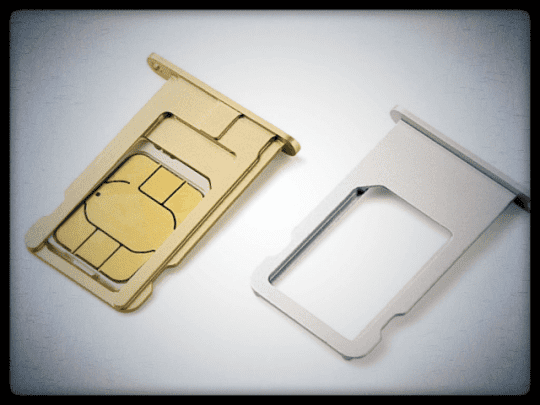
Change Your SIM Card or Remove/Reinsert
Try another SIM card and see if you can activate
Or if another SIM isn’t available, check that your current SIM is seated correctly in the SIM Tray
If your device normally uses a SIM, make sure there is a SIM card in place–even if you intend to use the device as WiFi only and don’t have an active mobile contract
Try a Forced Restart
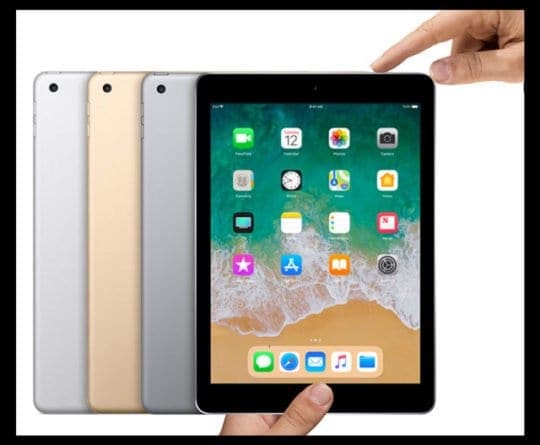
On an iPhone 6S or below plus all iPads & iPod Touches, press Home and Power at the same time until you see the Apple logo
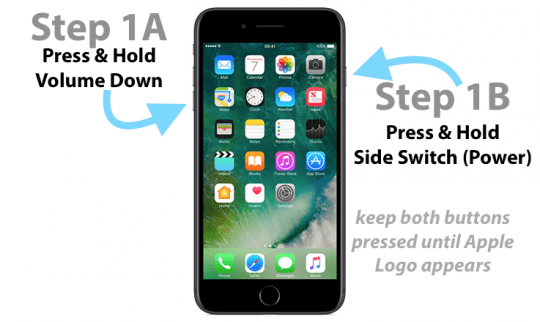
For iPhone 7 or iPhone 7 Plus: Press and hold both the Side and Volume Down buttons for at least 10 seconds, until you see the Apple logo
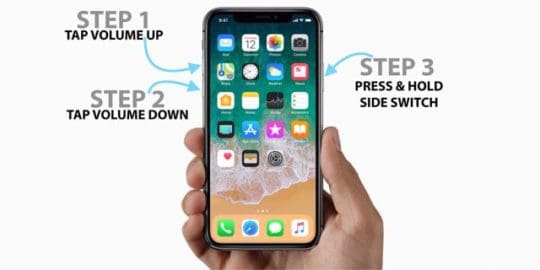
On an iPad or iPhone with no home button or an iPhone 8 or iPhone 8 Plus: Press and quickly release the Volume Up button. Then press and promptly release the Volume Down button. Finally, press and hold the Side button until you see the Apple logo
If iTunes is already open, close it. Connect your device to your computer and open iTunes
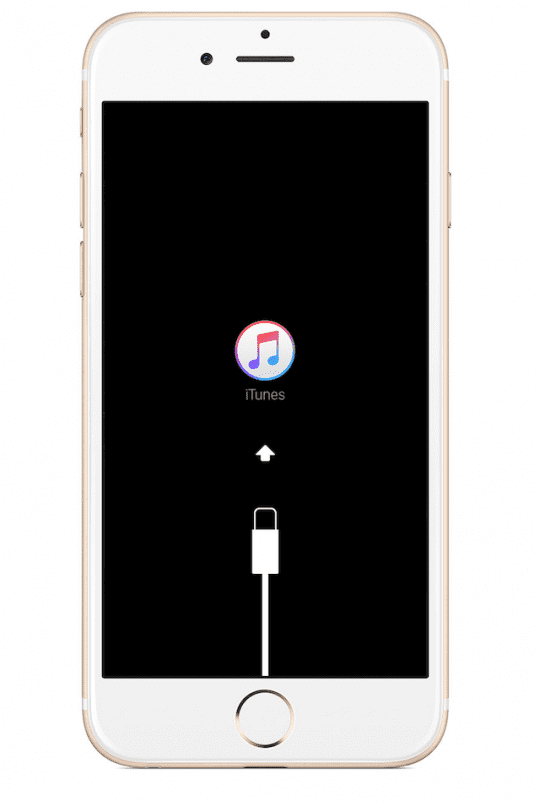
While your device is connected, force restart it using the steps listed above, BUT DON’T release the buttons when you see the Apple logo, wait until the connect to iTunes screen appears
If the apple logo first appears, that’s fine. Just wait a little longer, and then the Connect to iTunes logo appears. Thanks to our reader Sarah for this additional info!
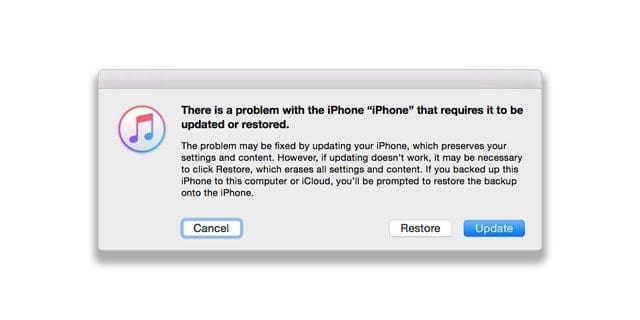
When you see the option to Restore or Update, choose Update
iTunes attempts to reinstall iOS without erasing your data
If the download takes more than 15 minutes and your device exits the connect to iTunes screen, let the download finish, then go back to step 3
After the Update or Restore completes, set up your device
Reader tips
For Sarah, she decided to manually delete everything instead of factory resetting. Sarah also notes that if you see the Apple Logo after holding down the home button and plugging in the USB, be patient and wait for the iTunes logo to appear on your device’s screen
Obsessed with tech since the early arrival of A/UX on Apple, Sudz (SK) is responsible for the original editorial direction of AppleToolBox. He is based out of Los Angeles, CA.
Sudz specializes in covering all things macOS, having reviewed dozens of OS X and macOS developments over the years.
In a former life, Sudz worked helping Fortune 100 companies with their technology and business transformation aspirations.
I have an old iPhone 3g and I can’t use it because it is stuck on the iTunes screen and only lets me make an emergency call.
I get the “We’re sorry, we are unable to continue with your activation at this time. Please try again later, or contact customer support. ” message when it is plugged into iTunes.
I tried hard resetting and restoring but no results.
I even have its old sim card but it says it needs a sim that is not pin locked to be activated. Plz, help!!
Is this iPhone associated with any Apple ID? If so, try temporarily removing it and then use iTunes to activate the device.
Try using a different SIM card–if the iPhone 3G is locked to a carrier, the SIM needs to be from that specific carrier. You can’t restore/activate an iPhone 3G model without a sim card in the phone.
The SIM doesn’t have to be associated with any active service.
Once you add in a SIM card, then try to activate the phone.
If you are able to activate it, we recommend you leave that SIM card in the phone to so you don’t get error messages about no SIM.
Sarah is officially a goddess! No other resolution board had the suggestion she made, and it’s the only one that got me passed square one. This page should be the #1 hit on Google results!
This solved a long-standing problem for me. My iPhone would not activate. This procedure updates my IOS and firmware and activates my phone. Thank you very much!!!
Sorry that you still see that activation message. If you have access to a computer with iTunes, try that.
Activate your iPhone through iTunes
Usee the latest version of iTunes
Open iTunes and connect your device with the cable that came with it
Wait and see if iTunes detects and activates your iPhone:
If iTunes shows, “Set up as New” or “Restore from Backup,” it means that iTunes activated it
If an error in iTunes says that the SIM card isn’t compatible, report this issue to your carrier
If nothing works, set up an Apple Store Genius Bar reservation or visit an Apple Authorised Service Provider.
Thank you! Thank you! Thank you! My new phone was not activating.
The “tech” person at Apple did not have the least idea what she was doing. She basically just seemed to do some kind of search on a computer, and then said she would send me some articles.
She sent me the articles, and of course they were no help at all.
THEN I did a search using the words “We are unable to continue with your activation at this time.”
And voila, I found this article, and more than 24 hours later I have finally activated the new iPhone!!! Woot woot!!!
This worked! Thanks so much! I decided to just manually delete everything instead of using the factory reset because it seemed to have problems doing that. Thanks for the advice!
Also, note: When you hold down the home button and then plug in the USB, it’s okay if the apple logo appears. Just wait a little longer and then the iTunes logo will appear. (This happened to me and it surprised me so wanted to share that with anyone having the same issue.)
Make sure you have iTunes 7.5 or later. Apple recommends using the latest version of iTunes.
Disconnect the USB cable from the iPhone or iPod touch.
Turn off the device (hold the Sleep / Wake button pressed for a few seconds until a red slider appears, then slide the slider. Wait for the iPhone or iPod touch off.
Hold down the Home button while reconnecting the USB cable. When reconnecting the USB, the device should connect.
Note: If you see the message “Loading … Please Wait” or the screen shown below, let the device charge for at least 10 minutes to ensure the battery has some charge and then start again at step 2.
Continue holding the Home button while iPhone starts. While it is booting, you will see the Apple logo.
When you see “Connect to iTunes” screen, you can release the Home button and iTunes will display the recovery message:
I have this problem also, but my home button doesn’t work. I wanted to download an app to replace the home button, but can’t activate my phone no more. Is there a possibile way to activate it anyways? Or I’ll have to physically change the home button?
Thanks











I have an old iPhone 3g and I can’t use it because it is stuck on the iTunes screen and only lets me make an emergency call.
I get the “We’re sorry, we are unable to continue with your activation at this time. Please try again later, or contact customer support. ” message when it is plugged into iTunes.
I tried hard resetting and restoring but no results.
I even have its old sim card but it says it needs a sim that is not pin locked to be activated. Plz, help!!
Hi Adam,
Is this iPhone associated with any Apple ID? If so, try temporarily removing it and then use iTunes to activate the device.
Try using a different SIM card–if the iPhone 3G is locked to a carrier, the SIM needs to be from that specific carrier. You can’t restore/activate an iPhone 3G model without a sim card in the phone.
The SIM doesn’t have to be associated with any active service.
Once you add in a SIM card, then try to activate the phone.
If you are able to activate it, we recommend you leave that SIM card in the phone to so you don’t get error messages about no SIM.
The only thing that worked for me on this new iPhone 6S.
Sarah is officially a goddess! No other resolution board had the suggestion she made, and it’s the only one that got me passed square one. This page should be the #1 hit on Google results!
My problem is solved , thank you for the article
This solved a long-standing problem for me. My iPhone would not activate. This procedure updates my IOS and firmware and activates my phone. Thank you very much!!!
Chose update & get back to the same screen: We’re sorry, we are unable to continue with your activation at this time.
Hi Dan,
Sorry that you still see that activation message. If you have access to a computer with iTunes, try that.
Activate your iPhone through iTunes
Usee the latest version of iTunes
Open iTunes and connect your device with the cable that came with it
Wait and see if iTunes detects and activates your iPhone:
If iTunes shows, “Set up as New” or “Restore from Backup,” it means that iTunes activated it
If an error in iTunes says that the SIM card isn’t compatible, report this issue to your carrier
If nothing works, set up an Apple Store Genius Bar reservation or visit an Apple Authorised Service Provider.
Sam
After reading so many articles, “Go Into Recovery Mode Using iTunes” is the one that helped. Thank you so much!
Many thanks!
Thanks this worked!
Thank you! Thank you! Thank you! My new phone was not activating.
The “tech” person at Apple did not have the least idea what she was doing. She basically just seemed to do some kind of search on a computer, and then said she would send me some articles.
She sent me the articles, and of course they were no help at all.
THEN I did a search using the words “We are unable to continue with your activation at this time.”
And voila, I found this article, and more than 24 hours later I have finally activated the new iPhone!!! Woot woot!!!
Thanks!!!
Awesome Share Cindy!
Thanks for letting us and our readers know this works. Yippee!
Liz
Tried it and still having the same message
This worked! Thanks so much! I decided to just manually delete everything instead of using the factory reset because it seemed to have problems doing that. Thanks for the advice!
Also, note: When you hold down the home button and then plug in the USB, it’s okay if the apple logo appears. Just wait a little longer and then the iTunes logo will appear. (This happened to me and it surprised me so wanted to share that with anyone having the same issue.)
hi i have my iphone activatin prablem i mack restore i chack it but still same parablem what can i do
Make sure you have iTunes 7.5 or later. Apple recommends using the latest version of iTunes.
Disconnect the USB cable from the iPhone or iPod touch.
Turn off the device (hold the Sleep / Wake button pressed for a few seconds until a red slider appears, then slide the slider. Wait for the iPhone or iPod touch off.
Hold down the Home button while reconnecting the USB cable. When reconnecting the USB, the device should connect.
Note: If you see the message “Loading … Please Wait” or the screen shown below, let the device charge for at least 10 minutes to ensure the battery has some charge and then start again at step 2.
Continue holding the Home button while iPhone starts. While it is booting, you will see the Apple logo.
When you see “Connect to iTunes” screen, you can release the Home button and iTunes will display the recovery message:
didn’t also work. it just show me the same message.
I have this problem also, but my home button doesn’t work. I wanted to download an app to replace the home button, but can’t activate my phone no more. Is there a possibile way to activate it anyways? Or I’ll have to physically change the home button?
Thanks