• Skip to primary navigation
  • Skip to main content
  • Skip to primary sidebar
  • Skip to footer

AppleToolBox

Tools and Fixes for Mac, iPad, iPhone & iWatch

Search posts

  • About
  • Contact

CONNECT WITH US

CATEGORIES

  • iPhone
  • iPad
  • iPod
  • Apple Watch
  • Mac/MacBook
  • AirPods
  • Apple TV
  • News
  • Apple Services
  • HomePod
  • Reviews

SITE

  • Home
  • About Us
  • Contact
  • Advertise

Search posts

You are here: Home / iPhone / Best Safari Alternatives for 2026

Best Safari Alternatives for 2026

By Louis Roundtree 0 comments Last updated February 13, 2026

Things to Know
  • Safari is the default browser for all iOS and macOS devices, but it’s not the only one you can use.
  • If you use Microsoft Edge or Bing on other devices, you can sync your data and use the same features on your Apple devices.
  • For added familiarity, you can use Google Chrome or opt for a higher privacy browser like DuckDuckGo or Firefox.

Love your Apple devices, but want a different internet browser? Not everyone loves Safari, the default browser. It can be difficult to move tabs around and customize the interface to your liking. And, despite the incognito mode, it’s not the top performer in terms of privacy.

Here are four of the best Safari alternatives to try on any iOS device.

Contents

  • Best Safari Alternatives for Overall Privacy: DuckDuckGo
  • Best Safari Alternatives for Compatibility: Google Chrome
  • Best Safari Alternatives for Microsoft Users: Bing
  • Best Safari Alternatives for Blocking Trackers: Firefox

Best Safari Alternatives for Overall Privacy: DuckDuckGo

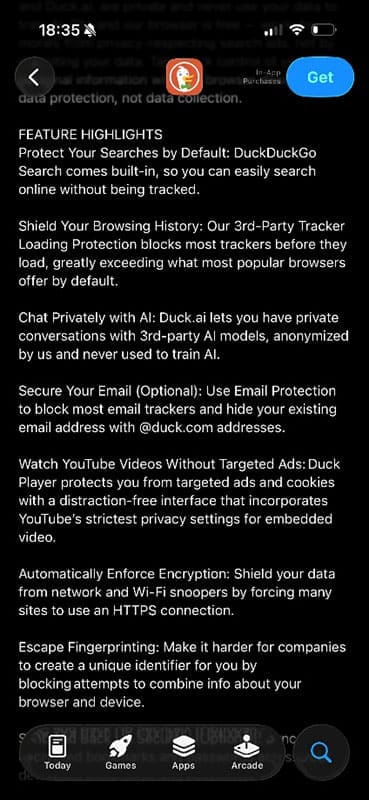
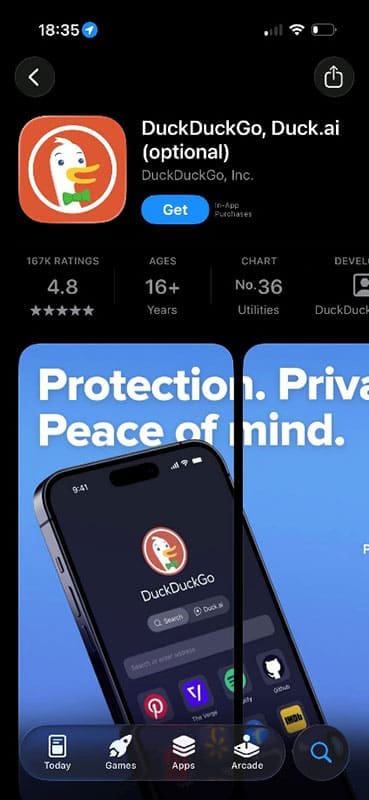
DuckDuckGo is a popular browser choice for anyone wanting to shield their browsing history or stop companies from creating “profiles” of their activity.

DuckDuckGo also guarantees that the browser won’t collect and use your data to train AI. There is an included AI chatbot, but you’re not forced to use it.

Best Safari Alternatives 2

Best Safari Alternatives for Compatibility: Google Chrome

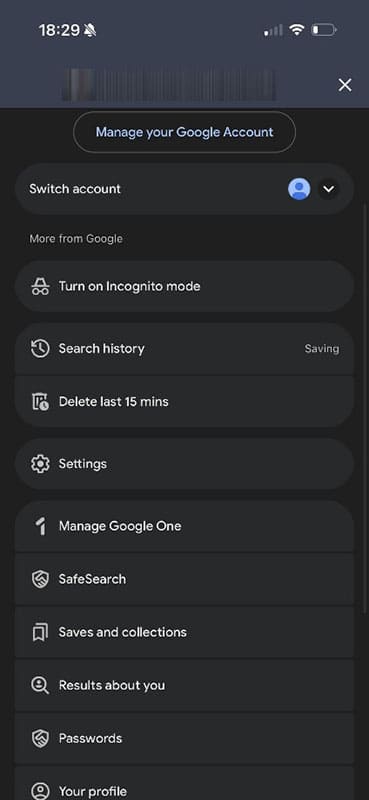
If you’re a Google user, the iOS/macOS Chrome app connects seamlessly to apps you’re already using. Plus, you can log in with your Google ID and instantly get all your passwords, bookmarks, and favorites from any other device.

Best Safari Alternatives 3

You can head into your Google account at any time to check settings, turn on incognito mode, or change your SafeSearch choices. There are also tabs for history, notifications, and even any screenshots you’ve taken, assuming these have been saved to your Google Photos storage.

Best Safari Alternatives 4

Chrome allows you to search by image, pick out the text from an image and search for that, or use its AI, Gemini. Interestingly, the iOS version of Chrome doesn’t force users to see an AI overview unless you switch to AI mode. On Windows, the default is always to provide the AI overview.

Best Safari Alternatives 5

Best Safari Alternatives for Microsoft Users: Bing

Microsoft users will be familiar with MS Edge as their browser. On iOS devices, it’s the Bing app you’ll want to download. Log in with your Microsoft account details, and you’ll instantly see your MS account and any associated rewards.

Best Safari Alternatives 6

Bing includes a browser, news feeds, and AI support. It also gives you points for searching and reading articles, which add up over time, and you can swap them for Amazon vouchers or other rewards. There’s a handy image search function that will use photos straight from your phone. However, there are very few privacy features, and Microsoft really pushes you to use Copilot and AI search.

Best Safari Alternatives 6

Best Safari Alternatives for Blocking Trackers: Firefox

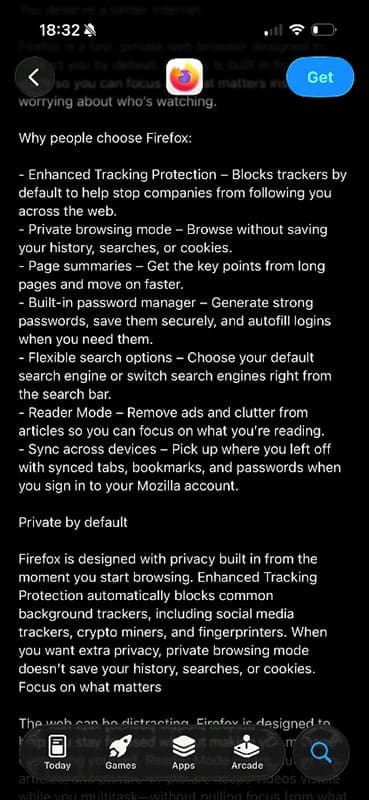
Another top choice for privacy-conscious searchers is Firefox. Top features include a private browsing mode, a built-in password manager, and an ad remover.

Best Safari Alternatives 8

Unlike most other browsers, Firefox automatically blocks trackers to prevent companies from following your activity across the internet.

Best Safari Alternatives 9

Related Posts:

  • Screen Shot 2021-08-21 at 6.58.10 PM
    DuckDuckGo's Email Privacy Features Might Beat Apple
  • How-to-use-Profiles-in-Safari-on-macOS-Sonoma
    How to Use Profiles in Safari on macOS Sonoma
  • Google Chrome on iPhone 13 Pro 2
    How to Use Face ID With Incognito Tabs in Chrome on iPhone
  • A problem occurred with this webpage so it was reloaded, fix
    Can’t Clear the Browsing History in Safari on Your…
  • 2023 Mac Studio lifestyle - 1
    macOS Could Not Be Installed, How-To Fix
  • Google search engine on iPhone
    How to Change the Default Search Engine for Every…
  • Close up of Safari browser icon on iPhone screen
    Comparing the Best Web Browsers for iPhone or iPad
  • pexels-karolina-grabowska-4397838
    How To Share (and stop sharing) Apple Watch Activity…
  • photo of an iphone with ios 16 downloaded on it
    iOS 16 Tips and Tricks: The Definitive List
Louis Roundtree
Louis Roundtree

As an avid gamer, I’ve run into my fair share of error codes and weird faults that have forced me to find fixes to problems I never anticipated. That gave me a passion for sharing those fixes with others so we can all game without feeling like our hardware is rebelling against us.

Reader Interactions

Write a Comment Cancel reply

Primary Sidebar

Recent Posts

  • What Are iPhone Antennas and Do You Need One?
  • iPhone Alarm Not Going Off in iOS 26? Here’s What to Do
  • How to Fix a Slow Charging iPhone
  • Face ID Not Working on iOS 26? Here’s What to Do
  • How to Clean iPhone Camera Lenses Safely and Effectively
  • How to Restore Deleted Contacts via iCloud

Connect with us

Footer

ABOUT

  • About Us
  • Contact us
  • Advertise
  • Privacy
  • Terms of Use

GUIDES

  • iOS & iPadOS
  • Apple ID
  • iCloud
  • App Store
  • iTunes
  • FaceTime
  • iMessage
  • Siri
  • Books and iBooks
  • Game Center
  • AirPlay

CONNECT

  • Facebook
  • Twitter
  • FeedBurner
  • YouTube

© Copyright 2010-2024 Guiding Tech Media · All Rights Reserved

This site and its content are in no way affiliated or endorsed by Apple, Inc. · Reproduction without explicit permission is prohibited

Last Updated on February 17, 2026 by Louis Roundtree