Apple surprised everyone and released the new Magic Keyboard for iPad Pro ahead of schedule just a little while ago. This marks a few “firsts” for the iPad, while taking advantage of some of the new features that were released in iPadOS 13.4.
Some folks have been wanting a new keyboard to replace the Smart Keyboard Folio due to some limitations. These include the fact that you were “stuck” with just using the single USB-C port on the iPad for everything. Others, ran into problems when it comes to the ability to use the iPad with Smart Keyboard on their lap. The Magic Keyboard for iPad Pro aims to solve all of those problems.
With the new Magic Keyboard, Apple opted to move away from the troublesome Butterfly Switches that were found in the MacBook lineup. This came as no surprise, especially after seeing the release of the new 16-inch MacBook. Then, Apple updated the MacBook Air and 13-inch MacBook Pro with the same keyboard as the 16-inch variant.
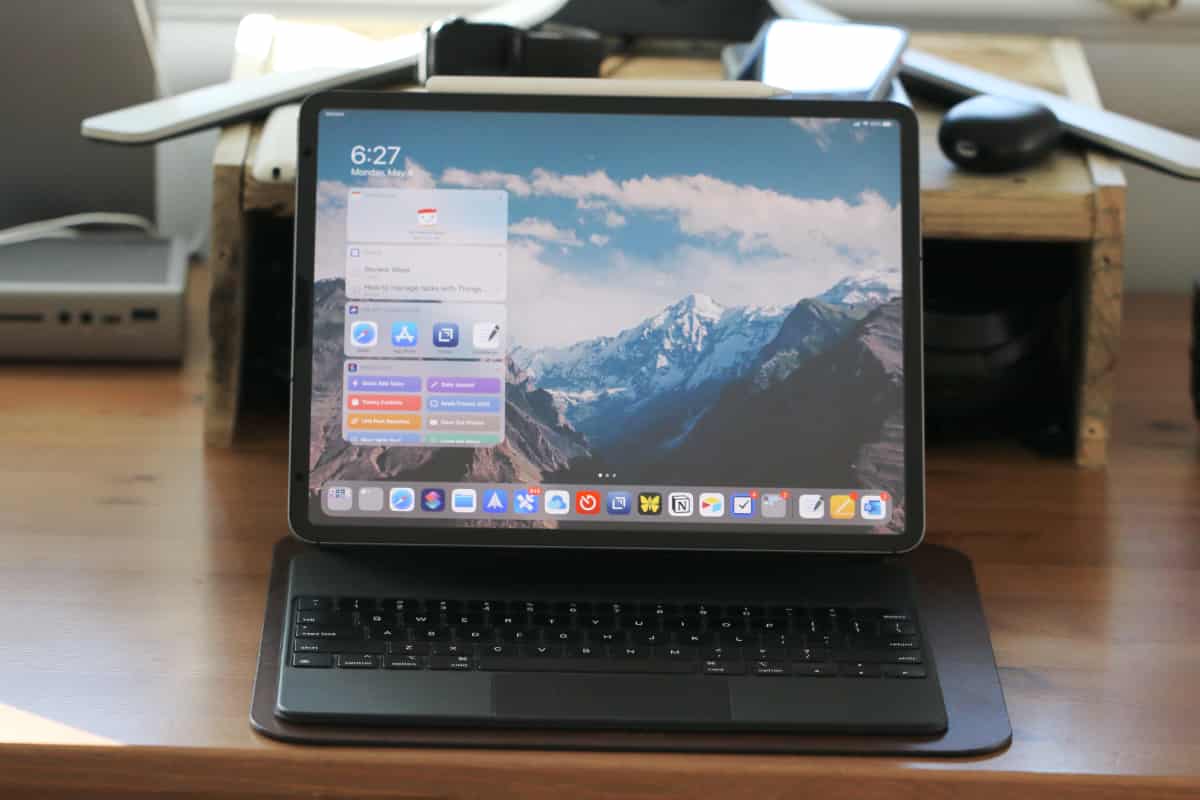
These keyboards are now known as the “Magic Keyboard”, which is the same name as the keyboard for iPad Pro. In addition to an actual, responsive, keyboard, the iPad Pro Keyboard also has backlighting. This is a feature that iPad owners have been wishing for, since the Smart Keyboard Folio has none of this in-tow.
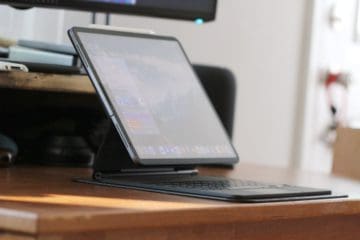
Another great addition is the fact that your iPad now “floats” above the keyboard, with varying angles that can be set with ease. And the biggest feature with this new keyboard is the added trackpad at the bottom. With the Keyboard Folio, you were stuck with just two viewing angles, and there was no palm rest, which forced you to perform wrist gymnastics to keep the Folio from moving around too much.
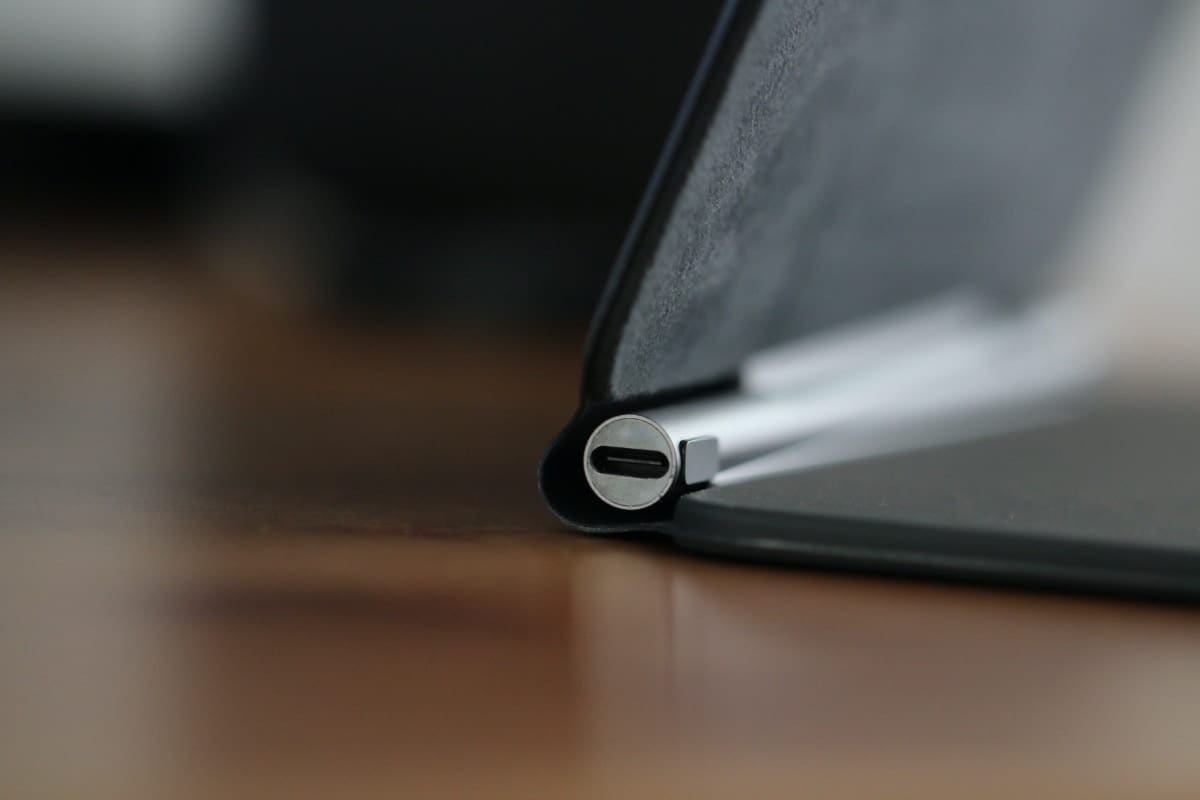
Finally, Apple added another USB-C port to the “hinge” of the Magic Keyboard for iPad Pro. There was a lot of speculation as to what Apple would allow the users to do with this, and whether the connected “barrel” would act as an external power source.
What can the USB-C port do?
Now that the Magic Keyboard for iPad Pro is in the hands of the masses, there is a lot that has been discovered. Notably, this additional USB-C port does nothing more than add another method for you to charge the iPad. But you won’t have to worry about anything funky here, as the USB-C port on the iPad Pro is now left completely free.
This isn’t much of a hassle for those who have something like the HyperDrive USB Hub, but those who were living the dongle life tended to be stuck. With the Magic Keyboard, you can plug your charger into the USB-C barrel, and use the iPad’s port to be used to connect peripherals like SD Card dongles, and more.
The magic of this charging method is that the Magic Keyboard uses the Smart Connector pins to provide passthrough charging. Since the Magic Keyboard is compatible with both the 2020 and 2018 iPad Pro, the connector pins have been unchanged.
How fast does the iPad Pro charge through the Magic Keyboard case?
Perhaps one of the biggest question you may have is whether you will end up “taking a hit” in charging speeds. When plugged into a properly-sized charger, the Magic Keyboard will charge at a rate of up to 22W until the iPad hits 80%. In comparison, plugging the same charger directly into the iPad Pro will result in a charging rate of up to 25W.
So what happens at 80%? Well, Apple has integrated some software tweaks as to not harm the battery with it ending up being charged too quickly. At 80% the integrated power delivery system detects the percentage and slows the rate until it has reached 100%.
Matt Birchler, over at BirchTree provided a graph to show the two charging speeds compared side by side. As you can see from the chart, both charging methods are pretty quick, with the Magic Keyboard falling slightly behind after reaching the 50% mark. At the two-hour mark, you can see that the standard USB-C port provides a charge of a little more than 80%, while the Magic Keyboard falls just slightly short of that.
All of that is to say that no matter which method you choose, both work perfectly fine. Being able to get more than 20W of power out of the Magic Keyboard with the Smart Connector pins, is pretty darn impressive. I just wish Apple had made it possible to use this with a USB-C dongle, instead of leaving it just for power. But hey, beggars can’t be choosers.
Andrew Myrick is a freelance writer based on the East Coast of the US. He enjoys everything to do with technology, including tablets, smartphones, and everything in between. Perhaps his favorite past-time is having a never-ending supply of different keyboards and gaming handhelds that end up collecting more dust than the consoles that are being emulated.
I have a 3rd generation iPad Air. I went to the Apple Store because it is hard to charge my iPad. I have to get it the fight way. The worker at the store told me I could get a keyboard that would charge my iPad with the 3 little buttons on the side. I am having trouble finding which one he is talking about. Any help would be appreciated! I want to buy one but need to find it. Thank you
Magic, floating keyboard barrel USB-C port no longer charges the iPad. It used to work so I bought a dongle for the USB-C port on the iPad. Now, the barrel port on the Magic Keyboard does nothing whatsoever. When the iPad is charged, the keyboard and trackpad work, however, it’s a barrel charge port on the keyboard does nothing even when using Apple cable and power adapter. Please help.
I purchased a 12.9: iPad pro with the Magic Keyboard and plan to get a 10.9″ iPad Air for my wife.
Will I be able to charge the iPad Air with the 12.9″ keyboard? Thanks




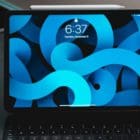





I have a 3rd generation iPad Air. I went to the Apple Store because it is hard to charge my iPad. I have to get it the fight way. The worker at the store told me I could get a keyboard that would charge my iPad with the 3 little buttons on the side. I am having trouble finding which one he is talking about. Any help would be appreciated! I want to buy one but need to find it. Thank you
Magic, floating keyboard barrel USB-C port no longer charges the iPad. It used to work so I bought a dongle for the USB-C port on the iPad. Now, the barrel port on the Magic Keyboard does nothing whatsoever. When the iPad is charged, the keyboard and trackpad work, however, it’s a barrel charge port on the keyboard does nothing even when using Apple cable and power adapter. Please help.
I purchased a 12.9: iPad pro with the Magic Keyboard and plan to get a 10.9″ iPad Air for my wife.
Will I be able to charge the iPad Air with the 12.9″ keyboard? Thanks