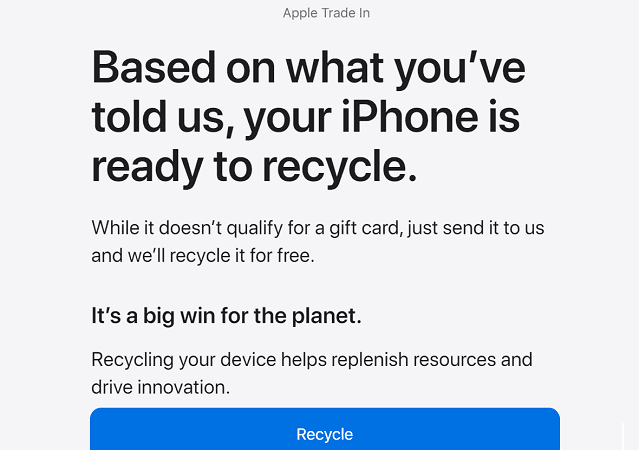
Apple’s products aren’t exactly cheap. But the good news is that you can trade in your old iPhone for credit towards your new purchase or an Apple Gift. Use the second option if you’re not ready for a new purchase. Thanks to Apple’s Trade In Program, you can get the newest iPhone model without paying the full price. If your device is not eligible for trade-in, Apple will gladly recycle it for free.
Check the Estimated Trade-in Value for Your iPhone
Ideally, you should not wait more than two years to trade in your old iPhone. Trade-in values vary based on the year your iPhone was manufactured, and its configuration. Keep in mind that not all iPhone models are eligible for trade-in.
Apple will give you a quote based on the current condition of your device. If you accept the trade-in estimate online, they’ll send you a prepaid kit that you can use to send in your old iPhone.
⇒ Important Note: You’ll pay the full price upfront for your new device. You’ll get the trade-in discount after Apple’s partners have evaluated your old phone.
Here’s How Much Your Old iPhone Is Worth
iPhone Model
Max Trade-In Value in 2022
iPhone 12 Pro Max
$650
iPhone 12 Pro
$550
iPhone 12
$420
iPhone 12 Mini
$320
iPhone SE (2nd generation)
$150
iPhone 11 Pro Max
$420
iPhone 11 Pro
$350
iPhone 11
$300
iPhone XS Max
$250
iPhone XS
$200
iPhone XR
$200
iPhone X
$170
iPhone 8 Plus
$160
iPhone 8
$100
iPhone 7 Plus
$90
iPhone 7
$50
iPhone 6S Plus
$50
iPhone 6s
$30
Transfer Your Data and Reset Your Device
Transferring your data from your old iPhone to your new device has never been easier. With QuickStart, you can set up your new iPhone in under 5 minutes. Put your devices close together, launch QuickStart and use your Apple ID to set up your new device. Simply follow the on-screen instructions to complete the setup process.
After transferring your data and resetting your old iPhone, you can send the device to Apple using the prepaid trade-in kit they previously sent you. The kit usually arrives a few days after your new iPhone. You have 14 days to mail it back. Alternatively, you can trade in your device at an Apple Store.
If the condition of your device doesn’t match what you described, Apple will provide a revised trade-in value. If you don’t accept the new value, you’ll get your device back at no charge.
The online trade-in process usually takes 2-3 weeks to complete starting from the moment you send your old iPhone to Apple. The company needs a few days to verify the condition of your device and process your credit or gift card.
You can trade in non-Apple devices as well. The company opened its trade-in program to third-party devices in 2015. Feel free to trade in your Android device and switch to iPhone. You won’t regret your choice.
You can trade in multiple devices. The cumulated trade-in value goes towards the cost of a new device.
If your iPhone is locked, you cannot trade it in. Apple ships all locked devices back to the sender. You need to disable the activation lock and remove the device from your Apple account before sending it in.
Keep in mind that you can’t cancel the trade-in after sending in your device. You can cancel your request only if you haven’t shipped your device yet.
There’s no need to include accessories in the prepaid trade-in kit. But if you want Apple to recycle your old accessories, feel free to ship them as well.
Conclusion
To trade in your old iPhone, go to Apple’s Trade-In webpage and answer a few questions about your device to check how much it’s worth. Then, transfer your data to your new device and reset your old iPhone to factory settings. You can now send your old iPhone to Apple using the prepaid trade-in kit. The company reserves the right to revise your trade-in value if the condition of your device doesn’t match what you described.
What do you usually do with your old iPhone? Do you trade it in or simply give it to your kids? Let us know in the comments below.
Madalina has been a Windows fan ever since she got her hands on her first Windows XP computer. She is interested in all things technology, especially emerging technologies — AI and DNA computing in particular.












Write a Comment