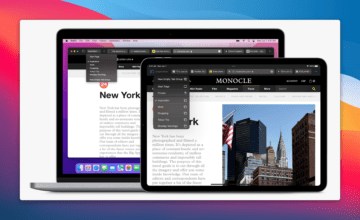
When MacOS Monterey arrives later this year, there are quite a lot of new features coming to Mac users everywhere. One of the more controversial changes comes in the form of Safari 15. In an effort to “streamline” the address bar, Apple has redesigned Safari with a unified tab bar, removing various buttons and changing how tabs are managed.
This continues to be a point of contention amongst those using the macOS Monterey beta. However, if you want to try out Safari 15 for yourself without downloading Monterey, you can do so. Apple has an app called the Safari Technology Preview, which allows users to try out new features.
According to 9to5Mac, Apple has started inviting users to try out this new version of Safari through the “AppleSeed Program”. However, you won’t be able to join the AppleSeed Program yourself, as Apple determines which users are selected to beta test specific applications.
We are extending you an invitation to join the AppleSeed Program and to take part in shaping Safari 15 for macOS Big Sur and Catalina. As a participant, you’ll get to test-drive pre-release software and provide your feedback.
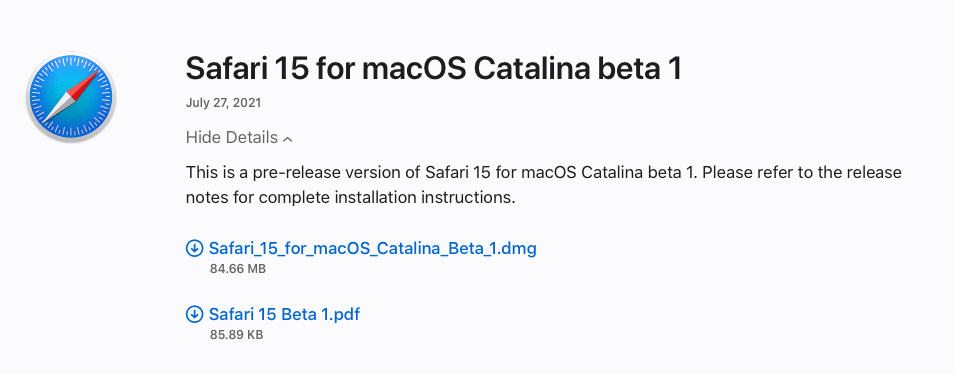
But starting today, Apple has introduced the first Safari 15 beta, available for those who are not on Monterey. Think of this like installing the Google Chrome Beta or Microsoft Edge Beta instead of the regular version.
As you would expect, this is just a beta version of Safari, but you don’t need to upgrade to the macOS beta to try things out.
How to Download Safari 15
If you want to give this new version of Safari a shot, without upgrading your machine to the less-than-stable MacOS Monterey, it’s pretty easy. Just follow these steps and you’ll end up with the new beta version of Safari.
Once the app is finished downloading, you’ll now have the Safari 15 beta on your pre-macOS Monterey machine. And whenever updates are made available, you’ll see a prompt appear from the System Preferences. From there, just download the latest beta so that you can keep the most up to date version of the app.
What Do You Think About the New Safari?
With the recent release of macOS Monterey Beta 4, Apple has started reversing its course on many of the drastic changes in Safari. This has resulted in giving users more control over how the address bar looks, along with better overall tab management. In fact, Apple is making similar changes to Safari on both iOS 15 and iPadOS 15 following developer feedback.
Have you had an opportunity to try out the new Safari for yourself? Let us know in the comments below what you think about these changes. Did you stick with the redesigned address bar, or did you opt back into using the old style?
Andrew Myrick is a freelance writer based on the East Coast of the US. He enjoys everything to do with technology, including tablets, smartphones, and everything in between. Perhaps his favorite past-time is having a never-ending supply of different keyboards and gaming handhelds that end up collecting more dust than the consoles that are being emulated.
Thanks for the interesting article. But is there a way to update Safari 15.2 (16612.3.6.1.8, 16612) to Safari 15.2 (17612.3.6.1.6) on macOS 11.6.2 (20G314) Big Sur? Since it does not show in “Apple – About This Mac – Software Update” or App Store. How to force such update? I do not mean any preview or beta version, but final ones. Thanks.








I have Mac OS Mojave. How do I upgrade Safari to 15.
I have inadvertently downloaded Monterey, (being a slow 75 year old) I would like Safari 15.1. Please help me in this
Kind Regards
Tony
Thanks for the interesting article. But is there a way to update Safari 15.2 (16612.3.6.1.8, 16612) to Safari 15.2 (17612.3.6.1.6) on macOS 11.6.2 (20G314) Big Sur? Since it does not show in “Apple – About This Mac – Software Update” or App Store. How to force such update? I do not mean any preview or beta version, but final ones. Thanks.
I get a lot of pages in Safari 15 with lines of boxed question marks. These pages are unreadable.