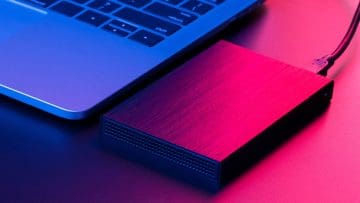
The trouble with Macs is that they are often strapped for hard disk space, and upgrades don’t come nearly as easy as with traditional Windows PCs. As such, if you want to maintain a large collection of games on Steam and other platforms, you may need to rely on external hard drives. Here’s how to install Steam games on external hard drive (Mac edition).
With macOS 15.1 and later, the system can be set to automatically install large files or folders (such as most AAA titles) onto an external drive, so long as one is actually connected. This should be relatively foolproof, overwriting installation defaults for pretty much anything, including
Step 1. Open the Mac App Store on the PC and go to Settings.
Step 2. Check the options “Download and install large apps to a separate disk.”
Step 3. Click on the dropdown below the checkbox and select the drive you want to install the games to.
Note that since this setting is based on the actual connected drives, it would need to be re-enabled every time you connect a different drive to it.
Offload Games From macOS to External Drives Manually
Alternatively, Steam can also directly put macOS games on external drive during installation. All you need is to insert a drive before you try to install a game.
Step 1. Go to the Steam store and select the title you want to buy. If you already have a game in the library, skip this and the next step.
Step 2. Purchase the game.
Step 3. Open the Steam Library and select the title you want to install on an external drive.
Step 4. Click on “Install” on the game’s page.
Step 5. Under “Install to,” select the external hard drive and finish the installation.
Installing Other Games on External Drives on Mac
Similarly to Steam, most other platforms allow you to install the games on external hard drive and then simply load them up as needed. For all intents and purposes, your PC doesn’t differentiate between an external and an internal hard drive, apart from the limited bandwidth for reading and writing when using an external device.
For most games, you will usually get the option of installing it onto an external hard drive during the setup process, either manually or through a dedicated platform.
As an avid gamer, I’ve run into my fair share of error codes and weird faults that have forced me to find fixes to problems I never anticipated. That gave me a passion for sharing those fixes with others so we can all game without feeling like our hardware is rebelling against us.









Write a Comment