Another year, another version of iOS is on the way. This time, Apple is expected to turn up the heat with iOS 16 at WWDC ’22. iOS 15 was largely seen as an iterative or “quality of life” upgrade in many respects. And with the upcoming version of the iPhone’s operating system, it’s likely that we’ll see quite a few new exciting changes.
Aesthetically speaking, iOS 16 won’t look all that different from what your iPhone looks like right now. But as Apple has started making use of OLED display panels in the iPhone, this has opened the door for an Always-on Display to be implemented.
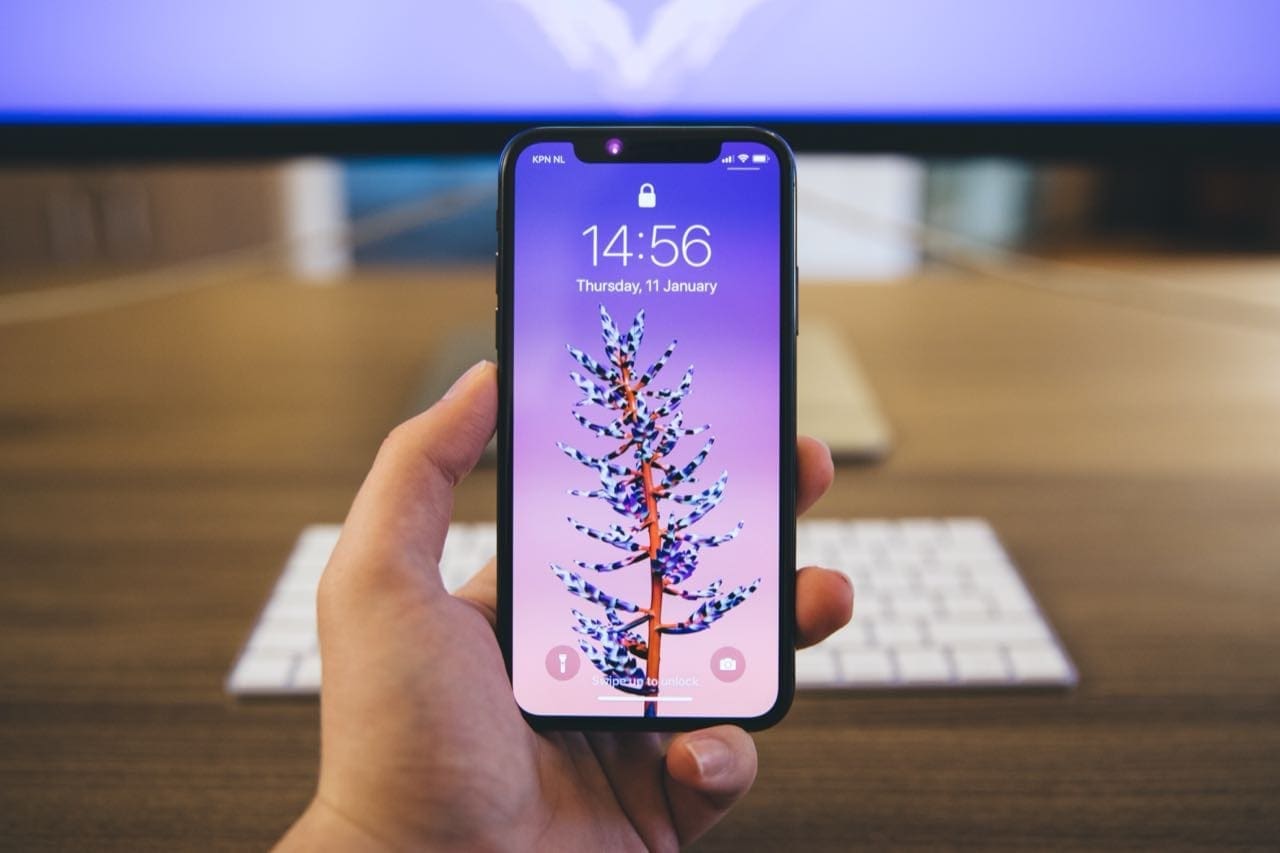
Rumors and speculation point to “major enhancements” coming to the Lock Screen. With an Always-on Display, you’ll be able to see what apps have pending notifications at a glance, as opposed to being greeted to a long list of notifications. You’ll also be able to just glance down at your iPhone and see the time and date. This is a feature that Android users have had for years, but it seems that Apple is finally ready to jump on board.
The only potential catch is that while the Always-on Display will be introduced with iOS 16, it’s not likely to arrive for older devices. Instead, Apple is reportedly set to only make it available on the iPhone 14 Pro and iPhone 14 Pro Max when those devices are announced later this year.
iOS 16: Improved Widgets
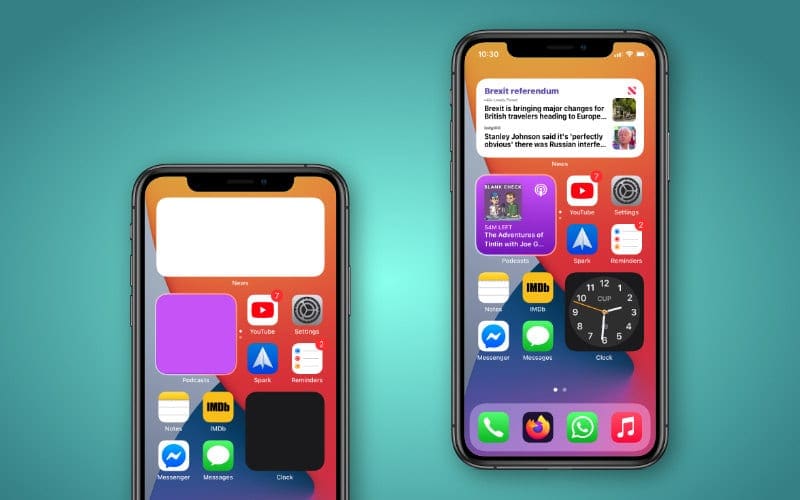
One feature that is expected to come to both iOS 16 and iPadOS 16 is an improved widget experience. Currently, widgets are not exactly interactive and are fairly limited in functionality. They also can only be placed on your Home Screen, but a big change is said to be in the cards.
It’s been a while since Apple revamped the Lock Screen, and it seems that new changes are being announced at WWDC ’22. These include interactive widgets, using an internal name of “InfoShack”. In a leak from @LeaksApplePro, widgets show music playback controls, toggles for the Remote app, and Flashlight, along with a timer widget complete with “Start” and “Lap” buttons.
iOS 16: Better Notifications
When it comes to notifications, there are some that prefer the iOS-style, whereas others would like something more akin to what we see on Android. Details about what changes could be coming with iOS 16 are scarce, but it’s expected to be radically different from what we have now.
“*Using an allowed list for this Focus will cause these settings to be lost on your other devices with newer software.
A device with newer software has updated this Focus to use a new configuration this device doesn’t support. To continue editing notifications on this device, update to the latest software or use an allowed list for this Focus.”
These changes are expected to expand into Apple’s Focus Modes which was released alongside last year’s iOS 15. As spotted by 9to5Mac, Focus Mode will introduce more customization options, but these could be limited to devices running iOS 16, iPadOS 16, and macOS 13. The various customizations have not been revealed, but code changes in the iOS 15.5 beta refer to changes coming to Focus Modes.
iOS 16: Accessibility Features
Apple spilled the beans a bit about some other features that will be arriving for iPhone users. With Global Accessibility Awareness Day upon us, Apple took the time to detail quite a few iOS 16 Accessibility features that plan to vastly improve how you can use your phone.
These include things like Door Detection, which is designed for those who are either blind or have poor vision and helps those find a door when “arriving at a new destination.” Coming soon, users will be able to mirror the screen of their Apple Watch right from their iPhone with Apple Watch Mirroring. As the name suggests, this will display what’s on your Apple Watch on the larger screen of the iPhone. But Apple is also making it possible to control different aspects of your Watch with this enabled.
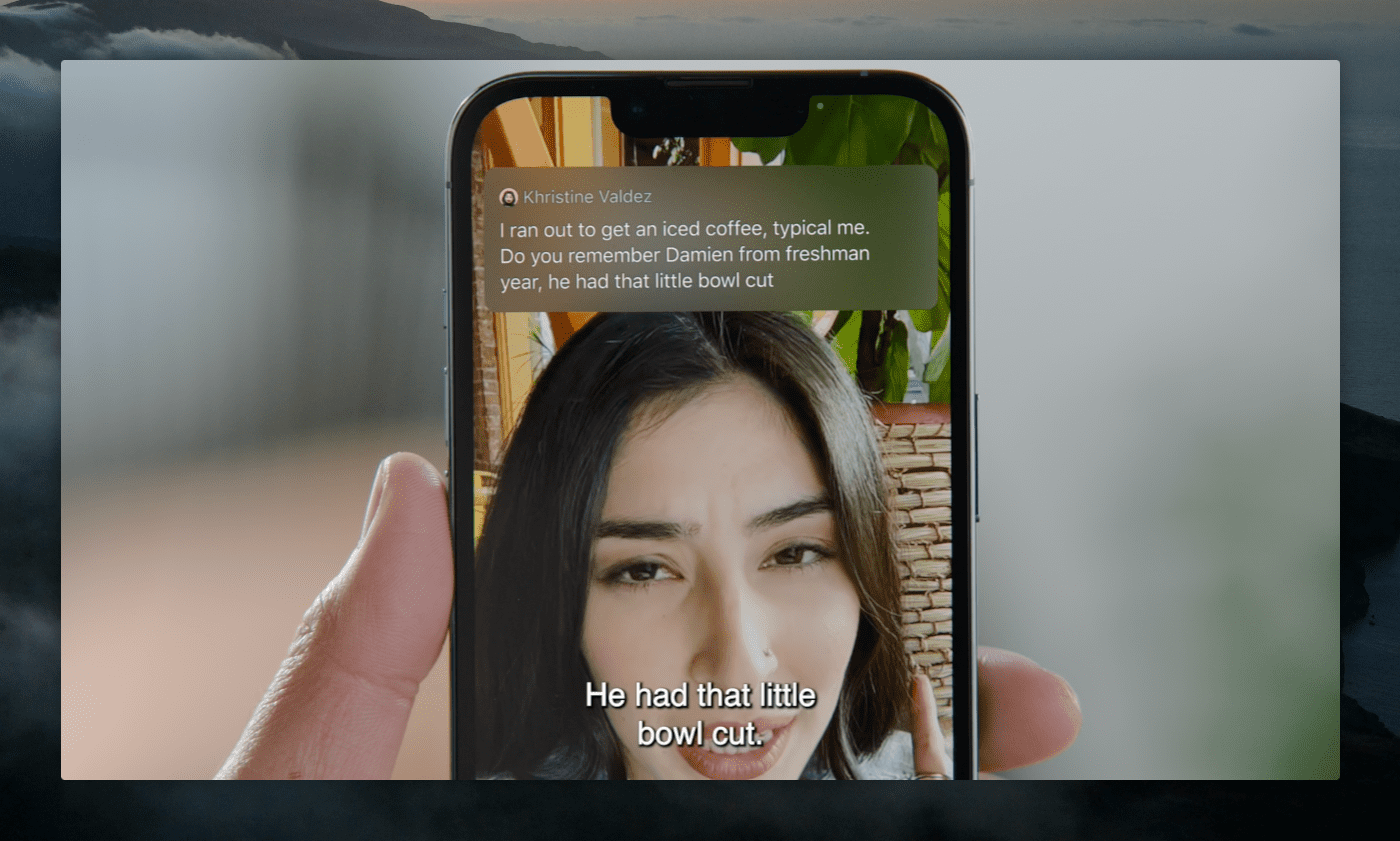
Live Captions is a feature that Android users have had the joy of using for a little while now, but Apple states that Live Captions will be available on the iPhone, iPad, and Mac. This will make it easy to follow along with any type of audio content, including streaming media, videos on social media, or even FaceTime calls.
iOS 16: Device Compatibility
Photo by Torsten Dettlaff
As we’ve noted in the past, Apple is well-known for providing iOS updates to its devices for quite a bit longer than the competition. One example of this is the fact that the iPhone 6s and 6s Plus are still supported by the latest version of iOS. For reference, this is the list of devices that are compatible with the final version of iOS 15:
iPhone 13 mini, iPhone 13, 13 Pro, and 13 Pro Max
iPhone SE (2022)
iPhone 12 mini, iPhone 12, 12 Pro, and 12 Pro Max
iPhone XR
iPhone XS and XS Max
iPhone SE (2020)
iPhone X
iPhone 8 and 8 Plus
iPhone 7 and 7 Plus
iPhone SE (2016)
iPhone 6s and 6s Plus
It’s possible that we see a couple of those devices dropped from the list, including the iPhone 6s and iPhone SE. Considering that Apple recently discontinued the iPod Touch with its A10 chipset, it would make sense for Apple to shorten the list a bit for a revamped iOS 16. That’s not to say that Apple will drop support altogether, but we wouldn’t be shocked if the feature set is different for older devices.
When Will iOS 16 Be Released?
If you’re wondering when you’ll be able to get your hands on iOS 16, developers will have a head start, as always. Apple is expected to release the first iOS 16 Developer Beta after the WWDC ’22 Keynote has been completed. From there, it’s unlikely that we’ll see a Public Beta for at least a month, meaning that non-developers wouldn’t be able to get their hands on the software until sometime in July.
There have been some rumors that the iOS 16 Public Beta could be delayed even further. Considering that this could end up being the biggest update to iOS in years, internal development is said to have been pushed back as Apple tries to pack in all of the new features.
As for the final release, it’s not going to be all that different from years past. The final version of iOS 16 is likely to be released in the Fall, alongside the new iPhone 14 and Apple Watch Series 8.
Andrew Myrick is a freelance writer based on the East Coast of the US. He enjoys everything to do with technology, including tablets, smartphones, and everything in between. Perhaps his favorite past-time is having a never-ending supply of different keyboards and gaming handhelds that end up collecting more dust than the consoles that are being emulated.








Please I like emoji I phone 16