Apple Toolbox

Tools and Fixes for Mac, iPad, iPhone & iPod

  • Mac
  • iPhone
  • iPad
  • How-to
  • Q & A
  • News
  • Reviews
  • Forum
Home / iPad / iPad Air 2 Wi-Fi problems, fix

iPad Air 2 Wi-Fi problems, fix

Last Updated on October 28, 2014 by SK

Several iPad Air owners have reported a variety of wireless network (Wi-Fi) connectivity issues, ranging from slow Wi-Fi to dropping connections. If you are having Wi-Fi connectivity problems while using your iPad Air, here is how you can troubleshoot:

Related: iOS 8: Wi-Fi not working, fix

1.Restart your iPad. To do so, simply press and hold the on/off button until you see the red slider, then slide the slider then again press and hold the on/off button until you see the Apple logo.

2.Turn off and back on your Wi-Fi by going to Settings > Wi-Fi.

3.Tap Settings > Wi-Fi and locate your Wi-Fi network from the list and tap on the (i) button then Forget This Network.

WiFi forget

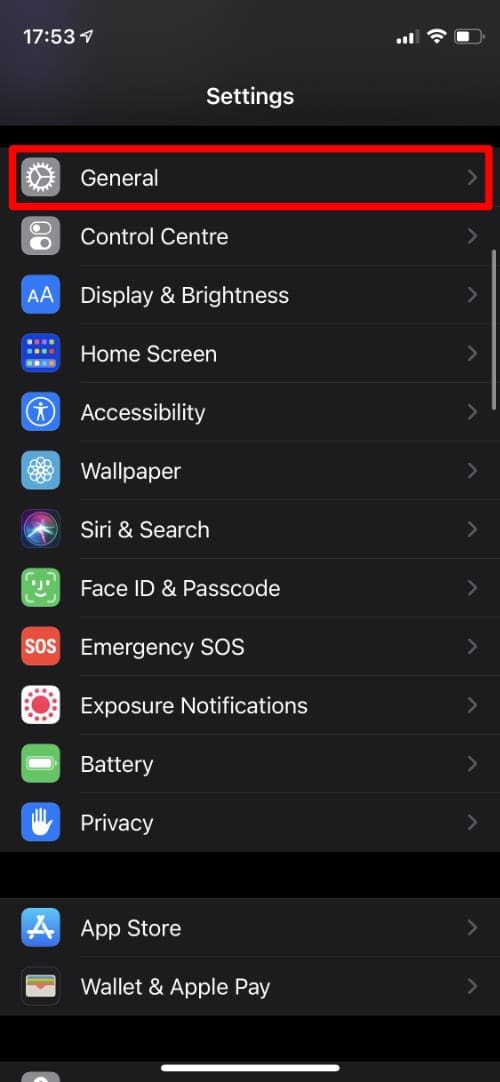
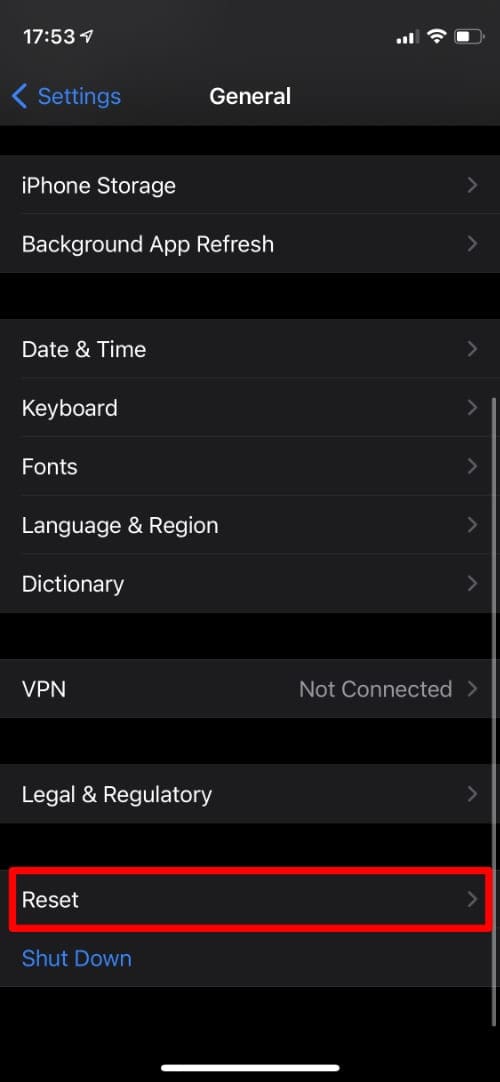
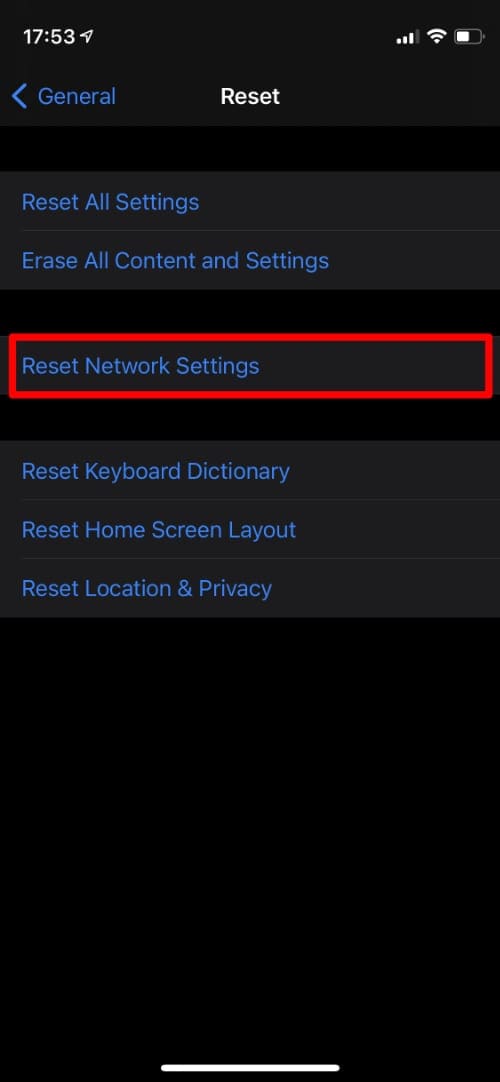
4.Reset network settings by tapping Settings > General > Reset > Reset Network Settings. Please understand that resetting network settings will erase your saved passwords.

5.Disable Wi-Fi networking services by going to Settings > Privacy > Location Services > System Services > Wi-Fi Networking.

iPad wifi networking

6.Try changing the DNS servers on your iPad. You may try Google DNS. Simply tap Settings > Wi-Fi then find your Wi-Fi network and tap on the (i) icon. Now tap on the DNS numbers to edit and enter 8.8.8.8

iPad open DNS configure

7.Restart your Wi-Fi router.

Related Posts:

  • iOS 8: Wi-Fi not working, fix
  • How to prevent your new iPad from overheating
  • iOS 7.0.6: Wi-Fi problems on iPhone & iPad, fix
  • iOS 7: Wi-Fi not working? Fix

Filed Under: iPad Tagged With: iPad

Comments

  1. Grant says

    October 29, 2014 at 2:13 PM

    Thank you – simple well-stated instructions, great results!

    Reply
    • Karen says

      July 12, 2015 at 1:28 PM

      Nope, didn’t work.

      Reply
      • Marie says

        September 14, 2015 at 9:53 PM

        Tried this. Worked the first time. Then the problem comes back. Very irritating

        Reply
    • Collette says

      December 18, 2015 at 4:08 AM

      Got to step 5
      And it seems much better

      Reply
  2. Pedro says

    October 29, 2014 at 4:11 PM

    None of those worked on me.
    I have an air 2 64gb everything is good but the Wi-Fi..on my iPhone 5 i get 30mb/s on speed test, on iPad 0.23 Mbps/s

    Reply
    • Kittagon says

      December 18, 2014 at 9:57 PM

      Me too same problem 🙁

      Reply
      • Ethan says

        January 1, 2015 at 12:14 PM

        Hi I have the same problem. I have a 64GB iPad Air 2 and the Wifi signal keeps cutting out every 30 seconds. I have to manually go back into the settings to connect back to my wifi and enter my password. Its almost as if my iPad forgets the network everytime it disconects from it. Any one have a fix? Also I my dad has the same prblem on his iPhone 6, but I dont have the problem on any of my PCs or my ipone 5c.

        Reply
        • Charlotte says

          January 17, 2015 at 1:27 PM

          Yeh me too and getting sick of this!

          Reply
          • dips says

            March 20, 2015 at 5:33 AM

            Hi…I just bought the Ipad 2 Air WI-FI only 64 MB yesterday and I couldn’t connect to my wi-fi router.

            Now for my case it seems a problem with the cryptography of the router (it’s an old one).
            I did two tests:
            1) If I roll back to WEP security *on my router*, I can connect with the Ipad , otherwise no luck with the WPA2-PSK
            2) if I use my android smartphone as an hotspot, and transmit with WPA2-PSK , I *can* connect the IPAD to the smartphone over that security level.

            I need to do understand better the varius WAP2-PSK, WAP2-AES, WAP-2 etc etc. Maybe there is just confusion on the label used to configure the Ipad…

        • Linda says

          February 22, 2015 at 11:25 AM

          I am using an ASUSN56U and I use WPA2-personal, and manually enter mac addresses for appliances allowed on my network. I was having the same issues with connectivity and then went back into my ASUS and added the WiFi address to the firewall and now it connects at blazing upload and download speeds!

          Reply
        • Marty says

          March 11, 2015 at 9:04 PM

          If using a hub 4 or 5 they have a dual band wireless signal 2.4 and 5 ghz you can go into the hub by typing 192.168.1.254 then advanced settings will ask for password then wireless select 5gh type in 5 ghz after your hub and apply changes then reconnect you will have 2 hub 2 select pick the 5ghz for all high spec equipment

          Reply
          • Colin says

            May 4, 2015 at 12:10 AM

            I don’t understand this is the hub the router?

    • Louis Lendvai says

      February 15, 2015 at 1:54 PM

      Ipod air 2 + cel 64 GB. As of 15 April 2015 I have trouble to conekt wifi. I have tried all suggestions and nothing works for remedy the problem.

      Reply
    • lcn says

      March 3, 2015 at 9:10 PM

      You’re supposed to apply those fixes to the iPad – not yourself!

      Reply
      • Heathee says

        August 23, 2015 at 7:45 PM

        I SO AGREE! I am so happy that I have never purchased an iPhone.

        Reply
    • Gustavo Krause says

      November 3, 2015 at 4:23 PM

      THE SAME HERE! Very irritating

      Reply
    • Peter says

      November 26, 2015 at 4:51 PM

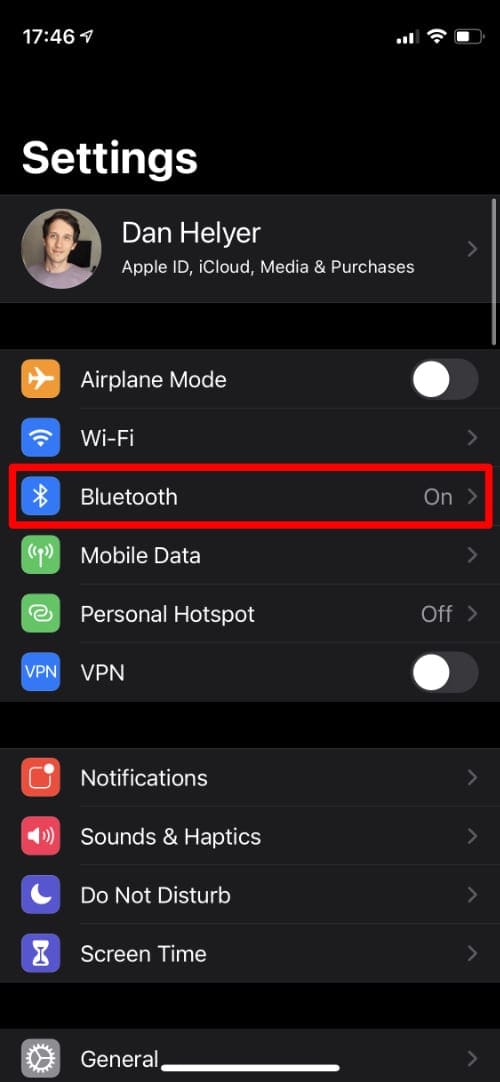
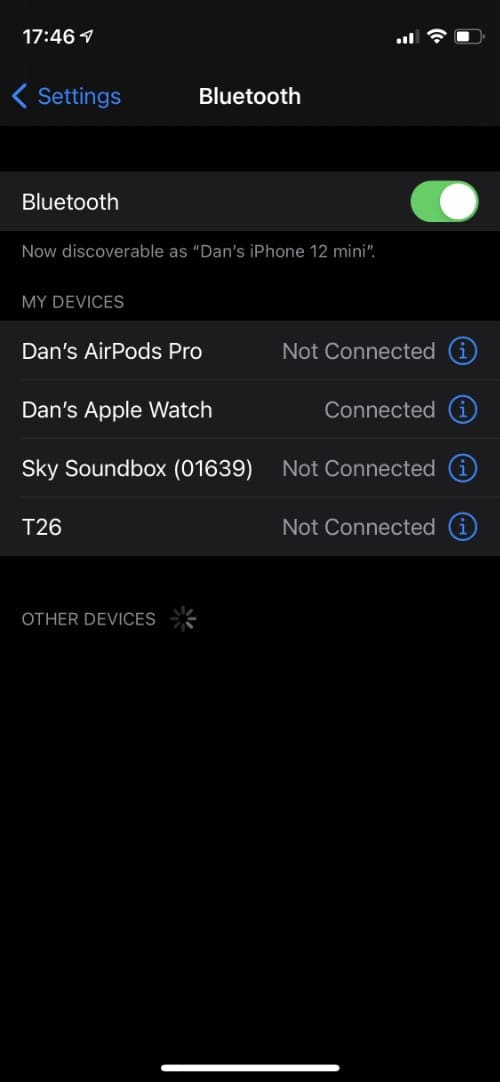
      Turn off Bluetooth on your iPad and it fixes the problem

      Reply
      • Collette says

        December 18, 2015 at 3:54 AM

        That worked for now
        Sorry I paid $600 plus for the air pad 2
        My original 1st edition I pad works better
        I have a data plan on both and wi fi at the house

        Reply
  3. Murray says

    October 29, 2014 at 10:13 PM

    Cannot believe that Apple would release a product ( I Pad Air 2 ) with such a basic flaw as not having WiFi installed correctly. Hope they resolve the problem promptly as it is most annoying having purchased a new I Pad and find it will not hold WiFi.

    Reply
    • Steve says

      January 22, 2015 at 5:57 PM

      Had the same problem and informed apple about it. They told me to take it back and get another but still had the problem. They went as far as sending me an airport express and that stopped the disconnecting. Something with the new a,n band width. My other router had a,c. May have to update your router to they’re new band. Hope this helps.

      Reply
    • Rlf2015 says

      March 2, 2015 at 4:28 AM

      Agree. I have the iPad air 2 and it’s highly annoying. I’m trading my kid for my old one back since she’s not allowed on the Internet anyway.

      iPad Air 2 – great for kids? Guess so. With the right case anyway.

      Reply
  4. Alastair says

    November 2, 2014 at 3:11 AM

    Got a bit confused near the end when screenshots were a bit different from your description, but continued and got new wifi connection just as you said ( tho I didn’t need to restart my router).
    Wish I was a genius!
    Many thanks for taking the time to post your answer.
    Alastair McT

    Reply
  5. Sam says

    November 8, 2014 at 4:11 AM

    I have several iPads. The older model is working fine on my wireless network. The iPad Air 2 and iPad version 4 are not. They both exhibit the same symptoms. They will work for a few minutes up to an hour or so and then stop. I switch to another frequency and they will begin working again but fail after a short while. I replaced the router with a brand new high end Cisco/Linksys. Same behavior. Updated router firmware. Turned off one or the other wireless router frequencies in case of frequency contention. Moved frequencies from auto to manual throughout the spectrum. All fail. My wife’s iPad v2 chugs along with no problems. This same behavior happens at some other wireless sites but not all. Looking for more troubleshooting ideas…..

    Reply
  6. Russ says

    November 13, 2014 at 8:15 PM

    Shame on Apple for selling junk, replaced twice, same issue both times, and many others same problem. Returning this. And finally giving android a try.

    Reply
  7. Seridanx2 says

    November 16, 2014 at 3:10 AM

    At Last!!!!, It’s works!!!!
    The mirroring air play of my iPad air 2 don’t work.

    Thank you very much!!!

    Reply
    • Devon says

      December 27, 2014 at 8:11 AM

      Wait .. You said dat last it works (which gave me hope ) then you said the mirroring AirPlay of your iPad didn’t work (which what is that ) ..basically did whatever you did fix it or not ?? Please I’m desperate

      Reply
  8. marilyn says

    November 17, 2014 at 9:13 AM

    I am on my second Air2 and seriously wish I had never traded up!!! ( ihad iPad 2 and never had a single problem in 3 plus years. Two weeks with the first Air 2 – dropped connectivity, many screen freezes and no way to unfreeze just have to wait until it sorts itself out, has taken as long as an hour, no access to i-books on long plane journey!!!, worst of all two times I had a completely blank screen and no way to access anything – can’t even switch off or reset, got extremely hot, first time came back in about half an hour, second time in about fifteen minutes. I was told it was a rogue unit. I have had my second Air2 three days it is currently sitting on the table with blank screen and no way to access the machine!!!!! so far one hour into frustration. Long trip to Apple store tomorrow, meanwhile no iPad…..
    M

    Reply
    • Tom says

      March 3, 2015 at 12:17 PM

      It was probably overheated, try using it without a back cover that helps a bit if you don’t burn your hands

      Reply
    • Holly says

      September 3, 2015 at 11:32 PM

      I know! This is my first ever iPad and it doesn’t work half the time!!! This cost too much money to be a pain in the butt! So disappointed in this product

      Reply
  9. Eric Sauvageau says

    November 25, 2014 at 6:16 PM

    It worked like magic.

    Reply
  10. Cattastrophe says

    December 2, 2014 at 9:04 PM

    First apple product in a decade and it won’t bloody work. None of these options will allow access to wifi. I can see and connect to my router, but not the internet. How lovely Apple is to rip their customer base off more than usual.

    At least I am only borrowing this from the school. -_- I am so glad I didn’t buy this piece of trash.

    Reply
  11. Pinto says

    December 4, 2014 at 3:12 PM

    It didn’t fix it for me. WTF Apple!!!!!!!!!
    My 4S scores around 35 mb/s an my brand new iPad Air 2 0,03 if so…none of the “solutions” available on the Internet worked for me…
    Any update soon to solve this?

    Reply
    • Staffan says

      April 8, 2015 at 3:20 AM

      My old Xperia phone is approximately 10-15 times faster than my iPad with iOS8.2. Comparing with a Mac, direct connected to the router, it is roughly 20 times faster.

      Reply
  12. DrC says

    December 6, 2014 at 7:03 AM

    Fab. Fixed my parents’ iPad Air.

    Reply
  13. Sharon beresford says

    December 6, 2014 at 4:05 PM

    iPad Air and iPhone 4, and 5 all absolutely appalling connectivity at the moment and has been for weeks! I am due a renewal on my phone contract in January, I won’t be getting another iPhone!! Texts take days sometimes to come! My husbands blackberry connects fine to the same wifi that our I products can’t!! Sort it out apple!!!

    Reply
  14. Eyster says

    December 13, 2014 at 2:42 PM

    Apple, wtf!
    I have a Mac desktop, 2 MacBooks, 3 iPads, 2 iPhones.
    I should be grateful that 7 out of 8 work, however the iPhone 6’s just resolved themselves with the iOS update.

    The iPad Air 2 is still more trouble than it is worth. I so regret upgrading.

    Apple, courtesy to the consumer would be: acknowledging that a problem with wifi exists and that a solution is in the works. Having customers continue to try to work around Apple’s known wifi issues is blatant disregard for our time, effort and financial outlay.

    Your customers deserve better than this!

    Reply
    • Tara says

      March 21, 2015 at 11:06 AM

      I agree! Apple finally sucks! Problem with wifi dropping every time it is locked & missing out on all impprtant calls & messages. What’s the point of owning one when we have to fix all these bugs on our time & money & loss?

      Reply
  15. Poonsin Sakranan says

    December 14, 2014 at 5:04 AM

    Trying again and again, still not working.

    Reply
  16. Mikey Sky says

    December 14, 2014 at 2:01 PM

    This evening my wifi started to drop on a regular basis. Couldn’t stream or download without the wifi dropping in the middle of it.

    I solved my issue. On my iPhone i turned on an app called TU Go which I installed that lets me makes phone calls via wifi when I have no mobile/cell coverage with my network O2. Whe I tune the app off on my iPhone, my IPad Air 2 works without a single drop in wifi.

    I have no idea why an app on my iPhone makes my wifi on my Air 2 repeatedly drop???

    Reply
  17. honza97 says

    December 23, 2014 at 9:13 AM

    The recommended procedure solved my problems completely: my iPet has worked fine already for a week! Many thanks, Serhat Kurt, and Merry Christmas!

    Reply
  18. Mary Glamann says

    December 23, 2014 at 10:37 AM

    The instructions were well thought out and did work. Thank you for your post

    Reply
  19. Jason holland says

    December 24, 2014 at 8:03 PM

    Same problem here. Connection cuts in and out. Apple please make this right!!!

    Reply
  20. Pete says

    December 25, 2014 at 3:58 AM

    Jus got brand new air 2 64gb switched it on set it all up put it on charge an when out for an hour come back to find that the screen is blank an the thing won’t even switch on any one had the same problem??

    Reply
    • Ebony says

      January 5, 2015 at 4:05 PM

      I had that same problem with my new ipad air 2 and was not very happy about it seeing I was using it on holidays! Found this on the appleguide website. ..

      “If you’ve found your iPad refusing to turn off, endlessly spinning the progress wheel, or worse, refusing to turn on, offering nothing but a dead black screen despite the fact that you know it’s fully charged — don’t lose it just yet. Your iPad may be fine, and just have had iOS or an iOS application crash.

      Before rushing to the Apple store with your iPad, try holding the home and sleep buttons together to restart/reboot your iPad. Be sure to hold the two for at least 10 seconds, perhaps longer.

      In most cases, seemingly dead iPads will reboot normally (the Apple logo will appear). ”

      This worked for me, thankfully. Hope it works for you.

      Reply
  21. Dave says

    December 27, 2014 at 11:09 AM

    New ipad air 2, causing router to drop only on some apps and some websites. On the Apple website in the ipad support section they say go into the router and make sure WMM (WI-FI multimedia) is enabled. After enabling this it works smooth as can be. Absolutely no wi-fi problems whatsoever. I hope it works for you!

    Reply
    • Dave says

      January 5, 2015 at 9:55 AM

      Now, after enabling the WMM button all the dropping stopped. However, I noticed on speedtest.net that all my devices were running 19Mbs except the new Ipad air 2. It was 3 to 4 Mbs and sometimes 15Mbs mostly 3 or 4. Finally forked over the big bucks for an Asus RT-AC87U. Now the Ipad air 2 is the fastest in the house around 21Mbs. This over exede satellite internet.

      Reply
    • Downtown10 says

      February 21, 2015 at 6:02 PM

      That seemed to fix my problem with my iPad air2. Thanks!

      Reply
  22. Scott says

    December 30, 2014 at 6:22 AM

    Did not work for me. Very pissed off right now……

    Reply
  23. Lynnette S. says

    January 1, 2015 at 5:43 AM

    I bought this as a Christmas gift for my husband. He was so excited, but is now so sad that it will not stay connected to our wifi. So, I am checking into a new router as I have read that ASUS router might solve this problem. I hope so as I spent a lot on the ipad, and am now having to pay extra for data on our cellular plan so he can at least use it =( I love apple so I hope this is resolved soon.

    Reply
    • John Garritsen says

      January 2, 2015 at 5:42 PM

      Had exactly the same problem with my wife’s new iPad and iPhone. WiFi kept cutting out, and was effectively unusable.

      Tried to replace router, that solved nothing. I then went to look for others with WiFi issues (there were many). Finally I came across the suggestion to change the DNS server numbers to 8.8.8.8 (this is one of Google’s DNS servers). It solved all the problems immediately.

      To change the DNS server number go to Settings, touch your WiFi connection, then change the DNS number to 8.8.8.8.

      Reply
      • she says

        February 21, 2015 at 6:04 PM

        yes!! 🙂 This worked for me too! I’ve been fussing around for hours now trying to get my ipad wireless functioning. I tried every suggestion from as many support sites as I could find and the only thing that worked was changing the DNS number to 8.8.8.8.

        Reply
  24. alex says

    January 3, 2015 at 10:50 AM

    new ipad air 2 has roughly 9mbps and next to me late 2011 macbookpro has roughly 47 mbps in the same wifi. I really wonder why…

    Reply
  25. Ed says

    January 8, 2015 at 6:40 AM

    Solution did not work. The connection dropped off after a couple of hours. This is a real problem with the IPAD air.
    I wonder if it has something to do with a problem with lease time on the router port.

    There is no way to adjust the lease time on the iPad. Just a spot to renew the lease. Which has no effect.

    When I go to the router admin screen it shows that the iPad Air is connected. At least from the router to the iPad but not to the web.

    I have a IPAD 2 running iOS 8.1.2 without any problems other then various browsers stalling out for a few seconds. The wifi performance has been ok. No drops on this older machine.

    I am using a Verizon MIFI 10 port router and it has had no problems re: connectivity.

    The iPad Air is also using iOS 8.1.2 and having problems with web connections.

    I suspect that there is a problem with the IPAD airs firmware and its relationship to IOS 8.1.2. The iPad Air has a different cpu and new firmware which may have a problem.
    Jmo

    Reply
  26. Christian says

    January 9, 2015 at 3:20 PM

    I have a new Ipad air 2 without any problems with wifi connectivity. Download 52.94 Mbps.
    IOS Version 8.1.2.

    Reply
  27. Ed says

    January 13, 2015 at 9:41 AM

    found this fix elsewhere and put it my iPad air and it worked. Have not had a drop in wifi for the last two days.
    FIX….
    Go to settings.
    Go to privacy>location services>s sytem services

    Turn off Wi-Fi networking.

    This does not disable normal Wi-Fi. It disables the location being used for wifi networking..

    I used the previous fix noted at the top of this thread and It worked for a short time. This fix seemed to do the trick.

    Reply
    • Ed says

      January 14, 2015 at 7:19 AM

      This solution did not fix the problem. It did decrease the number of drops significantly but not entirely.

      I got up this am and found the wif on the iPad Air had dropped. When I looked at the addresses the router and DNS a dresses were blank. Somehow overnight they were blanked out.

      When I went to my ipad2 and pulled up the wifi everything was properly set.
      Router I’d 192.168.1.1 and DNS 192.168.1.1….

      On another occasion after a dropped wifi on the iPad Air the router address was present but the DNS code was dropped.

      Previously I did the Google thing with the DNS and it also ended up blanked out after a drop.

      Reply
    • Don says

      July 28, 2015 at 8:47 PM

      Worked for me!!
      Thank You!!

      You can all stop tweaking your routers and stuff!!

      I’m going to paste the fix here again….
      Ed says
      JANUARY 13, 2015 AT 9:41 AM

      found this fix elsewhere and put it my iPad air and it worked. Have not had a drop in wifi for the last two days.
      FIX….
      Go to settings.
      Go to privacy>location services>s sytem services

      Turn off Wi-Fi networking.

      This does not disable normal Wi-Fi. It disables the location being used for wifi networking..

      I used the previous fix noted at the top of this thread and It worked for a short time. This fix seemed to do the trick.

      Reply
  28. cesar oliveros says

    January 14, 2015 at 10:44 AM

    It works on my ipad air 2 16GB wifi only

    Reply
  29. Ed says

    January 28, 2015 at 7:48 AM

    Apple released a new fix this AM IOS 8.1.3 to correct some bugs. Maybe this is a fix.

    Reply
  30. Davishinee says

    January 30, 2015 at 4:57 AM

    My IPad 2 was working fine with the wifi and YouTube. But my iPad air 2 has wi if problems and cannot open YouTube at all. Pls advice.

    Reply
  31. Habib says

    January 30, 2015 at 6:07 AM

    Thanks. It works, perfectly.

    Reply
  32. Erik says

    February 7, 2015 at 8:46 AM

    Had 50 Mbit downstream with my Imac and only 1 MBit with my Ipad Air (1) even though they were connected to the same Wi-fi.

    This guide here worked like a charm, hard to know if all steps are necessary or if one of them was the deciding one but it doesn’t really matter – It works now!! I’m happy.

    Reply
  33. Toby says

    February 11, 2015 at 5:09 PM

    This worked for me!Thank you!

    Reply
  34. dert says

    February 17, 2015 at 12:54 AM

    I tried these steps on My Ipad Air version 8.1.3 ,but No luck.The performance is still very slow.

    Reply
  35. Nathan says

    February 22, 2015 at 3:54 PM

    I have an iPad Air 2. Purchased for Christmas present for wife. We have had wireless problem since purchase.

    We have made changes according to article however, wireless still fails to stay connected. Frustrated with experience and hope Apple resolves in next patch.

    Reply
  36. Chunsik Park says

    March 8, 2015 at 6:51 AM

    Wow, it works!
    I spent whole day to fix my problem.
    I followed your instruction and solved the problem immediately.
    Thanks again.

    Reply
  37. Ed says

    March 11, 2015 at 10:48 AM

    Discovered a new failure. I have a ipad2 with both wifi and 3G cellular service.
    If I wish to switch to cellular from wifi iT does not work.
    … Turn off wifi
    .. Turn on cellular
    Message comes back.. “Service not found”

    I have to reboot the iPad to then get the cell service.
    This is a new failure. Never happened prior to IOS 8.

    Not happy with Apple right now..

    Reply
  38. jesh says

    March 11, 2015 at 9:12 PM

    Awesome instructions. Solution or fix worked well for my IPAD AIR 2 wifi issue. Appreciate it. Thanks.

    Jesh

    Reply
    • patrick przybylowicz says

      August 27, 2015 at 4:07 PM

      I have tried all the fixes above on here for my ipad air 2 64 gb cellular. nothun wil work and if they do its only for a sgort time.
      I hate that. apple get your stuff together otherwise the ipad is useless

      Reply
  39. Mal says

    March 17, 2015 at 12:34 PM

    Just done the forget wifi and then put router code back in .Its a wonder Apple have not got a fix for this problem considering how expensive this kit is.Anyway all appears good at the moment on my iPad air 1.The Other half has an iPad 4 and she gets no hassles at all,We will live in hope !

    Reply
  40. Rachel says

    March 20, 2015 at 12:12 PM

    I tried this last night and it has been working much better than before, so far no drop yet thank you!

    Reply
    • Linda J says

      July 18, 2015 at 5:09 PM

      Which solution worked for you? Several were mentioned. I’m at wit’s end trying to see my wifi network on new iPad Air2. Hasn’t shown up once! Every other device in my house works fine on our wifi network.

      Reply
  41. Anonymus says

    March 21, 2015 at 10:57 AM

    Worked like a charm I can finally watch porn in peace, my penis and I thank you oh great master!.

    Reply
  42. ken says

    April 1, 2015 at 6:57 PM

    Thanks, followed well written instructions and it fixed the problem!

    Reply
  43. carolyn says

    April 2, 2015 at 6:27 PM

    Omg!!! It worked!!! Thank you so so much!!! 😀

    Reply
  44. Ron Pfeffer says

    April 6, 2015 at 9:58 AM

    Mirroring from my iPad Air2 (64 GB/wifi only) now works perfectly with Reflector on my PC. Now I can use mirroring to screencast iPad screen with Adobe Captivate 8 on PC.

    Very well done! Really appreciate it.

    Reply
  45. Sumant says

    April 13, 2015 at 1:26 PM

    Thanx very much it works really…all u I pad air 2 guys can try …most easy and effective solution found after a while..

    Reply
  46. MrM3000 says

    April 16, 2015 at 6:29 AM

    These aren’t troubleshooting steps since they’re not going to give you a true solution to the problem. I mean, if your iPad’s wifi connection acts up, restart? Um, ok, I restarted, it’s acting up again, and on down the list. The last one though, about restarting your router, come on! The problem was introduced by the iPad so now we should be disrupting other devices in our network? How about Apple just fixes the damn problem and make the device work like it should?

    Reply
  47. milad says

    May 8, 2015 at 2:57 AM

    its working for me
    Thank you

    Reply
  48. joy says

    May 28, 2015 at 10:39 AM

    Thanks..it works for my ipad air 2 🙂 big help!!!

    Reply
  49. Novacaos says

    May 31, 2015 at 9:31 PM

    Reading some of your comments it sounds like your having an issue with your routers internal firewall (you all have one) you can move your iPad air outside of this firewall by going into your routers settings and selecting DMZ and adding your iPad air 2 ip into the bar given in DMZ if you have a ticker, selecting it will leave all your systems vulnerable to intrusion so if that’s the case try installing a firewall on any system you feel you need to protect if your that desperate to fix your wifi issue. Another suggestion I was given, is to add your iPad air 2 ip to a port forwarding box and opening ALL ports for that ip addy. I would not suggest this fix if you have banking information saved on your iPad as your removing a crucial layer of defence I only offer this fix for informational purposes and I am by no means an expert. All these fixes have worked for me however

    Regards
    Nova

    Reply
  50. Jim Slotek says

    June 1, 2015 at 6:31 AM

    Like many people here, I tried everything Apple recommends to no effect – rebooting, resetting the network settings, clicking “forget this server,” deleting the Safari cookies etc. Finally turned to my computer major son, who accessed the router via his mother’s laptop (type the IP address of the router, which should be on the label, as an URL on your browser). Once there, delete the settings for the iPad and reconnect fresh. It worked for me after two days of trying everything else over and over.

    Reply
  51. Carol says

    June 5, 2015 at 6:33 AM

    Apple needs to address the issue that iPad has with wi-fi connectivity….I also am purchasing more and more cellular data so I can use my loved IPad…..
    I am a Small Apple stockholder and have been hoping to purchase more stock… Forget that for now…. This is a big big problem …..
    The talk about this iPad problem is just a buzz but the sound is getting much louder…to lose a customer is very sad as they most likely will never return…

    Reply
  52. Andy says

    June 13, 2015 at 9:08 PM

    Thanks Serhat Kurt! Had issues with ipad 2 wifi constantly disconnecting. Applied the “fix” above and so far wifi has been smooth. Hope this can permanently fix the issue and hope this works for you too! 🙂

    Reply
  53. Harsh vardhan says

    June 19, 2015 at 9:21 PM

    IPad Air 2 …Apple please fix the issue at your end as none of the troubleshooting measures are permanent…the wifi connectivity issue is recurring…however ,out of the two net connections in the house (Airtel 4G and landline based YOUbroadband ) the problem seems to be only with the landline broadband…and it’s sickening as alongside ,the ole ipad3 is chugging along just fine..and Vodafone cellular’s fine too.

    Reply
  54. Maggie says

    June 29, 2015 at 11:11 PM

    Just got this new iPad air2 for my birthday. It’s extremly slow, I thought it might be the network so I tried 3 other wifi connections. Took me 4 hours to download a small file.. Really?!? A new iPad? Tried all the suggestions above and still the same. So disappointed!!

    Reply
  55. Sita says

    July 11, 2015 at 9:26 AM

    It worked! Thank you!

    Reply
  56. Jim Scarboro says

    July 11, 2015 at 10:36 AM

    My Ipad Air 2 and the previous Ipad 2 both have the same issue. The antenna onboard is too weak. I have to be much closer to the router than any of my other devices. This might explain many of the wifi problems being reported. I have two Dell laptops, two Droid Max phones, and two WIFI ready TVs that work fine, but the Ipads have to be closer to the router. I added a repeater, and that helps some, but the added access point causes issues on the TVs when they try to connect to the repeater instead of connecting to the router, and they don’t have many settings to try to alleviate that problem. The correct solution would be to put a higher gain antennae in the new Ipads and create an external one that could be plugged into the Ipad for existing ones. Maybe a wireless repeater that would connect to the IPAD only and be invisible to the other devices connected to the router. I’m sure it is possible to buy hardware and program it all to work this way if you are an IT expert, but Apple was built on ease of use. The first buyers of Apple’s were people who appreciated the trash can and the easy to recognize Icons. Get back to your routes Apple! This stuff doesn’t have to be hard.

    Reply
  57. Karen says

    July 12, 2015 at 1:31 PM

    My iPad worked great until about 2 months ago when it started consistently losing the wifi signal. All other wifi devices work fine, so I have to assume it is an iPad issue. None of the fixes here have worked, I guess its back to the store with it.

    Reply
  58. D says

    July 24, 2015 at 3:33 PM

    I wanted an ipad air2, bought and am returning. It would NOT CONNECT WITH MY WIFI even for the setup of the machine! I had a ‘chat’ with apple, but they disappeared. SO LIKE APPLE! I HATE THE DISRESPECT THEY SHOW TO CUSTOMERS. I wish I didnt like their products so much but IM NOT BUYING THE IPAD AIR2 64GB. They seem to have put a flawed product on the market and wont respond to customer complaints…
    F.
    If Apple fixed it, Id be interested in buying the product. Until then, NO WAY

    Reply
  59. Jcarlq says

    July 26, 2015 at 7:47 AM

    I found this fix back in December of 2014 – tried it and it worked. About a month ago, after downloading the latest update from Apple the problem came back and so I tried this again with the same results reported by others- it worked for about a half an hour then started dropping my wifi connection just like before and to get back on I’m required to re-type my password. Help……….

    Reply
  60. Deb says

    July 28, 2015 at 5:54 PM

    Have been on phone calls with ATT for over a month. Which included a personal home visit to check lines, They elevated my case to DSL Elevation team. They feel it is definitely a compatibility problem with Apples DNS. They gave me a different set of numbers to put in and it did not work- froze my system. Most luck I have is turning on and off IPAD.

    I also am asked for my password several times a day on both my iPhone and IPad as well as constantly getting NO SENDER, NOSUBJECT Messages. ( this has gotten worst since IOS 8, but I had on 7. ( Apple can’t explain it) recommendations appreciated.

    Reply
  61. Chris Bragdon says

    July 30, 2015 at 3:58 AM

    Gad, I bought an iPad air 2 last May with wifi and cellular. I had no trouble with using wifi at all as I didn’t have cellular service. I just got cellular service and now use my iPad’s personal hotspot with no trouble at all. I came to this site to see if I can solve an issue with my lan that has wifi, the same network that I used before cellular 3G service. I want to re-assign my wifi router from AP to client and use my iPad personal hotspot as AP. I have other devices on the lan portion of the with static IP’s 192.168.137.1 to 245. 192.168.137.254 is my router’s IP. Of course my cellular service uses a different subnet, 172.20.10.XX. I need to know a way to assign mac address within my iPad to fix…

    Reply
  62. abdul hamid says

    September 9, 2015 at 8:34 AM

    I have an ipad air 2 128 gb and I am facing same problem and none of these solutions worked for me. The Wi-Fi is so slow that every command takes 1 hour to execute.
    hope apple lives up to its reputation and gives lasting solution to all I pad air users

    Reply
  63. Kurt says

    October 7, 2015 at 1:03 PM

    I am so tired of this. I have tried everything and NOTHING works. I cannot get my iPad Air 2 to connect to ANY wireless network, and I have tried ALL of the suggestions in this thread.

    what the heck is going on here ?

    and it worked fine for months until the latest OS 9 release. hummmmmmmm………. perhaps you folks at Apple have a software problem with the new release ? guess its poo on me for downloading the new software release. Ahhhhh…… no words the mum from Apple and we get a new software upgrade ?

    really, this is Pis….. me off.

    Reply
  64. Andy says

    November 13, 2015 at 1:55 PM

    I bought 2 iPad Air2 64Gbyte in September from a reputable UK supplier. Both worked perfectly straight from the box.
    5 weeks later in early October BT infinity broadband became available in our road, so we switched, and took advantage of using BT’s Homehub5 modem/router with dualband wifi.
    One of the iPads worked just fine, but the other had VERY slow (<1Mbps) connectivity. The other iPad had 32Mbps. When I swapped the BT homehub5 for my old router (Ubiquiti Air), both iPads worked OK. A LONG, LONG time was spent fiddling with router and iPad settings with no success. A borrowed Netgear dual band modem/router replicated the fault experienced with the BT router, convincing me that the fault lay in the iPad throwing a strop if 802.11ac wireless was being broadcast.
    I could find no way of configuring the BT homehub to only transmit 2.4GHz to confirm my suspicion that the ‘faulty’ iPad only showed the fault if a 802.11ac was present.
    I took the iPad to the iStore in Tunbridge Wells, and it’s wifi speed there was normal – cruciallythe store had no 802.11ac wireless.
    So I returned the iPad as faulty, and today I received a replacement under warranty. Its wifi speed is good – same as the other iPad.
    So I’d say that SOME iPad Air2 units have a wifi fault that ONLY shows up if 802.11ac wifi is present. Hope this is of help.

    Reply
  65. Lme says

    November 27, 2015 at 7:16 PM

    Read through all these comments plus “iPad Air slow WiFi connection” @ apple support communities. Clearly the router connection seems to be the problem since I had no problem before having a new one installed approx 4 weeks ago.
    Today I asked ATT tech to help reset channel & frequency. So far so good. Back up to way better download speed, no hesitation, no hanging. But this is still Day 1. IPad Air has problems with wireless a/c apparently. Plus 2 separate frequencies, 2.4 & 5 ghz. Who knows why. So we reset 2.4 from auto to a #, changed frequency then hit rescan. Then changed frequency of 5ghz, hit save. So far so good. Ticket still open. Tech suggested possible problems with where router is, maybe might need wireless booster, if problem recurs. Hope this helps.

    Reply
  66. George says

    November 28, 2015 at 7:21 PM

    I read all these comments + on apple support community. 1 thing that stood out for me was changing frequency &/or bandwidth in the router. Until I changed download speed & had to have a new router a/c installed by ATT my pronlems were minor – sometimes slow, no wifi outside etc. 4 weeks into the new router my iPad Air ran slower & slower, hung, couldny find servers etc. I called ATT Tech on Sat, told them I knew the problem was the Air & needed to try to change channels & frequency. The new router has 2.4& 5 ghz channels. I dont know if this confuses the Air. So we changed channel & frequency for 2.4, hit rescan, waited for confirmation, then changed frequency for 5ghz, hit Save, got confirmation changes taken. Download now up to 49mbps, wifi works in the garden, thro many walls. Access your router on the web thro the info inscribed on it or find out its IP address from the manufacturer. Good luck

    Reply
  67. Haymakr says

    November 29, 2015 at 10:15 PM

    I have a new Ipad air2 that would not stay connected to my home wifi. All my other devices were having no problem with connectivity. I tried the fix mentioned at the top of the page and had no success. I then logged into my router and updated it to the new firmware version. I have not had a problem yet. It has only been an hour, but that is much longer than my new ipad has ever stayed connected before. Hope this helps!

    Reply
  68. Chuck Bevitt says

    December 6, 2015 at 7:27 PM

    May have fixed mine. After having great WiFi for a year, I started seeing some problems in the last couple of months, then it finally got to the point where I couldn’t stream anything longer than 15 to 30 seconds before the connection cut out – nothing that streamed video or audio would work anymore. Everything’s the same – router and iPad Air 2. My windows computers didn’t develop any WiFi problems.

    I figured that since it had been working and wasn’t anymore, maybe I could ‘dumb it down’ back to a point to where it would work again. My router is a dual ban LinkSys 1900 AC with all the bells and whistles. I turned off the 5GHz network, leaving only the 2.46GHz network operating. Then I switched the security to WEP (older and not recommended anymore). Using WEP means having to use a security key rather than a pass phrase – the router generated on for me (something like ‘A777BCC4BE’ – be sure to write it down). Then I manually set it to use 802.11b only, switched the channel to manually assign it rather than auto assign, and set the channel width to 20 MHz only. I ‘forgot’ the WiFi connection on my iPad and also rebooted it for luck (when in doubt, reboot). Note: I have an app on an old Android phone that will monitor all 2.46GHz channels and tell me which one is least used in my location (9 in my case).

    This worked, but the WiFi speed was too slow – only 4 to 5 Mb/s, I had been getting 50 measured by Ookla Speedtest. I went back and switch my router setting from 802.11b only to 802.11g only and tested again. Now Speedtest is showing 20 Mb and all of my streaming apps seem to be working OK again.

    This ‘solution’ – really ‘work around’ – works for me because I know of nothing I do on the iPad that needs 10 Mb, let alone 20 – I don’t think streaming video (Netflix, Amazon, Vudu) uses more than 5 to 6 at most (I could be wrong). The same goes for my Windows computers, and all of my other devices (TV, Playstation) have wired connections to the router.

    Still, having to dumb my iPad from 50 Mb/s to 20 to get it to work sucks!

    Reply
  69. JS says

    January 10, 2016 at 9:53 AM

    Thank you so much. I tried so many other suggestions and so many combinations of switching things on and off I was going nuts. The key must have been dialing the wi-fi networking because this is the only place I’ve seen that step.

    Reply
  70. Johanna says

    February 20, 2016 at 3:05 PM

    Thanks for the help. I was having the same problem with the addition of my VPN toggle going on and off by itself. I tried all the tricks listed here and above and nothing worked. Last attempt : I deleted by TunnelBear VPN and did s hard reboot (held down on/off button and home button together) and wifi suddenly worked again. Coincidence?

    Reply
  71. Alper says

    February 27, 2016 at 10:57 AM

    Worked for me. Thanks

    Reply
  72. Alain David says

    April 24, 2016 at 10:15 AM

    I did everything mentionned and still have the same problem with my new Ipad air 2 purchase last february 2016. Wifi drop all the time.

    Before getting the Ipad air 2, i was using an ipad 4 without any trouble.

    Last night was doing test…
    Those devices ON, itouch 4, itouch 3, iphone 5s, iphone 6s and ipad air 2…… Lost connection on my ipad air 2 only.
    I did everything, changing configuration on router, buying a new router, relocate new router, purchasing a router booster….still loosing connection.
    I called Apple and they did not offer any help.
    Always buy Apple product, but now…. I thing i will go for Androïd, really frustrating all this.

    Reply
  73. ThanksToJack says

    April 27, 2016 at 3:33 PM

    My specific problem is not dropping wifi but very slow speeds even though all the other devices in the house work fine. One other thing to try that has worked perfectly and been stable for two weeks in my eniviroment is quick and simple. Apparently there is some conflict between Bluetooth and my network configuration. Turn off the Bluetooth radio and network throughput is great. Turn the radio back on and the throughput immediately degrades typically to less than 1 Mbps. To be clear this is the radio on my iPad Air not any other device.

    I will note that this is network specific since I never did have the problem when connected to networks other than the one in my home.

    Reply
  74. AndreVPT says

    May 17, 2016 at 8:26 AM

    I obviously didn’t read all the posts but I found a solution for me, hope it helps someone.

    I have an Ipad Air 2 128gb 4G, I could connect to some WIFIs, to other I couldn’t.

    After changing the DNS to google’s (8.8.8.8), I noticed the IPAD could finally acquire an IP address, but this address didn’t belong to my network, hence not working. So in the network settings, I chose Static and gave it an address on my network

    My settings were:

    IP Address 192.168.0.149
    Subnet Mask 255.255.255.0
    Router 192.168.0.254
    DNS 8.8.8.8

    After doing this it finally worked, instantly.
    Hope this helps someone

    Reply

Leave a Reply Cancel reply

Your email address will not be published. Required fields are marked *

Having Problems? Need Help? Ask Your Questions On Our Forums

Got a tip? (We respect your anonymity.)

Feedback

Have a fix? E-mail us.

Forums: Recent Topics

  • Notes app won’t open with ios 10.0.2 updgrade
  • Restore iPad without iTunes
  • Mail mixed up
  • Line at the end
  • emails

Like Us on Facebook

Appletoolbox

Follow Us on Feedly

follow us in feedly

About

  • About Us
  • Contact us
  • Privacy
  • Terms of Use

iDevices

  • iPhone
  • iPad
  • Mac (OS X)
  • iPod

Other

  • Messages (and iMessage)
  • FaceTime
  • AirPlay
  • Safari
  • Wi-Fi
  • Mail and Mail App
  • Applications (apps)
  • App Store
  • Siri
  • Camera
  • iTunes
  • Game Center
  • iBooks
  • iCloud
  • Apple ID
  • iOS
  • OS X
  • BlueTooth

Connect

  • Facebook
  • Twitter
  • FeedBurner 
  • YouTube
  • Google +

© Copyright 2010-2015 Apple Toolbox · All Rights Reserved

This site and its content are in no way affiliated or endorsed by Apple, Inc. · Reproduction without explicit permission is prohibited