We use our various smartphones, tablets, and computers for everything from playing games and keeping in touch with friends to managing our personal finances and productivity. And while Apple continues to implement new security and privacy features, there are also a few new apps that have made it easier and more comfortable to manage our finances without needing to worry about our banking information falling into the wrong hands. Plus, the App Store is still home to some of the apps that have been around for almost as long as the App Store itself! Today, we’re taking a look at some of the best personal finance apps for iPhone, iPad, and Mac.
Best Personal Finance Apps for iPhone, iPad, and Mac
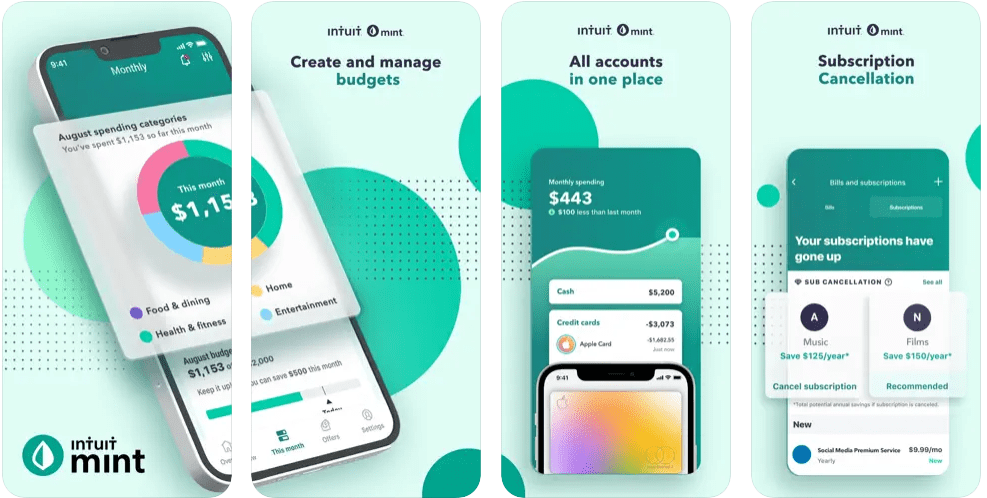
Mint: Personal Finance & Money
For some people, this is exactly what they’re looking for. Since Mint will connect to your bank account, track your income and spending for you, you can just check it now and then to see how you’re doing. If you want something free that will integrate with and automate your budgeting for you, Mint is pretty high up on this list. But if that kind of system makes you complacent, then this probably isn’t one of the personal finance apps you might want to avoid.
Perhaps the most loved and beginner-centric budgeting app on this list is You Need A Budget, or YNAB. YNAB is not only a great budgeting app but an educational app, too. It includes videos and other content to help you learn the fundamentals of budgeting. These materials help you learn how to cut down on your spending, reduce your debt, and structure a budget that will build better financial habits. In other words, it’s a lot more than just a budgeting app.
Get the money app where your hard work pays off with a new credit score, a new credit card or even a new house. The app empowers you to stay on top of your overall financial picture by checking your free credit scores — but that’s not all. You can stash away cash with Credit Karma Savings and more. The Credit Karma app is free to download, but you’ll have to sign up as a member before you can use it.
CardPointers will save you money and earn you more cash back, points, and miles every day by maximizing credit card spend bonuses, offers, and welcome bonuses. Most users save $750+ per year!
The app automatically tracks every category bonus and recurring bank credits from over 4,000 credit cards and helps you use your Amex, Chase, Bank of America, and Citibank offers to save even more money every day. With Location Reminders, you can add your favorite stores on your device to receive a notification whenever you’re at that location again, reminding you which card to use to maximize your savings — all in just a single tap.
Expenses has been crafted to keep track of your spending effortlessly, with useful features in a simple, intuitive interface. And with iCloud, it’s easy to keep all your expenses in sync across your devices and collaborate with others using sharing. The app is available across the iPhone, iPad, and Mac, and promises that the app will not store any of your personal data on anything other than your device. You don’t even need to sign up or register for an account in order to use Expenses.
Jotting down the price of your coffee shouldn’t take so long. Nudget puts a focus on speed and simplicity so you can quickly record a purchase and never skip a beat. Nudget analyzes trends in your spending and brings them front and center in the Insights tab. Insights take all the guesswork out of your spending habits, empowering you to make smarter decisions about your financial goals.
Outgoings allows you to easily track your recurring expenses, and gain an insight into how much is going out for certain periods. It syncs all of your information using iCloud, meaning that you can use the Outgoings app on your iPhone or iPad, without needing to manually enter the information in multiple places. The developers have also included several different Home Screen and Lock Screen widgets, so you can see what’s going on at a glance.
Andrew Myrick is a freelance writer based on the East Coast of the US. He enjoys everything to do with technology, including tablets, smartphones, and everything in between. Perhaps his favorite past-time is having a never-ending supply of different keyboards and gaming handhelds that end up collecting more dust than the consoles that are being emulated.











Write a Comment