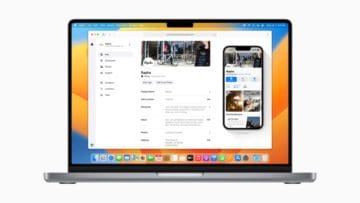
If you want to find out information about a new shop, hotel, or restaurant you’re thinking about going to, you might go to an app like Apple Maps. Businesses have been given more tools to promote themselves in recent years, and that has been taken to the next level with Apple Business Connect.
Apple Business Connect is a tool released by Apple in January 2023. It was designed primarily for businesses looking to improve their presence on the likes of Maps, and to ensure that the information presented was up-to-date.
Besides including information that already existed, such as company address, businesses can use Apple Business Connect for several other niceties. For example, they can include any offers that they might have as and when they occur – giving customers a better understanding of how much they’ll pay for a good or service.
Commenting on the launch of Apple Business Connect, Apple Senior Vice President of Services – Eddy Cue – said in a press release:
“Apple Business Connect gives every business owner the tools they need to connect with customers more directly, and take more control over the way billions of people see and engage with their products and services every day.”
Which Apps Is Apple Business Connect Available On?
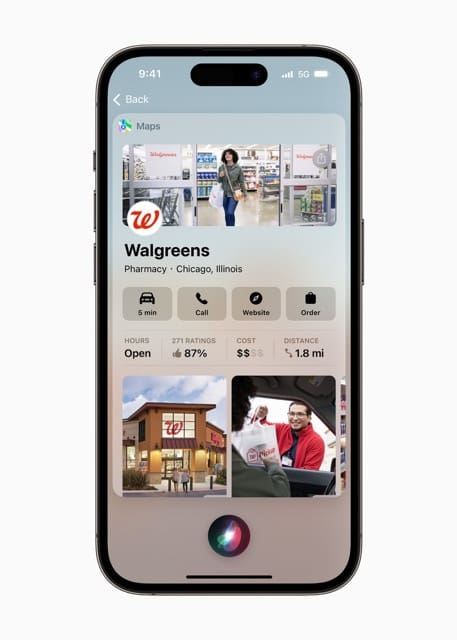
Apple Business Connect is available within the Maps app, but that’s not the only place you’ll find it. Users can also view information from companies using Apple Business Connect in the Wallet app.
Users can also access information provided via Apple Business Connect in the Messages app, and Siri is also optimized for the tool. Apple mentioned that it’s available in “other apps” as well, but it did not specify which ones.
Where Is Apple Business Connect Available?
Like many of Apple’s new releases, Apple Business Connect is rolling out slowly across the globe. At the time of writing in January 2023, the tool is only available to businesses in the US. However, the company mentioned that it “will be available to businesses globally in coming months”.
At the time of writing, Apple didn’t give a more concrete timescale of when companies outside the US could expect to gain access to Apple Business Connect.
What Can I See on Apple Business Connect?
If you view a company using Apple Business Connect, you’ll notice that you can make a decision easier than before. For example, when you order something, you can pay directly via Apple Pay with the Tap to Pay on iPhone command.
When you use Apple Business Connect, some restaurants will also allow you to reserve a table directly through Apple Maps. Moreover, some businesses might show you calls to action – allowing you to do what you need to do faster.
Another cool aspect of Apple Business connect is that you can get help easier than before. Companies can include prompts to let you talk with someone on their team, which is a nice addition to the calling feature that already existed.
Apple Business Connect: Useful for Companies and Customers Alike
While Apple designed Business Connect primarily for companies, it also has plenty of nice benefits for customers. You can pay for products and services more easily, and it’s also possible to take advantage of current offers. Moreover, the information you see will be more accurate.
If you run a small business yourself, you’ll also find the tool handy for finding out what your customers are looking for. With in-depth analytics, you can determine how you can finetune things to continue succeeding in the long run.
Although Apple Business Connect is only available in the US right now, that will change in due course. And when it rolls out to more countries, we can imagine that businesses and customers alike will find significant value from this feature.
Danny has been a professional writer since graduating from university in 2016, but he’s been writing online for over a decade. He has been intrigued by Apple products ever since getting an iPod Shuffle in 2008 and particularly enjoys writing about iPhones and iPads. Danny prides himself on making complex topics easy to understand. In his spare time, he’s a keen photographer.












Write a Comment