Tried everything to get your iPhone, iPad, or iPod working again with no results? If your device is stuck on a blank screen, the Apple logo, malfunctioning, or even seems bricked, using DFU mode might be your last DYI option.
DFU (Device Firmware Upgrade) doesn’t load the operating system directly from your device but instead allows you to interact with the device using iTunes or Finder. For that reason, DFU Mode allows all devices to be restored even when iOS or iPadOS won’t boot on the device itself.
And that’s why DFU mode is a great last stop for non-functioning or malfunctioning iPhones, iPads, and iPods.
But beware!
Using DFU mode completely erases your device and that means you will lose all your device’s data. So if you don’t have a backup made via iCloud, iTunes, or Finder you are out of luck. You cannot restore your data after initiating DFU mode.
So if you haven’t tried Recovery Mode, we recommend performing that first before trying DFU.
How to perform a DFU restore on your iPhone, iPad, or iPod touch
Check for any updates to iTunes or Finder (via macOS updates)
Backup your phone and preserve data if possible
If iTunes is already open on your computer, close it
Power on your device
Connect your device to your computer
Once connected, open iTunes or Finder
DFU for iPhone 8 models and above and iPad with no home button (use Face ID)
For iPhone 8+ and iPad with no home button: press the Volume Up button, then immediately press the Volume Down button and finally press and hold the Side/Top button until your iPhone or iPads display turns black
Once the screen goes black, release the Side/Top button
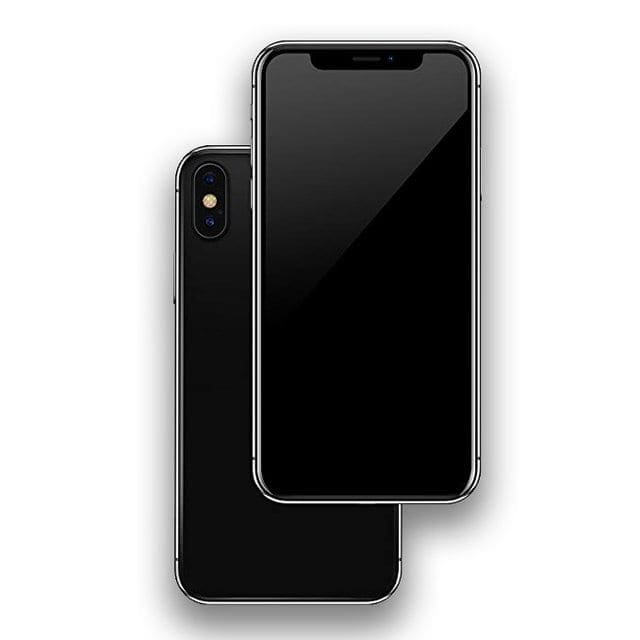
You’re in DFU Mode if your screen is completely black
Immediately press the Side/Top button and Volume Down button for 5 seconds
After 5 seconds, release just the Side/Top button and continue pressing the Volume Down button
Wait for your computer to recognize your iPhone or iPad for iTunes/Finder to recognize your device is in DFU mode
Check that your screen remains black–if not, repeat the steps again. Your device is not in DFU mode
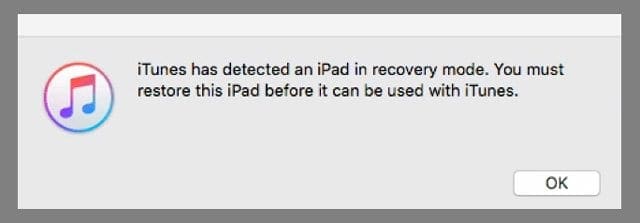
If you successfully entered the DFU Mode on your device, you see a message that “iTunes/Finder has detected an iPhone in recovery mode. You must restore this iPhone before it can be used with iTunes/Finder.”
Press OK
The screen of your iPhone should be totally blank when this alert pops up.
If you do not see this message, repeat these steps
If your device shows anything other than a black screen, you are not in DFU Mode. Please run through these steps again
DFU for iPhone 7 and below, iPod touch, and iPads with a home button
Open iTunes/Finder on your computer
Connect your computer and your iDevice
Press and hold the Power Button for 3 seconds
Continue holding the power button and now press and hold the home button
For iPhone 7 models, hold the volume down button for 10 seconds
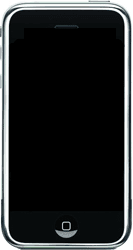
The device’s screen should remain blank/black throughout this process. If you see the “Connect to iTunes/Finder” message, your iPhone is in recovery mode. Restart the process
Release the power button but continue to hold the home button for 5 seconds
For iPhone 7 models, continue to hold the volume down button for 5 seconds
Again, if your phone displays the “Plug into iTunes/Finder” screen, you’ve held down too long and need to repeat these steps
If your device’s screen remains blank/black, a dialog appears in iTunes/Finder saying it’s “detected an iPhone in recovery mode. You must restore this iPhone before it can be used with iTunes/Finder.”
Press OK
Follow the on-screen steps to Restore your device
If your iDevice shows ANY OTHER messages, Apple logos, or is not showing a black or blank screen, it indicates that your iDevice is not in DFU mode. Repeat the steps
Reconnect your backup to your device
If DFU was successful, you can now link back to your iCloud or iTunes/Finder backup to restore your data. Or you can set it up as new. Your choice!
Obsessed with tech since the early arrival of A/UX on Apple, Sudz (SK) is responsible for the original editorial direction of AppleToolBox. He is based out of Los Angeles, CA.
Sudz specializes in covering all things macOS, having reviewed dozens of OS X and macOS developments over the years.
In a former life, Sudz worked helping Fortune 100 companies with their technology and business transformation aspirations.
Thanks for this article. I once put iPhone in DFU mode and tred to restore the device from iTunes. But this did not help me. So I tried to resort to TunesKit and it successful fixed my iPhone issue with no data loss. hhh
open the phone and remove the battery, use a multimeter put on dc and check the voltage in the battery!
Please, after checking the battery make sure you have not less done 3.7v if it is not up to please kick it and refix it
My iphne 5 is not working itried the different tip ang trick found here on the internet . Either im doing it wrong or all these tips not working. Still showing the apple logo after that it will just turn off once i plug it back to a charge or computer it will again show the apple logo. I tried the reboot it will show the itunes connect logo on the phone and thats it please help
My iPhone 5 ran out of charge, right before I was going to sleep and i had left it uncharged all night and in the morning I plugged it in for 2 hours and it still had not turned back on and it is still not on now, I’ve tried holding the lock and home button for 10-20 secs and still not working. Is it fully broke?
I got iphone 4 in february 2011, and even before three months, it started showing problems and hence I had to get it replaced. Just couple of months later, it just switched off itself and would not just start, tried restoring and everything, but didnt help so then, i had to get it replaced, paid 150 dollars, and in just couple of weeks again, it does not have enough range for bluetooth, I have to practically keep the iphone near my mouth for the other party to hear me clearly. I guess apple just does not have the real quality phones that they claim they have and they have just set up this business of refurbished iPhones so that they keep on minting money through this way
I locked myself out of my iPhone 4. I can’t seem to get the correct passcode put in,so it’s saying disabled connect to iTunes. Is there any way to not erase everything and unlock my phone? I dont think i ever even backed this phone up before. So am I just screwed?
i think that i have the same problem of mike w,i have iphone 3gs 4.1 jailbroken ,i have a problem my iphone keeps switching itself off. I then have to press the sleep/wake button to make it work again which results in a apple logo appearing for stupid amount of time, it will then start working again for minutes , i have no wifi,no cellular data, i can not make or receive calls also no bluetooth ,i tried to restore it to it is 4.1 using DFU mode and it lawyers give me error no.1013,i tried to upgrade without success ,please help.
This worked for me after 3g stopped working in most places
(but occassionally did work including in the Apple store).
Interestingly the genius behind the counter concluded a new phone
would be best but i insisted on a DFU restore after having read
this article (I hadnt had a chance to try it myself before my appt
so i thought i’d let them do it) and sure enough it came good! One
less iPhone in the world and i can keep my 3GS with no extra costs.
thanks all!
Please help. my iphone keeps switching itself off. I then have to press the sleep/wake button to make it work again which results in a apple logo appearing for stupid amount of time, it will then start working again only for it to go off usually within seconds. It only does this when the charge/ usb is unplugged. It is now a completely unreliable phone unless i can get in rectified. Have tried to reset/restore/ dfu restore. nothing seems to work. please help.











Thanks for this article. I once put iPhone in DFU mode and tred to restore the device from iTunes. But this did not help me. So I tried to resort to TunesKit and it successful fixed my iPhone issue with no data loss. hhh
Flash is disabled
open the phone and remove the battery, use a multimeter put on dc and check the voltage in the battery!
Please, after checking the battery make sure you have not less done 3.7v if it is not up to please kick it and refix it
My iphne 5 is not working itried the different tip ang trick found here on the internet . Either im doing it wrong or all these tips not working. Still showing the apple logo after that it will just turn off once i plug it back to a charge or computer it will again show the apple logo. I tried the reboot it will show the itunes connect logo on the phone and thats it please help
My iPhone 5 ran out of charge, right before I was going to sleep and i had left it uncharged all night and in the morning I plugged it in for 2 hours and it still had not turned back on and it is still not on now, I’ve tried holding the lock and home button for 10-20 secs and still not working. Is it fully broke?
I got iphone 4 in february 2011, and even before three months, it started showing problems and hence I had to get it replaced. Just couple of months later, it just switched off itself and would not just start, tried restoring and everything, but didnt help so then, i had to get it replaced, paid 150 dollars, and in just couple of weeks again, it does not have enough range for bluetooth, I have to practically keep the iphone near my mouth for the other party to hear me clearly. I guess apple just does not have the real quality phones that they claim they have and they have just set up this business of refurbished iPhones so that they keep on minting money through this way
I locked myself out of my iPhone 4. I can’t seem to get the correct passcode put in,so it’s saying disabled connect to iTunes. Is there any way to not erase everything and unlock my phone? I dont think i ever even backed this phone up before. So am I just screwed?
i think that i have the same problem of mike w,i have iphone 3gs 4.1 jailbroken ,i have a problem my iphone keeps switching itself off. I then have to press the sleep/wake button to make it work again which results in a apple logo appearing for stupid amount of time, it will then start working again for minutes , i have no wifi,no cellular data, i can not make or receive calls also no bluetooth ,i tried to restore it to it is 4.1 using DFU mode and it lawyers give me error no.1013,i tried to upgrade without success ,please help.
Hisham obeidat
This worked for me after 3g stopped working in most places
(but occassionally did work including in the Apple store).
Interestingly the genius behind the counter concluded a new phone
would be best but i insisted on a DFU restore after having read
this article (I hadnt had a chance to try it myself before my appt
so i thought i’d let them do it) and sure enough it came good! One
less iPhone in the world and i can keep my 3GS with no extra costs.
thanks all!
Please help. my iphone keeps switching itself off. I then have to press the sleep/wake button to make it work again which results in a apple logo appearing for stupid amount of time, it will then start working again only for it to go off usually within seconds. It only does this when the charge/ usb is unplugged. It is now a completely unreliable phone unless i can get in rectified. Have tried to reset/restore/ dfu restore. nothing seems to work. please help.
cheers Winnie.