The Emergency Satellite feature was one of Apple’s most important new iOS 16 features. While it wasn’t available straight away, the Silicon Valley giant has begun rolling the tool out to different parts of the world.
In December 2022, Apple launched the Emergency SOS feature in the UK and a selection of other markets. This article will tell you everything you need to know.
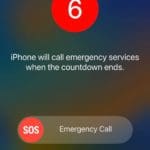
The Emergency Satellite feature is a tool that allows you to contact help when you don’t have access to your mobile network and no Wi-Fi is available. Examples of where you might encounter these issues include when you’re on a long hike or traveling through a vast wilderness – such as a desert.
At the time of writing in December 2022, you can only use this feature if you own one of Apple’s iPhone 14 models. If you find yourself in a situation where you need to use the feature, you’ll need to point your iPhone in the direction of the satellite.
UK Users Can Now Use the Emergency Satellite Feature
On Tuesday, December 13th, Apple announced that Emergency SOS would roll out to the UK and three other European countries. It was the latest move in a busy few weeks for Apple, in which it also rolled out its HomePod Mini to three markets in the Nordic region.
In addition to the UK, iPhone 14 users in neighboring Ireland should also now have access to the Emergency SOS feature. On the European mainland, Germany and France have also received the tool.
In Apple’s press release, John Anthony – President of the British Association of Public Safety Communications Officials – praised the technology. He said:
“The feature will mean that emergency services can be alerted when it was not previously possible and are then able to do their jobs to better effect, in part because of the initial information that can be shared with dispatchers, such as location and essential details about the emergency. Ultimately, this will help save lives.”
Where Else Is the Emergency Satellite Feature Available?
The beginning of this tool’s rollout in Europe continues Apple’s expansion for Emergency SOS. Before being introduced to its latest markets, iPhone 14 users in the US and Canada could use the feature when finding themselves in danger.
Emergency SOS: Rolling Out to New Markets
Apple’s Emergency SOS feature is a huge development in how we communicate during times of crisis. For people who spend a lot of time in areas with little or no coverage, it offers peace of mind that they can contact the necessary authorities if they run into a significant problem.
The tool is still new, so you’ll likely need to exercise patience if you’re in a country where Emergency SOS isn’t yet available. Over time, the feature should roll out to even more places.
Danny has been a professional writer since graduating from university in 2016, but he’s been writing online for over a decade. He has been intrigued by Apple products ever since getting an iPod Shuffle in 2008 and particularly enjoys writing about iPhones and iPads. Danny prides himself on making complex topics easy to understand. In his spare time, he’s a keen photographer.











Write a Comment