For years, iPhone users had the pleasure of relying on Google Maps for any of their navigation needs. That is, until the partnership between Google and Apple came to an end, forcing Apple to figure out a different way to make navigating easy on the iPhone. Since then, Apple Maps has emerged as a fantastic option and continues to be updated with new, useful, and truly unique features.
One of the problems that plagued Apple Maps users for years was the inability of the app to give proper directions. No matter what you did, you could always find yourself going the wrong way on a one-way street. This has largely been rectified, as Apple has taken a page out of Google’s book, and it’s possible you’ll see an Apple car driving around mapping things out.
How to Change KM to Miles in Apple Maps
Another area where Apple Maps lagged behind the likes of Google Maps is in the customization department. We aren’t talking about “fun” features that Google tends to bring when the seasons change but about the actual functionality of the app itself. There was a period of time where you were just stuck with having to listen to voice guidance unless you turned the volume of your iPhone down. Thankfully, this has been fixed, and you are even able to go so far as changing the distance measurements right from the settings.
Here’s how you can change KM to Miles in Apple Maps:
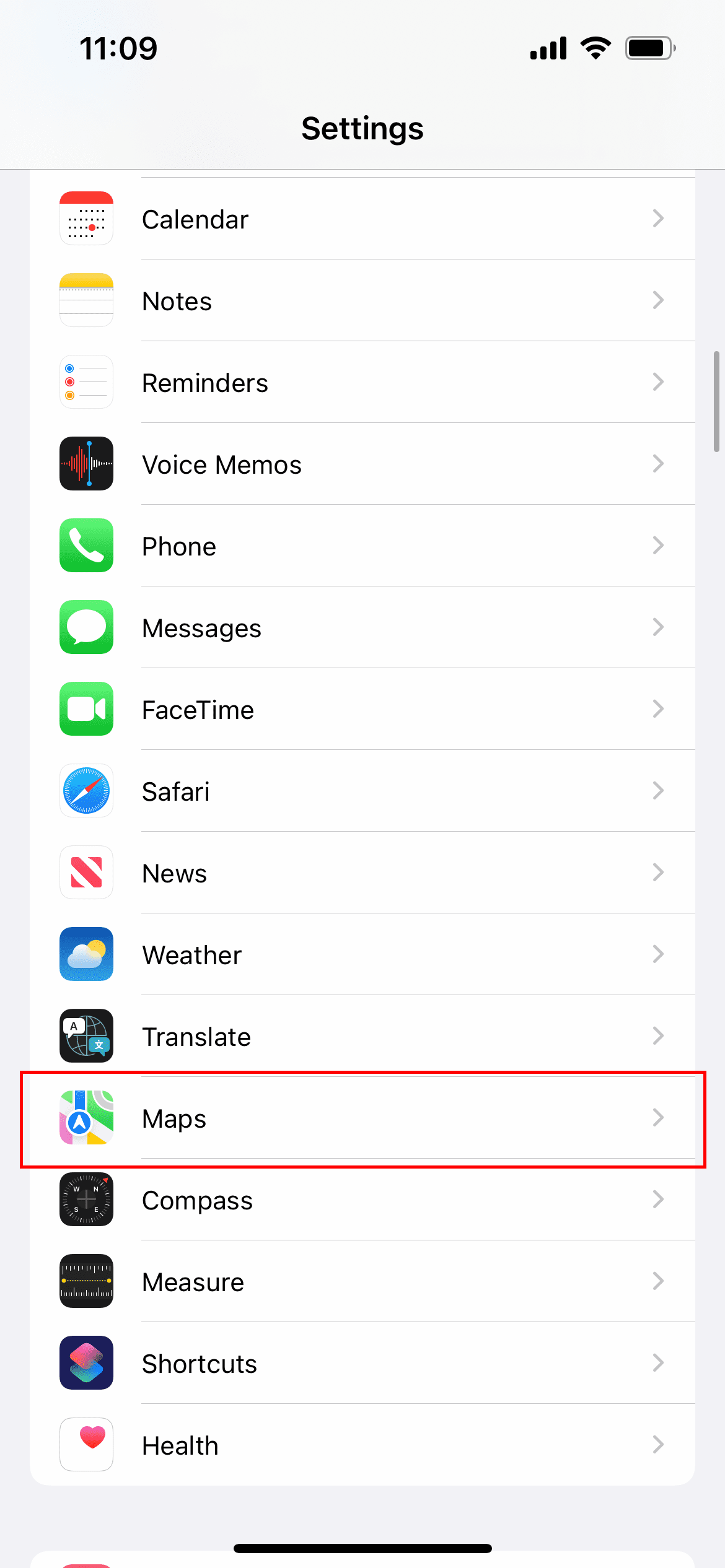
Open the Settings app on your iPhone.
Scroll down and tap Maps.
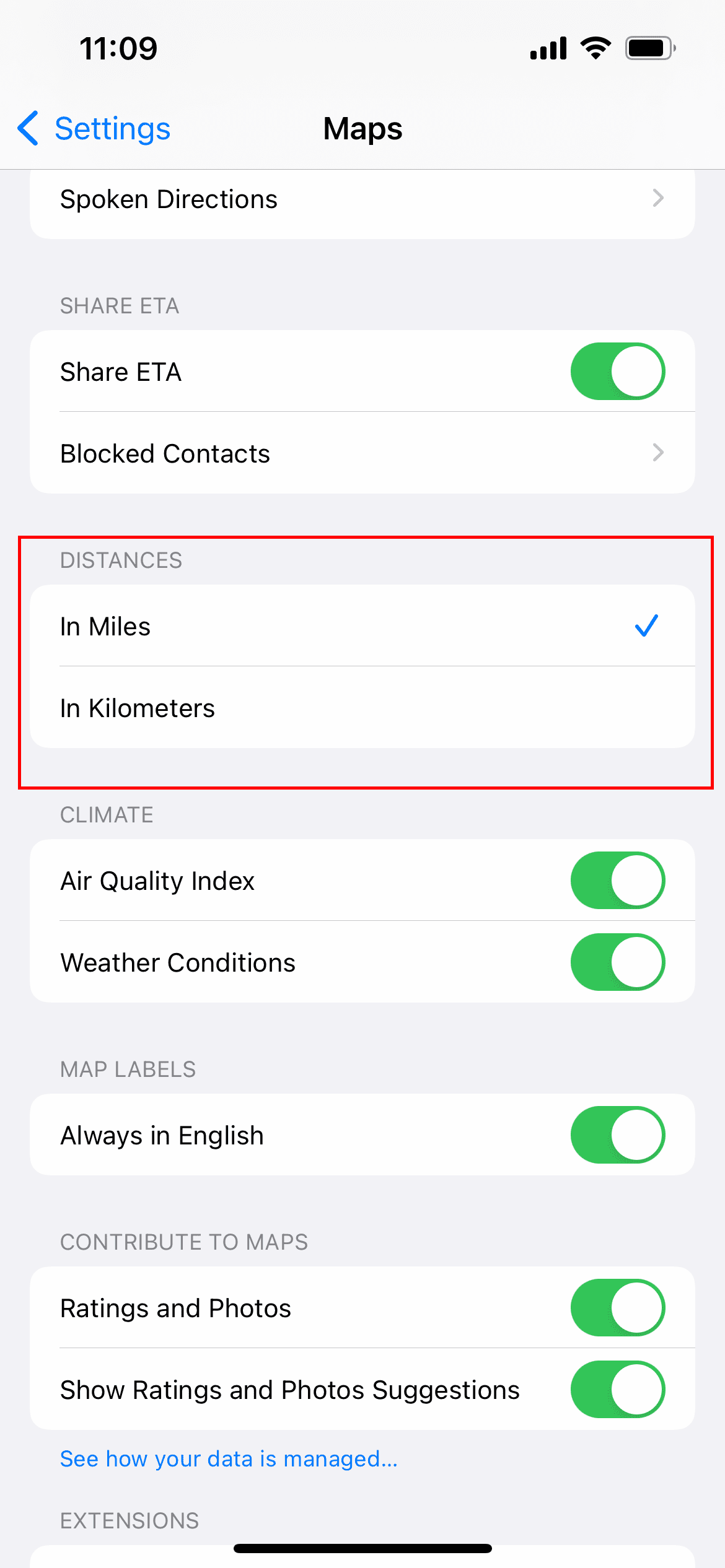
Once in the Maps settings, scroll down until you reach the Distances section.
Tap In Miles.
And that’s it! Now, the next time that you open Apple Maps, it will show you the distance in miles instead of kilometers.
It’s clear that Apple has its sights set on trying to create a true alternative to Google Maps. Even as recently as 2021, Apple introduced a slew of new features for Maps including Augmented Reality navigation in iOS 15, and better details. With the latest update, you’ll be able to actually zoom in and view landmarks from different major cities across the world. And there’s a new nighttime view that is a bit different from the night mode that you might be used to seeing. All of this is to say that Apple is knocking it out of the park with Apple Maps, and now’s a great time to give it another shot if you’ve been holding off.
Andrew Myrick is a freelance writer based on the East Coast of the US. He enjoys everything to do with technology, including tablets, smartphones, and everything in between. Perhaps his favorite past-time is having a never-ending supply of different keyboards and gaming handhelds that end up collecting more dust than the consoles that are being emulated.
I’ve been searching for it for a few months and because I have some brain injury it’s kind of hard for me to actually discuss this type of thing. My phone says km so I’m trying to get to where it reads mph so I can actually understand it when it gives me directions to go somewhere. Please help me.











My Apple Maps doesn’t have distance on the settings to change it to miles
On maps. Distance does not appear to change km-miles? What do I do?
I’ve been searching for it for a few months and because I have some brain injury it’s kind of hard for me to actually discuss this type of thing. My phone says km so I’m trying to get to where it reads mph so I can actually understand it when it gives me directions to go somewhere. Please help me.
On the setting it’s miles not kilometers but it’s still pop up in kilometers.