Just last week, Apple released iOS 16 Beta 5, bringing with it one of the more surprising additions to the platform. But what’s perhaps even more surprising is that iOS 16 Beta 6 is already here, as it appears as though Apple could be switching to a weekly cadence for its future beta updated as we near the final version of iOS 16. Previously, it was about two weeks or so in between iOS 16 Beta 4 and iOS 16 Beta 5, while iOS 16 Beta is available just a week later. This is also reflected in the official release notes, as Apple has not implemented any new features. Instead, iOS 16 Beta 6 is mainly focused on fixing bugs and deprecating outdated APIs.
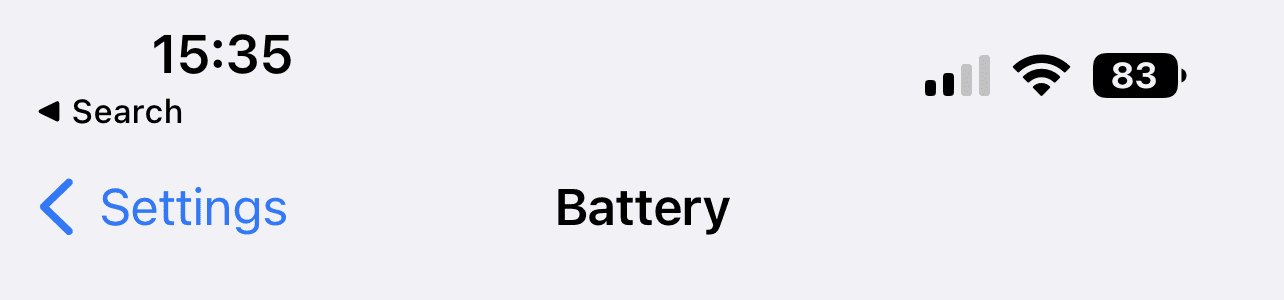
For one reason or another, Apple finally decided to allow users to enable the battery percentage to appear in the Status Bar of your iPhone. This has been one of the longest-requested “features” for iOS, ever since the option was removed with iOS 11.0 which launched alongside the iPhone X. For years, Apple has been telling its users that there just wasn’t enough space in the Status Bar to re-implement the battery percentage, but it’s clear that was never entirely true.
As soon as we installed iOS 16 Beta 5 on our phones last week and enabled the battery percentage, we were also met with Low Power Mode being automatically enabled. You could turn off Low Power Mode and keep the battery percentage, but iOS 16 Beta 6 “fixes” this. You can now toggle the battery percentage separately from Low Power Mode entirely.
Safari Seems “Snappier”
The iOS 16 Beta has felt a bit clunkier than in years past, and for good reason. Apple is implementing a boatload of new features, such as all of the Lock Screen customization options and the eventual introduction of Live Activities. Unfortunately, you also might have noticed that the overall performance of your iPhone has deteriorated, including the Safari app. We’ve experience these issues ourselves, but some iOS 16 Beta 6 users are claiming that Safari now seems a bit “snappier” than previous beta releases. This isn’t true for everyone, as our iPhone 13 Pro Max seems to feel a bit janky even compared to Beta 5.
A New App On The Home Screen
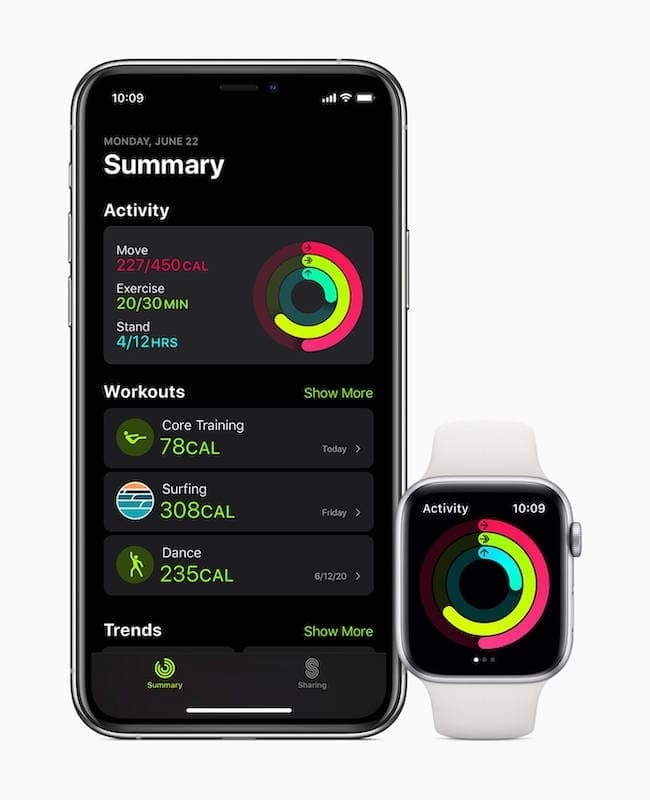
Another new feature with the final release of iOS 16 is the ability to (finally) use the Fitness app even if you don’t own or use an Apple Watch. As Apple tends to do with its own first-party applications, iOS 16 Beta 6 now adds the Fitness app to your Home Screen. The obvious goal here is to entice users to begin using it more, putting it front and center, following all of the other pre-installed apps on your iPhone. It does not matter whether you’re installing a fresh version of iOS 16 Beta 6, or just upgrading from Beta 5, but the Fitness app does in fact appear.
Performance Improvements
We aren’t exactly sure what Apple did under the hood with iOS 16 Beta 5, but it was not a fun week of testing for many. Some users found that they had to deal with apps constantly crashing, and their iPhones getting so hot that they could “cook eggs” on it. Thankfully, it seems that whatever changes were causing these issues with the release of Beta 5 have largely been remedied with iOS 16 Beta 6.
Changes To Haptic Feedback With iOS Keyboard
Along with the addition of the battery percentage in the Status Bar, Apple surprised everyone by allowing users to enjoy haptic feedback when typing on the built-in software keyboard. Until now, this was only available when using third-party keyboard apps, such as Gboard, and was a popular feature for those who jailbroke their iPhone back in the day. While the haptic feedback is still available, many users are reporting that the vibration intensity continues to decrease as new versions of the beta are released. Unfortunately, Apple does not currently provide any options to increase (or decrease) the vibration intensity, only giving you an option to toggle this on or off.
When Will iOS 16 Be Released?
As we mentioned during the intro, it seems that Apple is nearing the “home stretch” in the iOS 16 Beta release cycle. Once beta releases start becoming available on a weekly basis, this means we’re getting closer to the final release. Provided that iOS 16 Beta 6 isn’t just a “bump in the road”, we should begin seeing weekly updates leading up to the announcement of the iPhone 14 event.
When iOS 16 was initially unveiled at WWDC ’22, Apple stated that the new software version would become available for all compatible users “this fall”. Well, we’re already midway through August, so fall is right around the corner, and we would venture to guess that you only have to wait another month (if that) to get the final release of iOS 16 on your own iPhone.
Andrew Myrick is a freelance writer based on the East Coast of the US. He enjoys everything to do with technology, including tablets, smartphones, and everything in between. Perhaps his favorite past-time is having a never-ending supply of different keyboards and gaming handhelds that end up collecting more dust than the consoles that are being emulated.









Write a Comment