Alongside the iPhone and Mac, iPads are one of the most popular Apple products to purchase. And if you’re thinking about getting one for Christmas, you have plenty of options; even those that are a couple of years old are still worth looking at.
If you’re thinking about getting an iPad for Christmas, this guide is for you. We’ll go through some of our favorites to help you make a better decision.
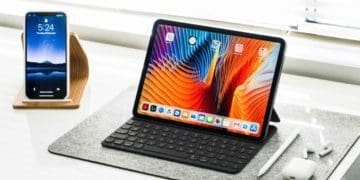
In recent years, iPads have become more and more like MacBooks. And if you’ve spent any period of time around an iPad Pro, you’ll have seen this pretty clearly. The iPad Pro is an incredibly powerful device that is capable of performing demanding tasks, such as high-quality video editing.
The iPad Pro will receive DaVinci Resolve when it’s released, and you can perform other tasks on the device – such as graphic design and photo editing. Many iPads in the past have had the home button, but as we’ve seen with recent iPhones, Apple is moving away from that. The iPad Pro uses Face ID instead.
As you might expect, the M2 iPad Pro comes with a hefty price tag. But if you’re interested in a creative discipline, you might want to consider investing in one.
iPad 10th Generation
Furthering our point about Apple moving away from the home button is the iPad 10th Generation, which was released in 2022. The device features a 10.9-inch screen and is less expensive than the iPad Pro.
While the 10th-gen iPad doesn’t have a home screen, you can still pay with Touch ID via the dedicated button. You can get your device in four different colors, including yellow and pink.
The iPad 10th Generation also allows video editing, and you can put together clips up to 4K in a well-presented film format. The device also comes with 5G if you purchase a device with a cellular plan.
iPad 8th Generation
While the new iPad and iPad Pro are exciting, they’re also quite expensive. If you want to save money on your iPad, one of the best ways – besides getting one that’s second-hand – is to purchase an older model.
Apple released the 8th-generation iPad in September 2020, and it comes with a 10.2-inch screen. You can choose from multiple storage sizes, and you have a selection of colors to choose from – including gold and space gray.
The 8th-generation iPad includes a home button and works with Touch ID. You might not have some of the same video-editing capabilities as the 2022 iPad or iPad Pro, but you will still be able to use multiple apps like Photoshop Express. And if you’re looking for something to simply surf the web or watch videos with, this device will more than do the job.
The iPad 8th Generation supports iPadOS 16, and you’ll get the latest Apple updates for a while still.
iPad Air
If you’re looking for something that’s more powerful than the ordinary 2022 iPad but you’re not willing to get an iPad Pro, the iPad Air might offer a happy medium. Like the other iPads on this list, you can choose whether you want one with a cellular plan or an iPad that only runs on Wi-Fi.
The iPad Air has a Retina display and – unlike some of the newer iPhones – comes with both the plug socket and the accompanying cable. While the iPad Pro uses an M2 chip, the iPad Air uses M1 instead.
The iPad Air is compatible with iPadOS 16 and also supports Apple Pencil use, though you’ll need to get this accessory separately.
Consider Getting an iPad for Christmas
iPads are versatile and especially handy if you’re into a creative field like photography or graphic design. And even if you’re looking for something bigger than your iPhone screen for watching videos and browsing the internet, these tablets are an excellent Christmas present.
The iPads included in this article all serve different audiences. Some people will find significant value in the iPad Pro, whereas the ordinary model is more than good enough for others. It’s worth taking a step back and deciding which one is best for you before purchasing.
Danny has been a professional writer since graduating from university in 2016, but he’s been writing online for over a decade. He has been intrigued by Apple products ever since getting an iPod Shuffle in 2008 and particularly enjoys writing about iPhones and iPads. Danny prides himself on making complex topics easy to understand. In his spare time, he’s a keen photographer.










Write a Comment