Your iPad becomes disabled if you enter the wrong passcode times in a row or more. You can’t unlock or use a disabled device without erasing the content and settings with a computer.
Whether you forgot the passcode or someone else disabled your iPad, you can find out how to fix it below. If you don’t have a backup, we’ve explained how to check what data is already saved to iCloud.
For folks seeking help with their disabled iPhone, check out this article instead!
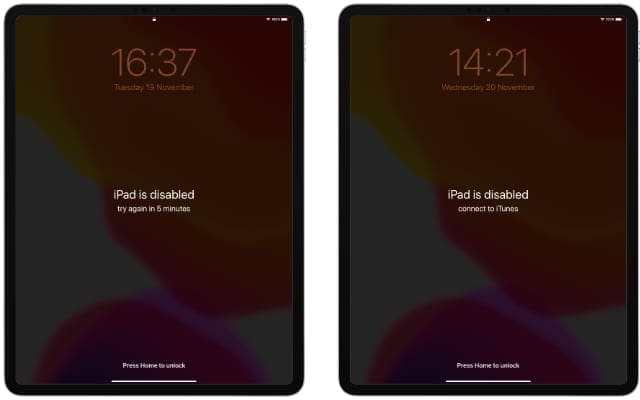
When your iPad is disabled and says “Try again in 15 minutes”, wait out the timer and enter your passcode to fix it. The timer increases each time you enter the wrong passcode.
When your iPad is disabled and says “Connect to iTunes”, the only way you can fix it is to restore all the contents and settings using Recovery Mode. Without a backup, you will lose photos, videos, messages, and everything else on your iPad.
Your iPad tells you what to do when it’s disabled.
To erase a disabled iPad, you need a computer running macOS Catalina or iTunes. If you don’t own a computer, borrow one or visit your nearest Apple Store for help.
How to restore a disabled iPad that says “Connect to iTunes”
Hold the Top button and either Volume button to power off the iPad.
Hold the Home button or the Top button while connecting to a computer.
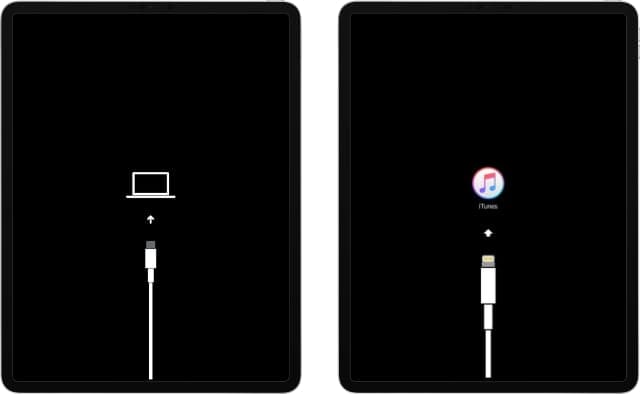
Keep holding the button until a Recovery Mode screen appears.
On the computer, select the iPad and click Restore.
If you don’t have a backup, you will lose all the data on the iPad.
Finder or iTunes will download the latest version of iPadOS. If this takes longer than 15 minutes, follow the steps above to enter Recovery Mode again.
Recovery Mode looks different depending on the version of iOS or iPadOS on your device.
Fix your disabled iPad by erasing it with Recovery Mode and a computer
Visit this article for a more detailed step-by-step guide
Why is my iPad disabled?
If you enter the wrong password on your iPad five times in a row, it temporarily becomes disabled. This protects your data and stops people from figuring out your passcode.
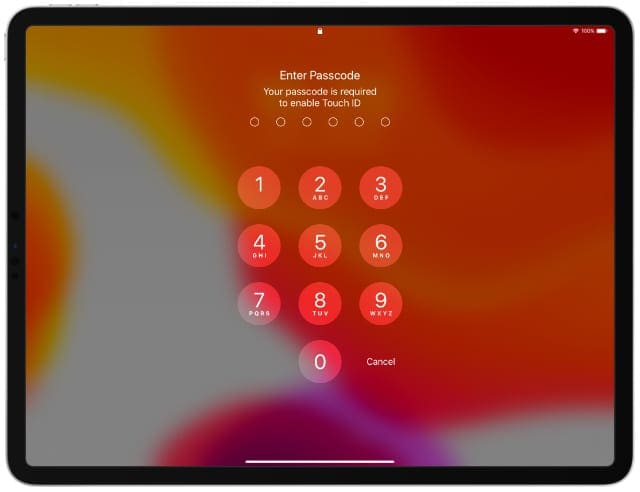
Enter the passcode correctly to avoid disabling your iPad.
Usually, you can wait out the timer and try your code again. But after too many failed attempts, your iPad becomes permanently disabled, making it virtually impossible for anyone to access the data on it. Even you.
Why can’t I use Face ID or Touch ID to unlock my iPad?
Even if your iPad uses Face ID or Touch ID, you still need to unlock it using the passcode sometimes. This usually happens after restarting your device or updating the software.
It’s all too easy to forget the passcode if you use Face ID or Touch ID most of the time. But these services, while incredibly hard to crack on their own, are more secure when paired with a passcode.
How do I backup my disabled iPad or iPod?
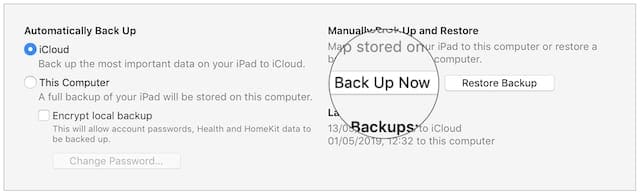
You can’t create a new backup with a disabled iPad.
Some users claim you can still make a backup on a familiar computer.
If you can’t risk losing data on your iPad, look into third-party data recovery services. There are plenty available, although we can’t make any recommendations.
How do I check what data is saved to iCloud?
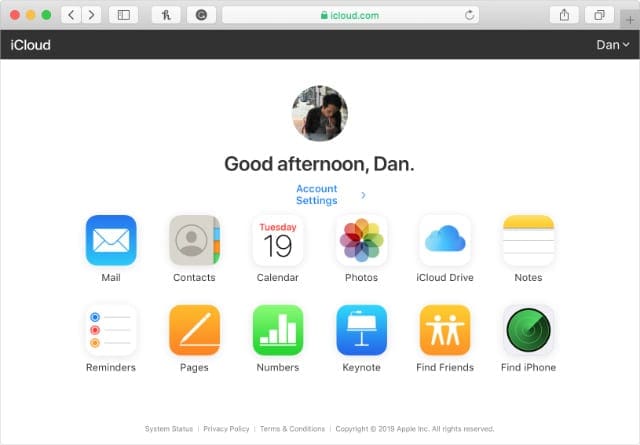
Even if you didn’t make a recent backup, some of your data may still be saved to iCloud. Go to iCloud.com and sign in to your Apple ID account.
View your data stored on iCloud by signing in online.
Any data on this website—photos, videos, notes, etc.—is still safe when you restore your device. It syncs to your iPad again the next time you log in to iCloud.
This works for third-party cloud services as well, like Dropbox or Google Drive. You can also restore paid apps and media from iTunes or the App Store without using a backup.
What if I can’t restore my disabled iPad?
If your disabled iPad says “Connect to iTunes” but won’t connect to a computer, take a look at these things for signs of wear and tear:
your Lightning-to-USB cable
the USB port on your computer
the Lightning port on your device.
If you can, try using a different cable and a different USB port. If that fails, follow our instructions to put your iPad into DFU mode.
Dan writes tutorials and troubleshooting guides to help people make the most of their technology. Before becoming a writer, he earned a BSc in Sound Technology, supervised repairs at an Apple Store, and even taught English in China.
How can I tell if it’s working? I clicked restore on the pop up and once that closed there was a second Restore IPad button. I clicked that and a status slider popped up very briefly. I couldn’t even read it. Now it doesn’t look like it’s doing anything. I’m just sitting here until my devices time out.
I have the same situation with you! i tried sevearl methods to fix it , they didn’t work, then my friend recommend me the Joyoshare iPasscode Unlocker, it work finally, so maybe it can helps you too.
my iPad was disabled so I tried updating and restoring updates but unfortunately anytime it reaches a certain percentages it start all over. when I clicked the resumes download button on my iTunes it start over again and end the same way. pls I need help immediately
I forgot my password for my new IPad. I just got it a week ago, set it down (life got in the way), went to pick it up and I completely forgot my password! How do I get in????
hey I am having a problem with my ipod it says ipod is disabled connect to iTunes can you please give me information so I can get it back to work it is a blue apple ipod I have.












i dont want use recovery mode
ipad is disabled connect to itunes
How can I tell if it’s working? I clicked restore on the pop up and once that closed there was a second Restore IPad button. I clicked that and a status slider popped up very briefly. I couldn’t even read it. Now it doesn’t look like it’s doing anything. I’m just sitting here until my devices time out.
I have the same situation with you! i tried sevearl methods to fix it , they didn’t work, then my friend recommend me the Joyoshare iPasscode Unlocker, it work finally, so maybe it can helps you too.
how does this work
Hey, dan I am unable to perform the backup as you said by connecting to iTunes.
Could you please tell me any working solution to unlock my iPad without data loss.
Hi Rahul.
Are you able to back up to iCloud instead?
my iPad was disabled so I tried updating and restoring updates but unfortunately anytime it reaches a certain percentages it start all over. when I clicked the resumes download button on my iTunes it start over again and end the same way. pls I need help immediately
I forgot my password for my new IPad. I just got it a week ago, set it down (life got in the way), went to pick it up and I completely forgot my password! How do I get in????
hey I am having a problem with my ipod it says ipod is disabled connect to iTunes can you please give me information so I can get it back to work it is a blue apple ipod I have.
my I pod is disabled
i have forgot my iphone 5 passcode ad it says iphone is disabled connect to iTunes but i cant
my iphone is disabled i can’t open it because i forgot the password. and it will not let me connect to itunes. HELP ME
my ipad is disabled I can,t open it because i forget my password
not connect the computer
I can’t open my iPhone with my new passcode. It says: iPhone is disabled connect to itunes.
iPhone 3GS
well u connect to itunes and type the pass if it doesent work type the pervious passcode.
if that doesent work i would go to the apple store for help
pl pl help him